Built for working with an agent
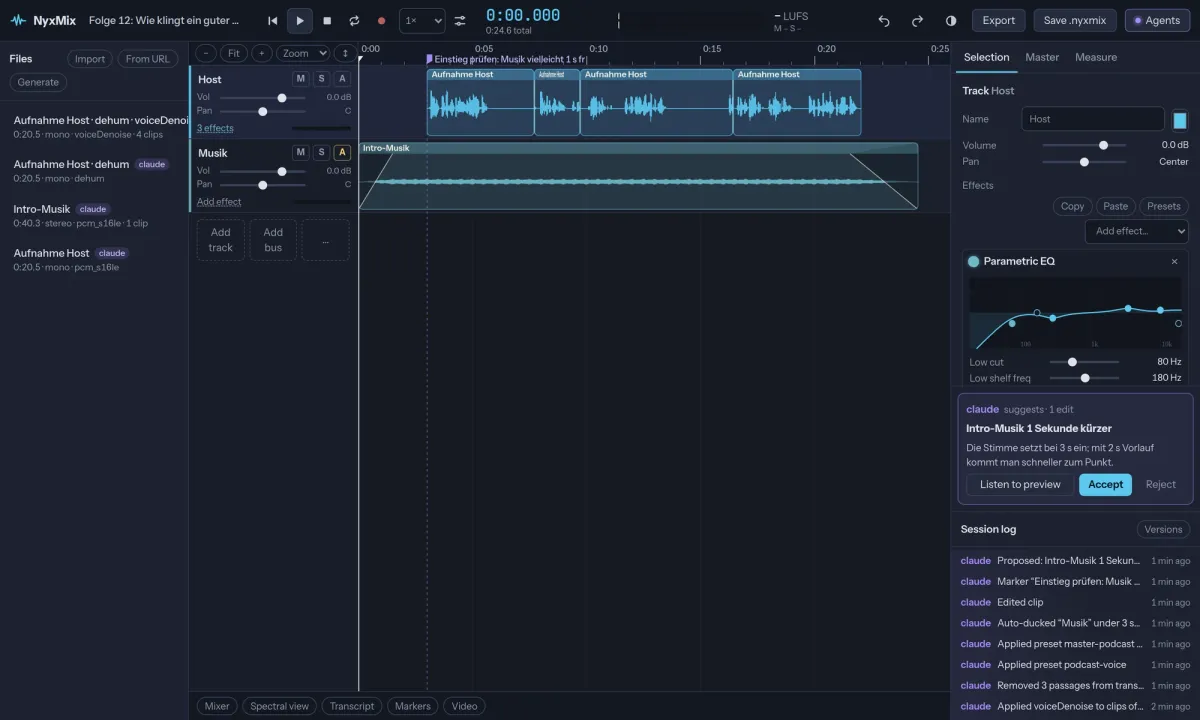
Most audio editors treat AI as a button that does one thing. NyxMix treats an agent as a second person in the session. It edits through exactly the same operations as the interface, every edit shows who made it, and you can undo any of it.
- Live sessions: you see the agent’s cuts and effects arrive in your browser as they happen
- Proposals: for judgement calls the agent suggests an edit, you preview it and accept or reject it
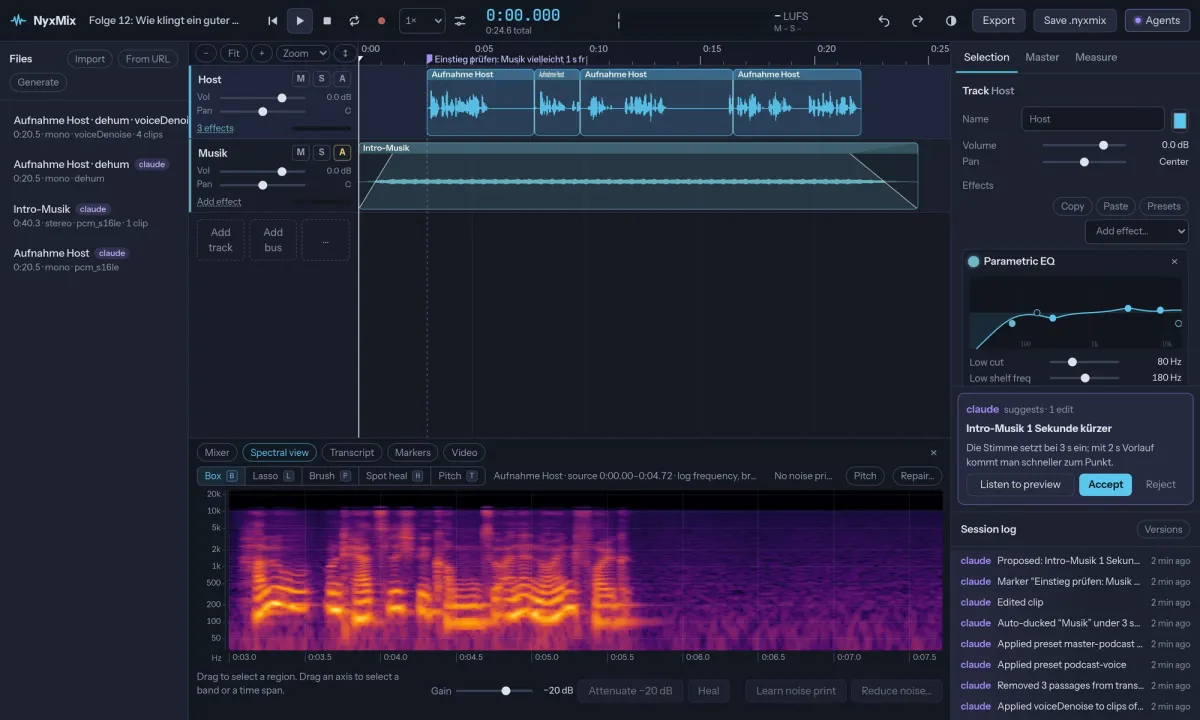
- Agents can look: waveform and spectrogram images, loudness and silence analysis
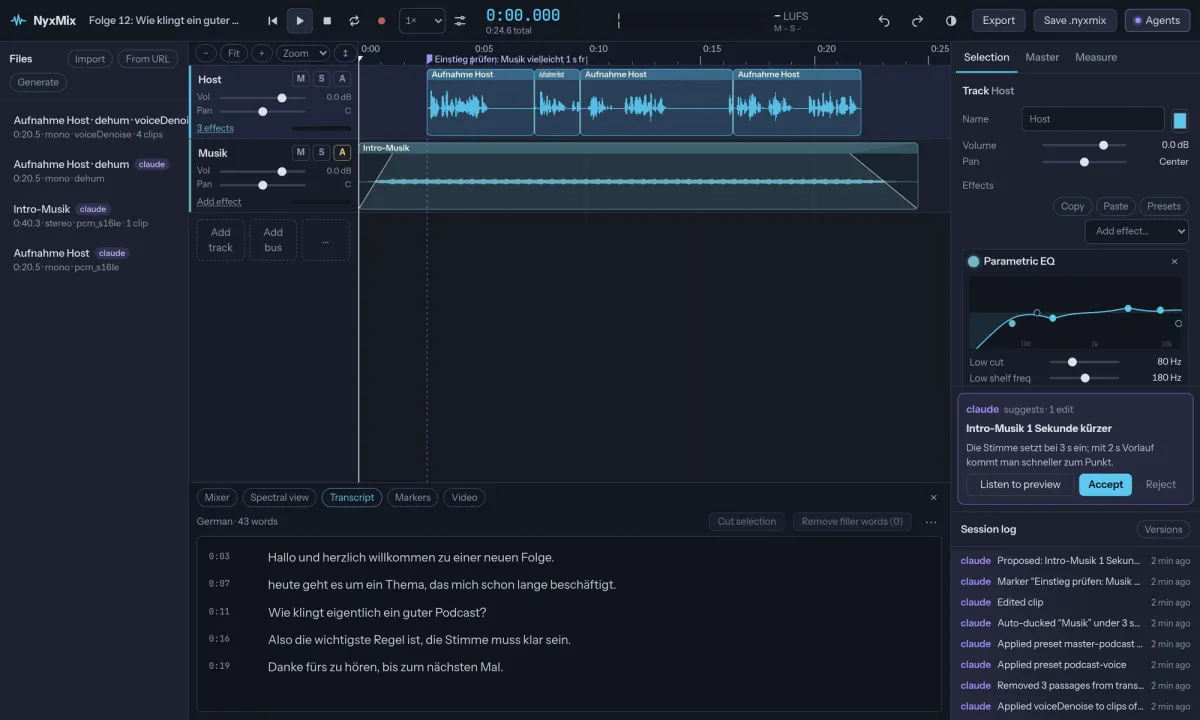
- Text-based editing: transcribe, delete words to cut the audio, remove filler words
What it can do
- Editing: multitrack timeline, trim, split, ripple delete, crossfades, fade curves, markers, sample-level zoom, named versions
- Mixing: 31 real-time effects, buses, sends, volume, pan and effect automation, auto-ducking under speech, mixer view
- Restoration: neural denoise, noise-print reduction, de-hum, de-click, de-ess, de-clip, spectral editor with box, lasso, brush and spot heal
- Analysis: integrated loudness, loudness range, true peak, clipping, spectral balance, silences
- Export: WAV, FLAC, MP3, AAC and Opus, loudness normalisation, chapters, stems, delivery checks for podcasts, EBU R128, streaming and ACX
- Extras: 5.1 surround, video track with scene detection, punch-in recording, pitch correction, server-side VST3 and LV2 plugins
Get started
You need Node 22 or newer and ffmpeg 6 or newer. Transcription, pitch correction and plugins are optional extras that NyxMix tells you about when you need them.
npx nyxmix                # http://127.0.0.1:3950, sessions in ~/.nyxmix
npx nyxmix --token secret # require a bearer token
Connect an agent over MCP with one line, for example claude mcp add --transport http nyxmix http://127.0.0.1:3950/mcp. A plain-language guide for agents is served at /llms.txt.
Sessions as one file
Save .nyxmix downloads a whole session as one file: lossless audio, arrangement, effects, automation, markers, versions, undo history and transcripts. Open it on any NyxMix server and you are exactly where you left off.
NyxMix compared with Adobe Audition
Output quality is checked against EBU Tech 3341/3342 and ITU-R BS.1770-4 in 48 automated conformance tests. Adobe and Audition are trademarks of Adobe Inc., NyxMix is independent.
| NyxMix | Adobe Audition | |
|---|---|---|
| Price | Free, MIT | Subscription |
| Runs on | Any modern browser, server needs Node 22 + ffmpeg | Windows, macOS |
| Spectral editor, noise reduction, loudness | yes | yes |
| Transcript-based editing | yes | no |
| AI agents edit live, every edit labelled | yes | no |
| Several people and agents in one session | yes | no |
| Native VST/AU plugins live on tracks | partly (VST3/LV2 on the server) | yes |
| Lowest monitoring latency | partly (browser, measured compensation) | yes |
Honest limits
- Native Windows and macOS plugins cannot run in a browser, NyxMix runs VST3 and LV2 on the server instead
- Recording latency is higher than with ASIO or Core Audio, NyxMix compensates but you hear yourself later while monitoring
- Files longer than 20 minutes stream during playback, so playback timing is a few milliseconds off. Exports are always sample-exact
- Version 0.1.0: young software, report what breaks