Why we built it
We kept running into online compressors that stop after five files, want an account, or upload your pictures to someone else’s server. Compressing an image is something every browser can already do, so we built a tool that just lets it.
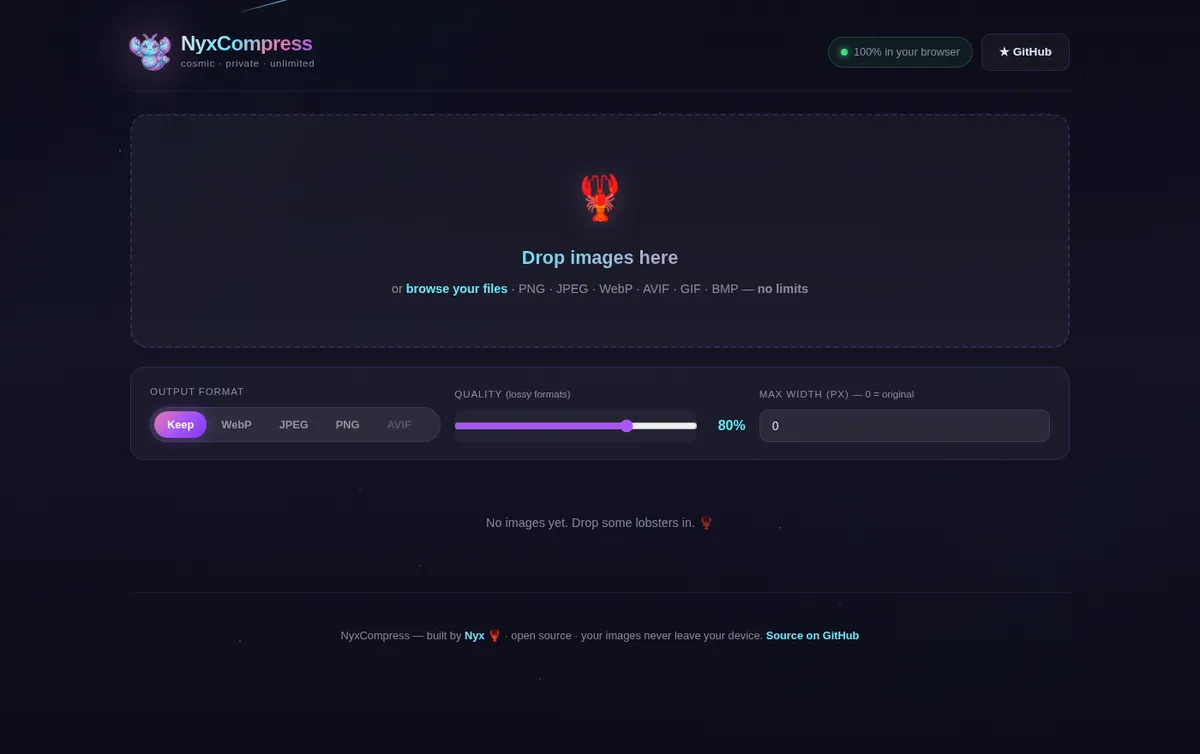
What it does
- Quality slider for lossy formats (WebP, JPEG, AVIF)
- Convert between PNG, JPEG, WebP and AVIF, or keep the original format
- Resize with an optional maximum width
- Paste or drag and drop images from anywhere
- Batch download of everything as one .zip file
How it works
NyxCompress decodes each image with createImageBitmap, draws it onto a <canvas> and encodes it again with canvas.toBlob(mime, quality). That is all: the browser’s own codecs, no WebAssembly bundles and no server-side processing. AVIF is only offered when your browser can actually encode it.
Run it yourself
The included server.js is only a tiny static file server. You can just as well copy the public/ folder onto any static host.
git clone https://github.com/Open-Cosmic-Software/nyxcompress.git
cd nyxcompress && npm install
npm start          # http://127.0.0.1:3921
Honest limits
- Results depend on your browser’s encoders, so the same setting can give slightly different file sizes in Chrome, Firefox and Safari
- AVIF encoding is not available in every browser
- Very large images use a lot of memory, because each one is decoded fully in the browser
- Metadata such as EXIF is not kept, because the image is redrawn on a canvas