
If you want to hire someone to build a WordPress website, five minutes of research will hand you a price range from $300 to $30,000 for what looks like the same product. That is not a scam and not a coincidence. It is what happens when “a website” is roughly as specific as “a vehicle.” A cargo bike and an eighteen-wheeler both move goods.
This article clears that up. We have sat on both sides of the table: as clients who paid others to build a site, and as the people who build WordPress projects, inherit them, and regularly pull them out of the fire. By the end you will know what a WordPress website realistically costs in your situation, how to recognize a serious provider, which contract clauses cost you money later — and in which cases the honest answer is: build it yourself.
What “have a WordPress website built” actually means
The phrase hides the fact that at least five very different services can sit behind it. When you compare quotes, you are almost never comparing the same package.
1. Technical setup. Install WordPress, configure hosting, connect the domain, enable SSL, get transactional email working. That is the foundation, and someone experienced does it in under two hours. It is also the part that many cheap offers sell as “we build your website.”
2. Theme selection and configuration. Buy a commercial theme or take a free one, adjust colors and fonts, import demo content, drop in your own copy. This is where most websites in the lower price bracket come from.
3. Custom design. Someone actually designs a layout for you — wireframes, visual design, responsive variants — and then implements it in WordPress, usually with a page builder or a custom block theme. Different effort, different price class.
4. Functional development. Booking system, membership area, integration with an inventory or CRM system, multilingual structure, custom content types. This is programming, not configuration.
5. Content. Writing copy, sourcing or producing images, planning structure and navigation. The most consistently underestimated line item — and the single most common reason projects stall for months.
A $900 quote and a $12,000 quote can both be fair. They simply do not contain the same thing. So the only useful question is not “what does a website cost” but “which of these five blocks do I need, and who does them.”

Why WordPress at all?
WordPress has powered a large share of the web for years, and the reasons are unromantic but solid.
You own the installation. WordPress is open source. The files and the database are yours, and you can move them to another host whenever you like. With a hosted builder like Wix or Squarespace you cannot — you are renting a space, not owning a house.
The talent market is enormous. If your provider disappears, changes careers, or stops answering email, you can find someone else who knows WordPress without any trouble. With an exotic CMS or a bespoke in-house system, that is a genuine trap. Clients routinely underestimate this point, and in practice it is often worth more than any technical argument.
Extensible without a rebuild. Newsletters, appointment booking, a shop, multiple languages — an established solution exists for almost everything. You do not have to start the project over when a new requirement appears a year in.
The flip side is just as true: WordPress needs maintenance. Updates, backups, security hygiene. A WordPress site is not a piece of furniture you set down and forget. It is closer to a car — reliable for a long time, but not without servicing. Skip that and in two years you have a compromised site and no idea how it happened. We know exactly how fast that goes, and documented it openly in our write-up of a server that stayed hijacked for five days.
When WordPress is the wrong choice: A pure business card with three paragraphs and a phone number does not need a CMS. A high-traffic web application with complex logic belongs in a framework — we have written about that, including Next.js dynamic routes. And a serious online store deserves its own honest platform comparison; ours is in the article on the best shop system.
Agency, freelancer, or builder: the honest comparison
| Criterion | Agency | Freelancer | Builder / DIY |
|---|---|---|---|
| Typical price | $5,000 – 25,000 | $1,500 – 8,000 | $0 – 500 + your time |
| Hourly rate | $100 – 180 | $60 – 120 | – |
| Timeline | 6 – 16 weeks | 3 – 8 weeks | 1 – 4 weekends |
| Continuity risk | low (team) | single person | you |
| Strategy & concept | usually included | depends on person | none |
| Your time investment | medium | medium to high | very high |
| Customization | high | medium to high | limited |
| Ongoing support | contractual | often informal | yourself |
The agency
What you are buying is not primarily hours — it is process and reliability. A good agency puts concept, design, implementation, editorial work, and project management under one roof. There is a single point of contact, defined sign-off stages, and if someone gets sick the project does not stop.
That is worth paying for when your project carries revenue, when several departments have a say, when brand guidelines and legal compliance matter. It is not worth it for a five-page site for a sole proprietor — there you are paying overhead for structures your project does not need.
Watch for one thing: some agencies treat small projects as filler between the large ones. Ask directly who will actually work on your project and how many projects that person handles in parallel. The answer tells you more about the quality you will get than any portfolio.
The freelancer
This is often the best ratio of price to result — if you find the right person. You talk directly to whoever builds it. No meaning lost across three layers, shorter feedback loops, lower rates.
The risks are equally real. One person can get sick, land a large client, or change careers. And the quality range is enormous: the distance between someone who has built WordPress systems for eight years and someone who overwrites a purchased theme’s demo content is vast — with near-identical self-presentation.
You can de-risk it with three things: look at references and actually call them; split the project into paid milestones; and put it in writing from day one that you receive all credentials and files.
The builder or doing it yourself
For a decent small website with a pre-built theme, good copy, and clean hosting, you do not need a budget — you need two to four focused weekends. For plenty of clubs, freelancers, and side projects that is exactly the sensible call.
But do the math honestly. Twenty hours of your time is not free; it is twenty hours you are not spending on your actual business. If your hour has a real value, the calculation flips fast.
And the honest footnote on DIY WordPress: the hard part is not the build. It is the operation afterwards.
What does it cost to have a WordPress website built?
Here are the numbers we consider realistic, based on our own projects and on the third-party quotes clients bring us. All prices exclude tax.
The small presence: $900 – 2,800
Five to eight pages, a purchased or free theme, adjusted colors and typography, contact form, legal pages, SEO basics. You supply the copy. Delivered by a freelancer in two to four weeks.
This is the right class for trades, medical and legal practices, consultants, and sole proprietors who mainly need to be found and look credible.
The company website: $3,500 – 10,000
Ten to thirty pages, custom design on top of a flexible theme or page builder, deliberate information architecture, blog, careers page, some editorial support, solid technical SEO groundwork, performance work, and training for your team.
Here you either have an experienced freelancer working for several weeks or a small agency. For most mid-sized companies, this is the realistic category.
The custom project: $12,000 – 35,000+
Design from scratch, custom theme, specific functionality, multiple languages, CRM or ERP integration, migration of large legacy content, editorial workflows for several user roles, demonstrable accessibility compliance.
If your website is a sales channel rather than a brochure, this is not waste — it is an investment with measurable return.

The costs that continue after launch
The line item almost every quote elegantly skips. Budget per year:
- Domain: $12 – 30
- Hosting: $70 (shared) to $700 (good managed WordPress or your own server)
- Premium plugin and theme licenses: $0 – 600
- Maintenance (updates, backups, monitoring, security): $350 – 2,000
- Content upkeep: depends on ambition
Realistically you land between $450 and $2,800 per year. Skip it and you save that for two years — then pay it in one lump sum to recover from a security incident.
Where to be careful
The $299 all-inclusive offer. Do the math: at a fair hourly rate that is three to four hours. Nobody builds a considered website in that time. Either you get a demo theme with your logo swapped in, or the business model lives somewhere else — usually in a multi-year contract with monthly fees.
The rented website. “No setup cost, just $79 a month, 48-month term.” That is $3,792 for a website you do not own at the end. Some of these contracts renew automatically and register the domain to the provider. Cancel, and everything disappears. If an offer is structured that way, read the contract twice.
The flat price with no scope description. A quote that says only “Website build: $4,500” is not a basis for anything. You do not know how many pages, how many revision rounds, or who writes the copy. That is precisely where the conflicts in month three come from.
The process: how a project actually runs
Phase 1 – Define the goal (your job). Before you send an inquiry: what is the website for? Generate calls, attract applicants, build trust, sell? A website without a defined goal turns out “pretty” and produces nothing.
Phase 2 – Inquiry and quote (1–2 weeks). You describe the project, get follow-up questions and a proposal. A good proposal lists deliverables, page count, revision rounds, timeline, and explicitly what is not included.
Phase 3 – Concept and structure (1–2 weeks). Sitemap, navigation, rough composition of the main page types. This is where content gets discussed, not colors. Providers who skip this phase are building blind.
Phase 4 – Design (2–4 weeks). Concepts for the homepage and two or three sub-page types, mobile variants, review rounds. Two revision rounds are standard; anything beyond that should be defined in the quote.
Phase 5 – Implementation (2–5 weeks). Set up WordPress, build or adapt the theme, enter content, forms, legal pages, performance, mobile rendering.
Phase 6 – Testing and launch (1 week). Check across devices and browsers, test forms, measure load times, set redirects from old URLs, connect search console and analytics, go live.
Phase 7 – Handover and training. Credentials, a short walkthrough, documentation. This step is the one most often done sloppily, and it is the one that costs you longest.
Total duration: realistically six to twelve weeks. Anyone promising four weeks either has a very small project or does not know their own workload. And the most common delay does not come from the provider — it comes from the client’s copy.
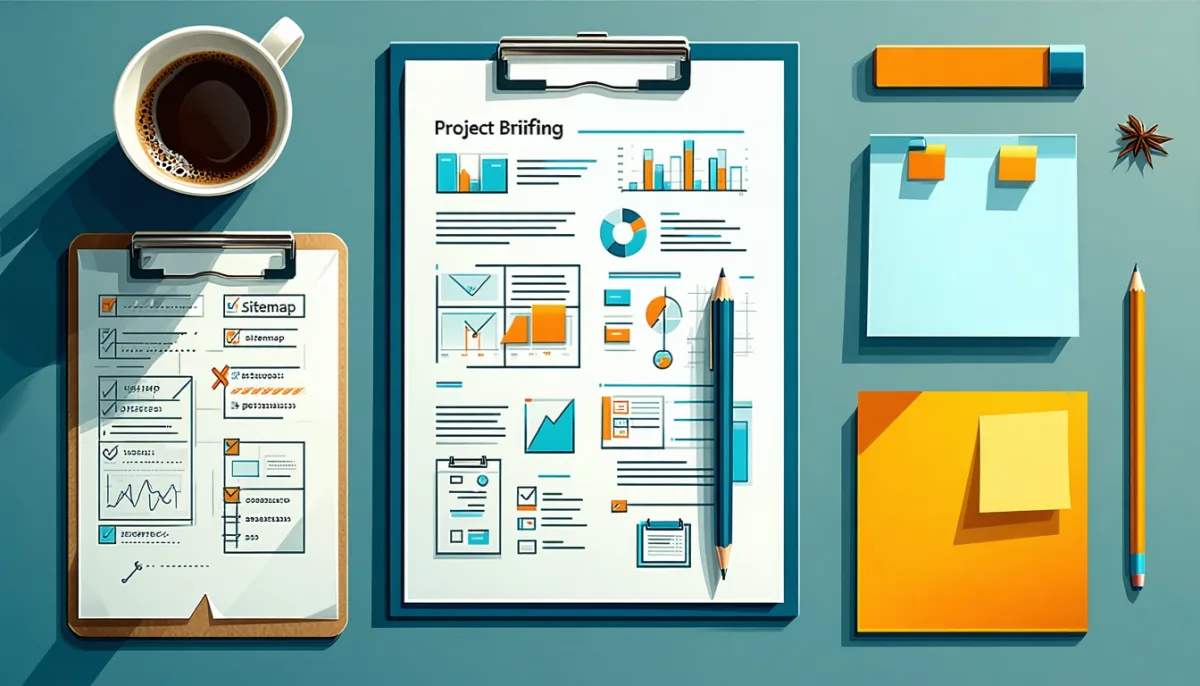
The briefing: the highest-leverage thing you can do
There is no cheaper route to a better result than a proper briefing. Two hours of preparation save you four-figure amounts in rework. Answer these questions in writing before you send an inquiry:
About the business: What exactly do you do? Who are your customers? What separates you from the three nearest competitors? Which questions do customers ask you over and over?
About the goal: What should a visitor do? Call, submit a form, book an appointment, buy, apply? How will you measure in six months whether the site worked?
About scope: Roughly how many pages? Do you need a blog? Multiple languages? Booking? A client area? A shop?
About content: Who writes the copy? Who supplies images? Do you have professional photography or do you need a shoot? (A shoot runs $600 to $2,500 and is often the most visible single investment in the whole project.)
About the look: Three websites you like, plus one sentence each on why. Two you dislike, plus why. That is far more precise than any pile of adjectives. “Modern and professional” means something different to everyone.
About the constraints: Your budget — say it out loud. The widespread reflex to hide the budget in order to get better pricing does not work. It only produces proposals disconnected from your reality and three wasted weeks. Name a range and you get a fitting proposal instead of a guessing game.
Contract and handover: where the expensive mistakes happen
The most common, most expensive, and most avoidable mistake when having a website built is losing control of your own access.
Get these six points in writing:
- The domain is registered to you. Not to the provider, not to the agency. You are the registrant of record. Anything else is leverage held against you.
- You receive every credential at handover: hosting, WordPress admin, database, FTP/SSH, domain management, and any plugin licenses in use.
- Usage rights to the design belong to you, unrestricted and without time limit, including the right to have third parties develop it further.
- Licenses are in your name wherever possible. Premium plugins on the agency account means no more updates once the relationship ends.
- Number of revision rounds and what additional ones cost.
- What applies after launch: who does updates, what a change costs, and how fast someone responds to an outage.
Payment structure. The standard and fair model is thirds: one third at signing, one third at design approval, one third at acceptance. Anyone demanding 100 percent up front is either inexperienced or has been burned — in both cases it becomes your risk.
The exit test. Before signing, ask the provider one question: “Suppose in a year I want to move to someone else — exactly what do I receive from you, and what does it cost?” That answer separates clean providers from contract traps more reliably than any portfolio. Anyone who treats the question as distrust rather than answering it plainly has just given you the most important information available.

How to recognize a good provider
Good signs:
- They ask a lot of questions about your business before talking about technology.
- References come with working live links, not just pretty mockups.
- They actively tell you what you do not need. Anyone selling everything is selling.
- They talk about content and who is going to produce it.
- The proposal is itemized and names exclusions.
- They bring up maintenance, backups, and privacy compliance unprompted.
Warning signs:
- Guaranteed first-place rankings. Nobody can promise that honestly.
- A quote with no conversation at all, straight after the contact form.
- A portfolio consisting entirely of theme demos.
- Evasive answers about domain ownership and credentials.
- Very long minimum terms attached to a low entry price.
- Not a word about operating the site after launch.
A practical test: ask for two reference clients and actually call them. Do not ask “was it good.” Ask: “How did communication go when something did not follow the plan?” That single question yields more insight than the entire portfolio.
Images and content: ask specifically where images come from. Free stock photography is fine when chosen deliberately, but the licenses must be documented. Claims over missing image attribution are not a theoretical risk, and in the end you as site operator are liable — not the provider who inserted the file.
Life after launch: what WordPress permanently needs
A WordPress site is not finished after launch; it is in operation. That is not scaremongering, it is the reality of a system so widespread that automated attacks run against it constantly.
Updates. Core, theme, and plugins. Security updates promptly, functional updates after a short test. A plugin that has not been updated in two years is not a stable plugin — it is an abandoned one.
Backups. Automated, daily, and — this is where most setups fail — stored off the same server. A backup sitting next to the website is just as gone as the original when the server is compromised. And a backup that has never been test-restored is an assumption, not a safeguard.
Access protection. Strong passwords, two-factor authentication on administrator accounts, login attempt limiting, and no user literally named “admin.” That is twenty minutes of work that stops the large majority of automated attacks.
Monitoring. You should not learn about an outage from a customer. A simple uptime check costs nothing and speaks up before it gets embarrassing.
What it costs: roughly one hour a month if you do it yourself. As a maintenance contract, typically $35 to $180 monthly. Check what is actually included — some “maintenance contracts” consist of an auto-update plugin and a monthly invoice.
Two principles from our own practice that apply to any site: services that do not need to be publicly reachable belong on 127.0.0.1 rather than 0.0.0.0 — we have personally received a national CERT notification over an accidentally exposed database. And any input from which the server builds a request must be validated, or you have an SSRF problem. Whoever maintains your website should not be hearing sentences like that for the first time.

Frequently asked questions
How much does it cost to have a WordPress website built?
Realistically $900 to $2,800 for a small presence on an adapted theme, $3,500 to $10,000 for a fully developed company website, and from $12,000 upward for custom projects with bespoke functionality. On top of that, $450 to $2,800 per year for hosting, domain, licenses, and maintenance. Offers well under $500 are almost always either a theme with a swapped logo or a long-running rental contract.
Agency or freelancer — which is better?
It depends on project size and risk tolerance. Freelancers give you the better price-to-result ratio and shorter feedback loops on small and mid-sized projects. Agencies make sense when several disciplines must be coordinated, when multiple people on your side have decision power, or when continuity needs to be contractually guaranteed. For a website under $5,000, a good freelancer is usually the more sensible choice.
How long does it take to have a WordPress website built?
Six to twelve weeks for a normal company project. A small site with finished copy can stand in two to three weeks. The most common delay is not technical, it is missing content: as long as the copy is not there, nobody can finish the pages. Having text ready before the project starts shortens the timeline noticeably.
Can I edit my WordPress website myself afterwards?
Yes — if it was built cleanly. That is exactly what to clarify up front: before awarding the contract, ask to be shown what editing a page will actually look like. Some implementations are so deeply nested that a simple text change requires technical knowledge. And insist on a walkthrough at handover — half an hour of training saves you years of paid micro-tasks for changes you could make yourself.
What happens if I am unhappy with the result?
That depends entirely on what you agreed beforehand, which is why revision rounds and acceptance criteria in the quote matter so much. Practically, milestones protect you best: pay in installments tied to intermediate results. If it becomes clear after the design phase that this is not working, you have invested a third rather than everything. And ask to see work in progress during implementation, not only at the end.
Do I really need WordPress, or is a website builder enough?
If you need a simple presence, want to maintain it yourself, and have no special requirements, a builder can be the more pragmatic choice — less maintenance, less security responsibility. WordPress pays off as soon as independence from a vendor, extensibility, serious SEO work, or a blog with many articles come into play. The decisive difference stands: a WordPress installation you can take with you, a builder account you cannot.
Who writes the copy for my website?
By default, you do. Copywriting is not included in most quotes and is billed separately — typically $150 to $500 per page for professional work. It is the line item most often cut and the one that most determines the outcome. A moderately designed page with clear, honest copy beats an award-winning design filled with empty phrases. If your budget is tight, put it into words rather than animations.
What about SEO — is that included?
Technical fundamentals should be: clean structure, titles and descriptions, fast load times, mobile rendering, XML sitemap, correct redirects during a relaunch. Content SEO — keyword research, publishing consistently, link building — is a separate, ongoing discipline and not part of building a website. Which plugin helps with it we covered in detail in our comparison of WordPress SEO plugins.
Verdict: the decision in three sentences
Hire it out if your website is meant to earn money, if your time is better spent on your core business, or if you lack the routine to produce a professional result. The right range for most companies is $3,500 to $10,000 plus ongoing support.
Do it yourself if the budget is tight, the requirements are modest, and you are willing to invest two to four weekends — and then take care of updates and backups afterwards.
And in both cases: the domain is yours, you hold every credential, and you know who looks after the site after launch. With those three settled, very little can go badly wrong. With them unsettled, the prettiest design will not save you.
The most expensive mistake in hiring out a website is never the price being too high. It is the website nobody can touch two years later because the credentials are gone, the licenses run under someone else’s name, and the provider stopped answering. No budget protects you from that — only a clear agreement at the start.