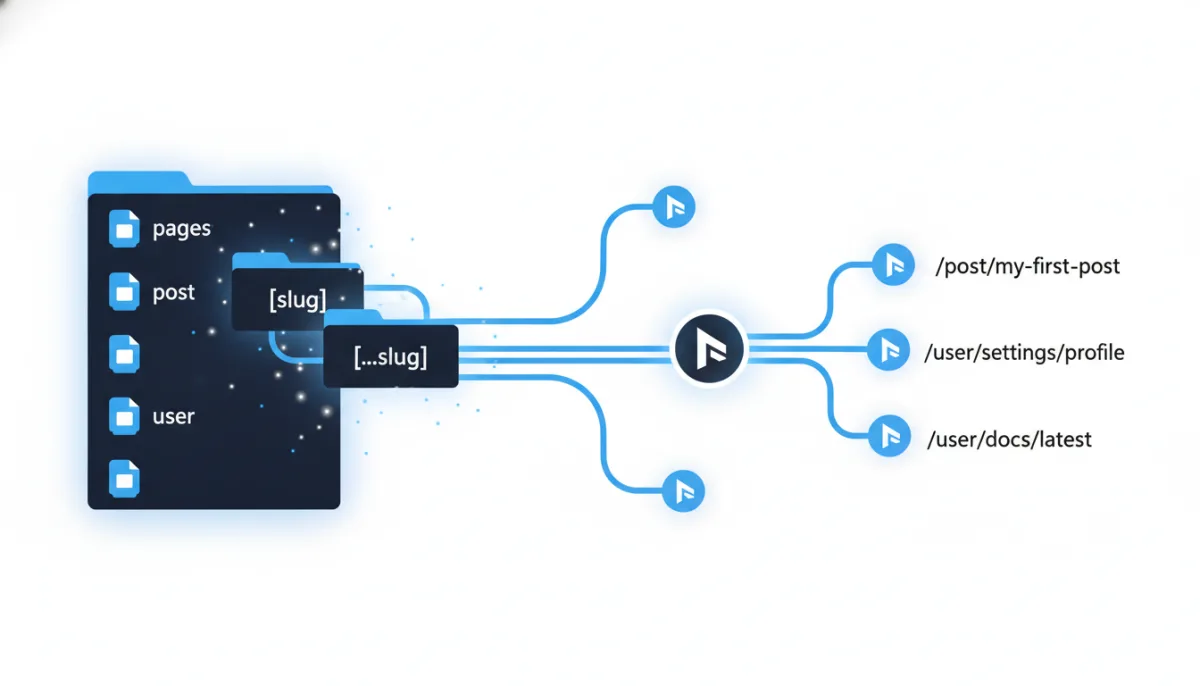
Next.js dynamic routes are one of those features that look trivial in the docs and then quietly determine whether your site scales to ten thousand pages or falls apart at fifty. Square brackets in a folder name, done, right? Not quite. Between [slug], [...slug], [[...slug]], generateStaticParams, dynamicParams, ISR, and the async params change in Next.js 15, there is a lot of surface area — and a lot of ways to accidentally ship a slow, unindexable site.
We have built and maintained several production Next.js sites, from e-commerce storefronts to content platforms with thousands of dynamically routed pages. This article is the deep dive we wish we had when we started: how dynamic routes actually work in the App Router, how to render them fast, and how to make search engines love them.
What Dynamic Routes Are (and Why They Exist)
Next.js uses file-system based routing. A folder inside app/ becomes a URL segment, and a page.tsx inside it makes that segment publicly reachable. app/about/page.tsx is /about. Simple.
But real applications are not made of hand-written pages. A blog has hundreds of posts. A shop has thousands of products. A documentation site has nested categories you do not know at build time. You are not going to create a folder for every product ID — you need one page template that renders any product. That is exactly what a dynamic route is: a URL segment whose value is filled in at request time (or build time) from the actual URL.
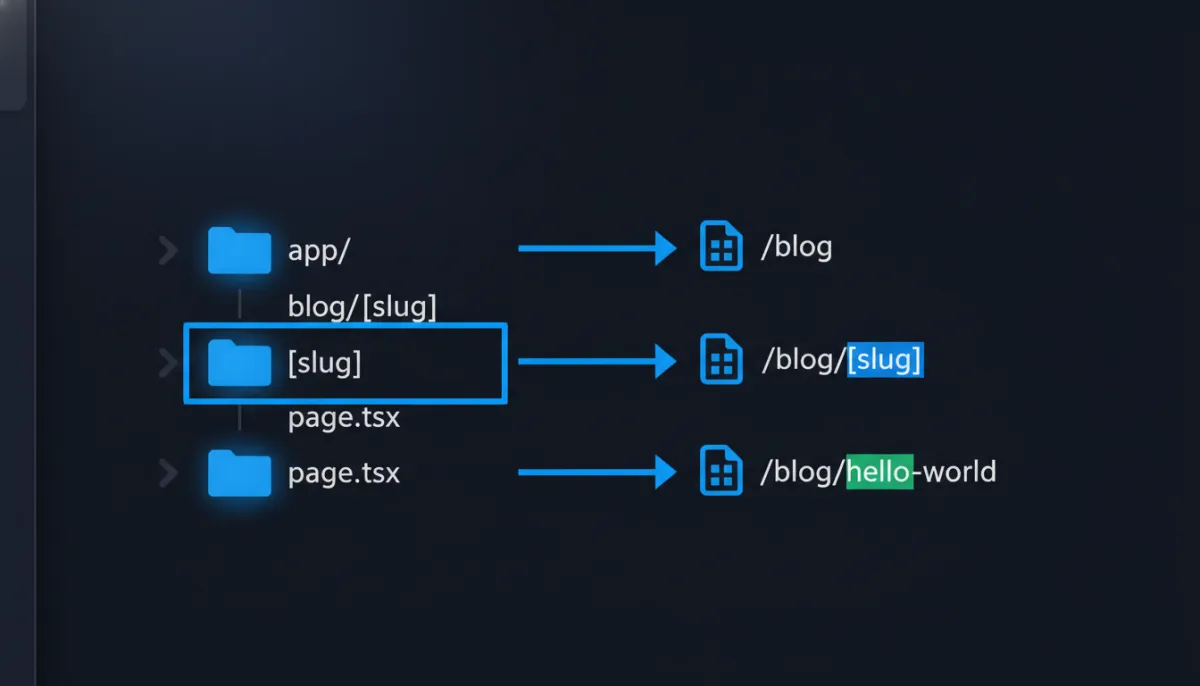
In the App Router, you create one by wrapping a folder name in square brackets:
app/
└── blog/
    └── [slug]/
        └── page.tsx
Now /blog/hello-world, /blog/nextjs-tips, and /blog/anything-else all render through the same page.tsx. The bracket segment — slug here, but the name is up to you — is passed to your component as a param.
The Anatomy of a Dynamic Route in Next.js 15
Here is the canonical example, and it already contains the single most important change of recent Next.js versions:
// app/blog/[slug]/page.tsx
interface PageProps {
  params: Promise<{ slug: string }>;
}

export default async function BlogPost({ params }: PageProps) {
  const { slug } = await params;
  const post = await getPost(slug);

  if (!post) notFound();

  return (
    <article>
      <h1>{post.title}</h1>
      <div dangerouslySetInnerHTML={{ __html: post.content }} />
    </article>
  );
}
Notice params: Promise<{ slug: string }>. Since Next.js 15, params is a Promise and must be awaited. This is the change that breaks the most tutorials from 2023 and 2024. In older versions you accessed params.slug directly; now the framework hands you a Promise so it can start rendering your page before the request context is fully resolved. If you copy old code, TypeScript will warn you — and in newer versions synchronous access simply fails.
The same applies to searchParams, which is also async now:
export default async function Page({
  params,
  searchParams,
}: {
  params: Promise<{ slug: string }>;
  searchParams: Promise<{ [key: string]: string | string[] | undefined }>;
}) {
  const { slug } = await params;
  const { sort } = await searchParams;
  // ...
}
If you take one thing from this section: always await params in Next.js 15 and later. It is the number one source of confused Stack Overflow questions about dynamic routes right now.
The Three Flavors of Dynamic Segments
Next.js gives you three bracket syntaxes, and choosing the right one matters more than people think.
1. Single Dynamic Segment: [slug]
Matches exactly one segment. app/products/[id]/page.tsx matches /products/42 but not /products and not /products/42/reviews. This is your default choice for detail pages: blog posts, product pages, user profiles.
2. Catch-All Segment: [...slug]
Matches one or more segments. app/docs/[...slug]/page.tsx matches /docs/getting-started, /docs/api/auth, and /docs/api/auth/tokens. The param arrives as an array:
// /docs/api/auth/tokens
const { slug } = await params;
// slug = ["api", "auth", "tokens"]
This is the workhorse for documentation sites, CMS-driven page trees, and anything with arbitrary nesting depth. Important: a plain catch-all does not match the bare /docs route — you would get a 404 there.
3. Optional Catch-All: [[...slug]]
Double brackets make the segment optional. app/docs/[[...slug]]/page.tsx matches /docs and everything below it. On the bare route, the param is undefined, so guard for it:
const { slug } = await params;
const path = slug?.join("/") ?? "index";
Use this when the root of a section and its children share a template — for example a docs landing page that is just another CMS document.

Route Priority: Who Wins?
When multiple routes could match, Next.js resolves in this order: static beats dynamic beats catch-all beats optional catch-all. So with app/blog/featured/page.tsx and app/blog/[slug]/page.tsx both present, /blog/featured renders the static one. This is intentional and useful: you can carve out special-case pages from a dynamic template without conditionals.
One trap: you cannot have two different param names at the same level. app/shop/[id] and app/shop/[slug] will throw a build error, because Next.js could never decide which one /shop/whatever belongs to.
generateStaticParams: The Performance Lever
By default, a dynamic route is rendered on demand — the server builds the HTML when the request comes in. That is fine for rarely visited pages, but for a blog or product catalog it means every visitor (and every crawler) pays the rendering cost.
generateStaticParams flips this: it tells Next.js at build time which param values exist, so those pages are pre-rendered as static HTML.
// app/blog/[slug]/page.tsx
export async function generateStaticParams() {
  const posts = await getAllPosts();
  return posts.map((post) => ({ slug: post.slug }));
}
At build time, Next.js calls this once, gets your list of slugs, and renders one HTML file per slug. Requests then hit static files: no server rendering, no database query, response times in single-digit milliseconds, trivially cacheable on a CDN.
For catch-all routes, return the array form:
export async function generateStaticParams() {
  const docs = await getAllDocs();
  return docs.map((doc) => ({
    slug: doc.path.split("/"), // e.g. ["api", "auth"]
  }));
}
And for nested dynamic routes like app/[category]/[product]/page.tsx, return both keys per entry:
export async function generateStaticParams() {
  const products = await getAllProducts();
  return products.map((p) => ({
    category: p.category,
    product: p.slug,
  }));
}
dynamicParams: What Happens to Unknown Slugs?
Here is the subtle part. What happens when a request comes in for a slug you did not return from generateStaticParams? That is controlled by a segment config:
export const dynamicParams = true; // defaultWith true (the default), unknown slugs are rendered on demand and then cached — effectively Incremental Static Regeneration. Your build stays fast because you can pre-render only your top 100 pages and let the long tail generate itself on first visit.
With false, unknown slugs return a hard 404. Use this when your set of pages is closed and you want garbage URLs (/blog/xyz123) to fail fast instead of hammering your data source.
A pattern we use in production: pre-render the pages that get 90 percent of traffic, leave dynamicParams on, and add ISR revalidation:
export const revalidate = 3600; // re-generate at most once per hour

export async function generateStaticParams() {
  const topPosts = await getTopPosts(100);
  return topPosts.map((post) => ({ slug: post.slug }));
}
Fast builds, fast pages, fresh content. This combination — partial pre-rendering of the hot set plus on-demand ISR for the tail — is the sweet spot for almost every content site.
One More Thing: Fetch Deduplication
Inside a statically generated route, fetch requests with the same URL are automatically deduplicated between generateStaticParams, generateMetadata, and your page component. If you use a database client instead of fetch, wrap your data getters in React’s cache() so the post is not loaded three times per page:
import { cache } from "react";

export const getPost = cache(async (slug: string) => {
  return db.post.findUnique({ where: { slug } });
});
This one-liner has saved us real money on database load.
Dynamic SEO: generateMetadata Is Not Optional
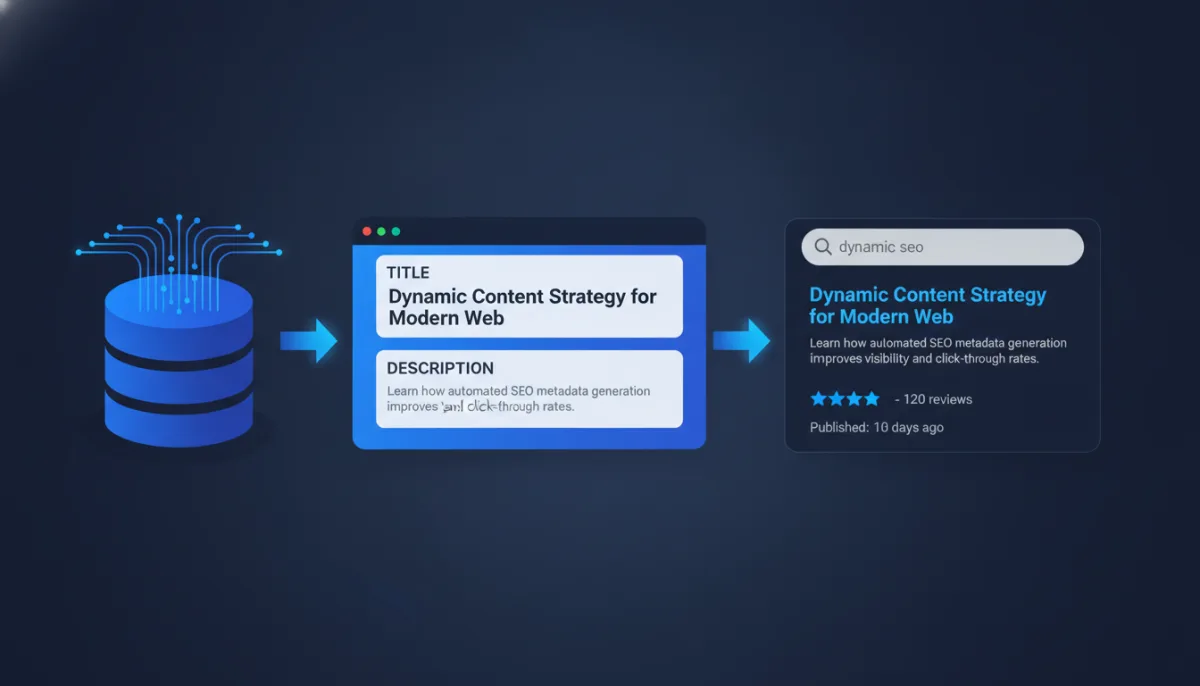
Now to the part most tutorials skip, which happens to be the part that decides whether your dynamic pages rank at all. A thousand product pages with identical <title> tags are a thousand pages Google considers near-duplicates.
Every dynamic route needs dynamic metadata, and the App Router has a first-class API for it:
import type { Metadata } from "next";

export async function generateMetadata({
  params,
}: {
  params: Promise<{ slug: string }>;
}): Promise<Metadata> {
  const { slug } = await params;
  const post = await getPost(slug); // deduplicated via cache()

  if (!post) return { title: "Not found" };

  return {
    title: post.title,
    description: post.excerpt,
    alternates: {
      canonical: `https://example.com/blog/${post.slug}`,
    },
    openGraph: {
      title: post.title,
      description: post.excerpt,
      type: "article",
      publishedTime: post.publishedAt,
      images: [{ url: post.ogImage, width: 1200, height: 630 }],
    },
    twitter: {
      card: "summary_large_image",
      title: post.title,
      description: post.excerpt,
    },
  };
}
Three details that matter more than they look:
The canonical URL. Dynamic routes are the classic source of duplicate content: /blog/my-post?utm_source=x, trailing-slash variants, upper/lowercase slugs. A self-referencing canonical on every dynamic page tells search engines which version counts. This is the cheapest ranking insurance you can buy.
404s must be real 404s. If your data source returns nothing, call notFound() from next/navigation. A dynamic route that renders an empty “Product not found” shell with an HTTP 200 is a soft-404 factory — Google will crawl thousands of them and quietly downgrade its opinion of your whole site.
Metadata and page must agree. generateMetadata and your page component fetch the same data. Use the cache() pattern above so they cannot drift apart and you do not double your data cost.
Sitemaps for Dynamic Routes
Crawlers discover dynamic pages through links — but a sitemap makes discovery reliable, especially for deep or new pages. Next.js makes this a single file:
// app/sitemap.ts
import type { MetadataRoute } from "next";

export default async function sitemap(): Promise<MetadataRoute.Sitemap> {
  const posts = await getAllPosts();
  return [
    { url: "https://example.com", lastModified: new Date() },
    ...posts.map((post) => ({
      url: `https://example.com/blog/${post.slug}`,
      lastModified: post.updatedAt,
    })),
  ];
}
That is a fully dynamic sitemap.xml, regenerated with your build (or on a revalidation interval). Combined with structured data — a small Article or Product JSON-LD script rendered per page — this covers essentially everything technical SEO asks of a dynamic route in 2026.
const jsonLd = {
  "@context": "https://schema.org",
  "@type": "Article",
  headline: post.title,
  datePublished: post.publishedAt,
  author: { "@type": "Organization", name: "GetMind" },
};

// in JSX:
<script
  type="application/ld+json"
  dangerouslySetInnerHTML={{ __html: JSON.stringify(jsonLd) }}
/>
Linking, Prefetching, and Reading Params in Client Components
Dynamic routes are only half the story — you also navigate to them. Always use next/link with interpolated hrefs:
<Link href={`/blog/${post.slug}`}>{post.title}</Link>Link prefetches routes in the viewport, so by the time someone clicks, the static page is often already loaded. This is a big chunk of why well-built Next.js sites feel instant.
Inside Client Components, you cannot receive params as props from the route — instead use the navigation hooks:
"use client";
import { useParams, usePathname } from "next/navigation";

export function ShareButton() {
  const params = useParams<{ slug: string }>();
  const pathname = usePathname();
  // params.slug, pathname available synchronously here
}
useParams is synchronous on the client — no awaiting. The Promise-based params only apply to Server Components, layouts, and the generate* functions.
Layouts, by the way, receive params too. A app/shop/[category]/layout.tsx gets params: Promise<{ category: string }> and can render category navigation around every product page — but note that layouts do not re-render on navigation between their children, and they cannot read params of segments below them.
Loading, Errors, and Streaming
Dynamic routes fetch data, and data can be slow or broken. The App Router gives every route segment two companions:
loading.tsx— an instant loading UI (skeleton) shown while the server renders. Under the hood this wraps your page in a Suspense boundary and streams the result in when ready. For on-demand dynamic routes this transforms perceived performance: the shell appears immediately instead of the browser staring at a blank tab.error.tsx— a client-side error boundary. When your data fetch throws, users get a recoverable error UI with areset()function instead of a crashed page.
// app/blog/[slug]/loading.tsx
export default function Loading() {
  return <ArticleSkeleton />;
}
Two files, maybe twenty lines, and your dynamic routes degrade gracefully instead of catastrophically. There is no excuse to skip them.
Common Mistakes That Cost Real Traffic
We have made or debugged every one of these. Learn from our pain.
1. Forgetting to await params. The Next.js 15 classic. Old tutorials show params.slug; new code needs const { slug } = await params. Symptoms: TypeScript errors, or empty params in production.
2. Soft 404s. Rendering a friendly “nothing here!” page with status 200 for unknown slugs. Always notFound(). We watched a shop’s crawl budget get eaten by 40,000 soft-404 variant URLs before fixing this.
3. No canonical tags. Query parameters, casing, trailing slashes — every variant is a duplicate page without a canonical. One line in generateMetadata fixes it.
4. Pre-rendering everything. generateStaticParams returning 200,000 product slugs means multi-hour builds and a CI bill that makes your CFO cry. Pre-render the hot set, let dynamicParams + ISR handle the tail.
5. Unvalidated params in data queries. A slug is user input. If it flows into raw SQL or a file path, you have built an injection or traversal vector into your router. Validate the format (/^[a-z0-9-]+$/ for slugs) before it touches anything sensitive — and never run your Next.js server as root. We wrote about what happens when a Next.js server gets compromised — the router is often the front door.
6. Fetching the same data three times. generateMetadata, generateStaticParams-adjacent logic, and the page each calling the database separately. Wrap getters in cache().
7. Using route handlers for pages. Occasionally people build app/api/post/[id]/route.ts and fetch it from their own page. You are paying for two round trips to serve one page. Server Components can just query the data source directly.
Dynamic Routes vs. Alternatives: When Not to Use Them
Honest engineering means knowing the limits. You do not need a dynamic route when:
- The set of pages is tiny and hand-written. Five static marketing pages do not need a
[slug]template and a CMS. Folders are fine. - The content is fully static and you want zero server. With
output: 'export', dynamic routes still work — but every path must come fromgenerateStaticParams, because there is no server to render unknown slugs.dynamicParamson-demand rendering is off the table. (This very blog runs as a static export for exactly that reason.) - You are gating by query, not path. Filters, sorting, pagination states belong in
searchParams, not in path segments./products?sort=priceis a view of one page;/products/[category]is a different page. Mixing these up creates either an SEO mess or an unshareable UI.
The mental model that helps: path segments are identity, query params are state. If the thing has its own canonical existence (a post, a product, a doc), it deserves a dynamic segment. If it is a way of looking at that thing, it is a query param.
Advanced Patterns: Middleware, i18n, and Route Groups
Once the basics sit, three advanced patterns come up in almost every serious project.
Middleware in front of dynamic routes. middleware.ts runs before the router matches, which makes it the right place for redirects of legacy URLs into your new dynamic scheme. Migrating from /artikel/123-mein-post.html to /blog/mein-post? A middleware matcher plus a redirect map preserves years of accumulated link equity with 301s:
// middleware.ts
import { NextResponse } from "next/server";

export function middleware(request: Request) {
  const url = new URL(request.url);
  const legacy = url.pathname.match(/^\/artikel\/\d+-(.+)\.html$/);
  if (legacy) {
    return NextResponse.redirect(
      new URL(`/blog/${legacy[1]}`, url), 301
    );
  }
}
Without this, every migration to dynamic routes silently burns your existing rankings. With it, the move is invisible to search engines.
Internationalization as a dynamic segment. The idiomatic i18n setup in the App Router is a [lang] segment at the top: app/[lang]/blog/[slug]/page.tsx. Your generateStaticParams then returns the cross product of locales and slugs, and generateMetadata adds alternates.languages so every page announces its siblings via hreflang. Two dynamic segments, and your entire site is multilingual with correct SEO signals — no plugin, no separate deployment.
Route groups to keep templates apart. Parenthesized folders like (marketing) and (shop) do not appear in the URL but let each group have its own root layout. That means your dynamic product pages can live in a completely different shell than your dynamic blog posts, while both stay at clean top-level URLs. Combined with dynamic segments, this is how large sites keep dozens of page types organized without a single URL prefix leaking implementation details.
None of these are exotic. They are the difference between a Next.js project that grew and one that was designed.
A Production Checklist
Before you ship a dynamic route, run through this:
- Params awaited (
Promise<{ ... }>types correct)? generateStaticParamsfor the pages that matter, with a deliberatedynamicParamsdecision?revalidateset if content changes after deploy?notFound()for missing data — no soft 404s?generateMetadatawith unique title, description, canonical, Open Graph?- Route included in
app/sitemap.ts? - JSON-LD structured data where applicable?
loading.tsxanderror.tsxpresent?- Slug format validated before hitting the data layer?
- Data getters wrapped in
cache()?
Ten points, maybe an hour of work per route template — and the difference between a demo and a production system.
The Bottom Line
Dynamic routes are the reason Next.js scales from a landing page to a hundred-thousand-page platform without changing its mental model. The bracket syntax is the easy part. The craft is in the rendering strategy: pre-render what is hot, regenerate what changes, 404 what does not exist, and describe every page to search engines as if it were hand-written.
Get generateStaticParams, dynamicParams, and generateMetadata working together, and you have pages that are simultaneously fast to build, fast to serve, and easy to rank. Skip them, and you have a very elegant way to serve slow duplicate content.
The router is not just plumbing. In Next.js, it is your performance strategy and your SEO strategy in one folder structure. Treat it that way.