A load balancer is a program or device that spreads incoming requests across several identical servers. Visitors only ever talk to the load balancer. For every request, it decides which server in the background gets it, then passes the response back. The goal is twofold: no single server should be overloaded, and if one fails, the others simply keep going.
That’s the short answer to the question of what a load balancer is. The long answer is more interesting, because most explanations stop exactly where things start to hurt in practice. A load balancer doesn’t just distribute traffic, it distributes failures too. It can keep feeding a frozen server with visitors for a full minute, log users out at random, or make a single email go out three times. That sounds exaggerated. We reproduced it on our own server on November 2, 2026, with nginx 1.24 and HAProxy 3.2.26 in front of three tiny test backends, and every one of these situations could be triggered with the default configuration.
This article explains the basics first: how a load balancer works, which algorithms exist and what Layer 4 and Layer 7 mean. Then come the measurements. At the end you’ll find an honest answer to whether you need one at all. For a lot of projects, the answer is: not yet.
If you’re not sure what a reverse proxy is, read What is a reverse proxy first. Technically, an HTTP load balancer is nothing more than a reverse proxy with a specific job.
Animated and about ten minutes long: PowerCert’s March 2026 video explains the basic idea visually. If you prefer reading, everything important is below as well.
What Is a Load Balancer? The Definition Without Jargon
Picture a bakery with three checkouts. Without anyone directing traffic, everybody lines up at the first register because it’s closest to the door. The second and third cashiers are bored. Put someone at the door and that changes: they send every new customer to a register so that no line gets too long. If a register breaks down, they just stop sending people there.
That’s exactly what a load balancer does. The registers are your servers, called backends, upstreams or targets in the jargon. The person at the door is the load balancer. And the customers are requests: a page view, an API call, a database connection.
Three properties define a load balancer:
One entrance, several exits. From the outside there’s a single address, say shop.example.com. Visitors can’t see how many servers sit behind it. You can go from two servers to five tomorrow without changing that address.
The backends are interchangeable. That’s the difference from a plain reverse proxy. A reverse proxy sends /api to the API and /blog to the blog, meaning to different programs. A load balancer sends each request to one of several identical copies of the same program. Which copy handles it doesn’t matter for the result, at least in theory.
It watches the backends. A load balancer that doesn’t notice when a server dies is just a dice roll. The real work is in the health checks, the question of which server is allowed to receive requests right now.
How Does a Load Balancer Actually Work?
Here’s the path of a single request:
- The browser resolves
shop.example.comvia DNS and gets the IP address of the load balancer, not of a server. - It opens a connection to the load balancer and sends its request.
- The load balancer picks a backend that’s currently considered healthy, according to its algorithm.
- It opens its own connection to that backend (or reuses an open one) and forwards the request.
- The response travels back the same way.
Step 4 matters: the backend sees the load balancer as the sender, not the visitor. That’s why load balancers put the real address into a header like X-Forwarded-For or use the PROXY protocol. Forget that and every log shows the same internal IP, and tools like Fail2ban can end up banning your own load balancer.
Layer 4 and Layer 7: two ways to distribute
Load balancers operate at one of two levels, named after the OSI model.
A Layer 4 load balancer only sees TCP or UDP connections: source IP, destination IP, ports. It doesn’t care what’s inside the connection. So it can distribute anything that runs over TCP, including databases, mail servers or game servers, and it’s very fast. But it can’t make decisions based on URL, cookie or header, and a connection stays with the same backend for its whole life.
A Layer 7 load balancer understands HTTP. It reads every request, can route by path or host, set cookies, add headers, inspect responses and retry a failed request on another server. To do that it has to break open the encryption, meaning it terminates the HTTPS connection itself. That’s called TLS termination.
| Layer 4 | Layer 7 | |
|---|---|---|
| Sees | IP, port, TCP/UDP | the full HTTP request |
| Protocols | anything over TCP/UDP | HTTP, HTTPS, gRPC, WebSocket |
| Routing by URL/cookie | no | yes |
| Retrying failed requests | only the connection attempt | yes, with pitfalls (see below) |
| TLS | usually passed through | usually terminated here |
| Typical tools | HAProxy (mode tcp), nginx stream, IPVS, cloud NLB | HAProxy (mode http), nginx, Caddy, Traefik, Envoy |
For websites and APIs, Layer 7 is the norm. Use Layer 4 when there’s no HTTP involved or when encryption needs to go all the way to the backend.

The Most Important Load Balancing Algorithms
How does the load balancer decide which server gets the next request? There are dozens of methods, but these are the ones you’ll actually run into:
Round robin. In turn: server 1, 2, 3, 1, 2, 3. Simple, fair when requests are similar, and the default in nginx and HAProxy. In our test, 30 requests split 11, 10 and 9 across three backends. The catch: round robin counts requests, not work. A slower server still gets just as many.
Weighted round robin. Like round robin, but with weights. A server with twice the CPU gets weight=2 and therefore twice the requests. Useful when your machines differ in size.
Least connections. The next request goes to the server with the fewest open connections. A slow server holds its connections longer and automatically gets fewer new ones. For applications where requests vary a lot in duration, this is almost always the better choice. Our measurement below shows how big the difference can be.
IP hash. A value is computed from the visitor’s IP address that always points to the same server. The same visitor always lands on the same backend, no cookie needed. The catch: many visitors share an IP, for example on corporate networks, on mobile networks (carrier-grade NAT) or behind a CDN in front of you. They all end up on one server.
Consistent hashing. A refinement that distributes by a key (URL, user ID) and only reshuffles a small share of assignments when a server is added or removed. Important for caches where each server holds a slice of the data.
Random with two choices. The load balancer picks two servers at random and takes the less busy one. Sounds trivial, but it balances remarkably well and needs no shared state, which is why large systems running several load balancer instances like it.

Cloud providers often offer fewer options. Hetzner Cloud’s load balancer, for example, offers exactly two methods according to its product page: round robin and least connections. For most websites that’s plenty.
Health Checks: How the Load Balancer Knows Who’s Still Alive
A load balancer learns about a server’s problems in two ways.
Passive checks look at real requests. If a connection fails or times out, the load balancer marks the server as broken for a while. That costs no extra traffic. But someone has to experience the failure first, and that someone is a real visitor. Open source nginx can only do passive checks. Active checks are reserved for the commercial NGINX Plus.
Active checks poll every server on their own, say GET /health every two seconds. Only after several failures in a row is a server considered dead, and only after several successes is it considered healthy again. HAProxy, Traefik, Envoy and all cloud load balancers support this.
A good health check endpoint verifies that the application can really do its job, for example that it can reach the database. But it mustn’t do so much work that it becomes a load problem itself. And it shouldn’t depend on things all servers share: if /health turns red on every server during a brief database hiccup, the load balancer pulls all of them out of rotation and turns a hiccup into a full outage.
Our Measurements: What Happens in Practice
Enough theory. On November 2, 2026 we started three tiny Python backends on our Ubuntu server (app1 to app3, each answers with its own name) and put first nginx 1.24.0 and then HAProxy 3.2.26 in front of them, both configured the way every beginner tutorial shows. We measured with curl and wrk. Everything ran in throwaway processes and a throwaway container that were deleted afterwards.
Test 1: A server crashes (the good news)
We killed app2 outright. The port was closed and every connection was refused immediately.
nginx handled that perfectly: 30 out of 30 requests returned 200, the slowest one took 1.4 milliseconds. The error log showed two connect() failed (111: Connection refused) entries. nginx tried the dead server, got an instant refusal and handed the request to the next one. After that it avoided the dead server for ten seconds (defaults: max_fails=1, fail_timeout=10s).
Thirty POST requests also all went through and each ran exactly once. That’s correct, because a refused connection never reached the backend. Retrying is safe here.
That’s what load balancing is supposed to look like. Unfortunately, a cleanly crashed server is the friendliest failure there is.
Test 2: A server hangs (the bad news)
Real servers rarely die cleanly. They hang: memory full, disk full, a deadlock in the application, a garbage collector gone wild. The port stays open, the operating system even keeps accepting connections, but no response ever comes back.
We simulated that with kill -STOP. The app2 process was frozen, not dead.
nginx, after a reload, sent one of four requests to the hanging server. That request waited 60.0 seconds and then still got an answer, because nginx fell back to another server once the default proxy_connect_timeout 60s ran out. A real visitor would have stared at a blank page for a minute and given up long before. nginx then avoided the server for ten seconds and tried it again, with the next unlucky visitor as the test subject.
HAProxy with active health checks (every 2 seconds, marked dead after 3 failures) did better, but not perfectly. We sent one request every half second, 24 in total:
- 17 requests went to the healthy servers and finished in about one millisecond.
- 4 requests hit the frozen server before it was marked dead. They waited for
timeout server 30sand then got 504 Gateway Timeout, after 30 seconds. - 3 more got a 503 after 12 seconds, because by then even the connection attempt failed (four attempts at 3 seconds each: the first one plus the three retries HAProxy does by default).
- About ten seconds after the freeze, HAProxy logged
Server be/app2 is DOWN, reason: Layer4 timeout. From then on everything ran smoothly.
So 7 out of 24 requests failed, and only after 12 to 30 seconds. Once the server was marked DOWN, HAProxy split traffic 6:6 across the two healthy servers. When we unfroze app2, it was automatically back in rotation after two successful checks.
The lesson: health checks shorten the problem, they don’t prevent it. It takes seconds until a server is recognized as sick, and real visitors pay for those seconds. The two knobs are shorter timeouts (60 or 30 seconds is far too long for a web page, 5 to 10 is more realistic) and shorter check intervals. Both come at a price: timeouts that are too tight kick out servers that are healthy but busy.
Test 3: The email that went out three times
Now the most unpleasant finding. Many guides recommend a tight read timeout so slow servers get skipped quickly. We built three backends that take three seconds per request and log every call to a file, and put nginx in front with proxy_read_timeout 1s. Then a single call: GET /mail/send.
The backends’ log:
slow1 GET /mail/send
slow2 GET /mail/send
slow3 GET /mail/send
One request, three executions. nginx waited one second for server 1, gave up, sent the same request to server 2, gave up again, then server 3. The visitor got a 504 error after three seconds, telling them it didn’t work. In reality, it worked three times. Had that been a real email send, the recipient would have received three emails. And anyone who clicks again after an error triggers the next three.
Since version 1.9.13, nginx no longer retries POST requests on timeouts, because they’re considered “non-idempotent”, meaning not safe to repeat. Our POST really did run exactly once. But nginx trusts the HTTP method. If you put actions with side effects behind GET, and a surprising number of applications do (unsubscribe links, admin buttons, webhooks), they’ll be executed more than once.
There was a side effect too: because every timeout counted as a failure, all three servers were considered dead for ten seconds afterwards. The next request, a harmless POST, got 502 “no live upstreams” in 0.4 milliseconds, even though all three servers were running. One slow request had taken down the entire backend for ten seconds.
The fixes: never put actions with side effects behind GET, disable retries on timeouts on purpose (proxy_next_upstream error; instead of the default error timeout), or make the application idempotent, for example with a request ID that detects duplicate execution.
Test 4: The user who keeps getting logged out
Many applications keep logins in the server’s memory. With one server, no problem. With three servers and round robin, big problem. We logged in through the load balancer and then opened the “My account” page six times:
app3 no-session 401
app1 no-session 401
app2 user 200
app3 no-session 401
app1 no-session 401
app3 no-session 401
Logged in once, logged out five times. The session only existed on app2; the other servers had never heard of the user. To the visitor, it looks like a broken website that kicks them out at random. This exact bug is the most common reason a first attempt at load balancing goes wrong.
There are two solutions. The clean one: sessions don’t belong in a single server’s memory but in shared storage like Redis or the database, or the application uses signed tokens any server can verify on its own. Then it doesn’t matter which server answers. The quick one: sticky sessions.
Sticky Sessions: Convenient, but With a Catch
Sticky sessions (also called session affinity) make sure a visitor always lands on the same server. There are two ways to get there.
Via IP hash. In nginx it’s one line: ip_hash;. We tried it, with a little surprise: 30 out of 30 requests landed on app3. Makes sense, since all test requests came from the same address, 127.0.0.1. That’s exactly what happens in the real world when the load balancer sits behind a CDN like Cloudflare or many visitors come from the same corporate network: the load balancer only sees a few addresses and distributes accordingly lopsided. In the worst case one server works and the others sleep.
Via cookie. On the first visit, the load balancer sets a cookie that says which server is responsible. HAProxy does that with cookie SRV insert. In our test, the browser got the cookie SRV=a1, and all five following requests went to app1. That works regardless of IP and is usually the better option.

Both have the same fundamental catch: if “your” server fails, your session is gone. Load is spread unevenly because some visitors do a lot and others very little. And when you take a server out for an update, all its visitors lose their sessions. Sticky sessions are a crutch for load balancing an application that wasn’t built for it. Fine as a stopgap, not as a permanent solution.
Least Connections vs. Round Robin: a Factor of 33
Finally, the measurement that surprised us most. We artificially slowed down app3 so every response took 0.3 seconds instead of one millisecond. That’s like a server writing a backup or running on a weaker machine. Then we hit the load balancer with wrk for 15 seconds at 20 concurrent connections, once with round robin and once with least connections.
| Algorithm | Requests in 15 s | Requests/s | Median | 99th percentile |
|---|---|---|---|---|
| Round robin | 2,980 | 198 | 1.65 ms | 301 ms |
| Least connections | 100,416 | 6,650 | 1.78 ms | 833 ms |
Least connections handled about 33 times as many requests. Here’s why: round robin stubbornly sends every third request to the slow server, no matter how many are already waiting there. Connections pile up, and since wrk only sends the next request once the previous one finishes, the slow server drags the whole system down to its pace. Least connections notices the many open connections there and sends almost everything to the two fast servers.
To be fair, the 99th percentile was worse with least connections. The few requests that still ended up on the slow server had to queue there longer. And our test is an extreme case with a server 300 times slower. In real systems the difference is smaller, but the direction stays the same: if your servers aren’t exactly equally fast, use least connections.
Load Balancer vs. Reverse Proxy vs. CDN vs. DNS
These terms get mixed up all the time because they overlap.
Reverse proxy and load balancer are, at Layer 7, the same software with a different job. nginx, Caddy and HAProxy can do both at once. The difference lies in the backends: different programs for a reverse proxy, identical copies for a load balancer. The detailed comparison is in our reverse proxy article, the concrete nginx configuration in the guide nginx as a reverse proxy.
A CDN is a globally distributed network of caching servers. Internally it contains plenty of load balancers, but it doesn’t replace your own once dynamic content is involved. A CDN takes load off your servers by caching responses. A load balancer distributes whatever still reaches you.
DNS load balancing means a domain name points to several IP addresses and clients pick one. It’s the simplest form of distribution and needs no extra software. The downside: DNS doesn’t know whether a server is alive. If one fails, clients keep sending requests there until their DNS cache expires, and many clients don’t automatically try the next address on error. DNS is good for coarse distribution between data centers, but not as your only protection against failure.
Hardware, Software or Cloud: What Types of Load Balancers Are There?
Hardware load balancers are specialized appliances from vendors like F5 or Citrix. They live in large data centers, cost five to six figures, and are practically irrelevant for small and mid-sized projects today.
Software load balancers run on ordinary servers. The best known:
- HAProxy, the specialist. Active health checks, very detailed statistics, cookie-based sticky sessions, Layer 4 and 7. If load balancing is the main job, it’s the most precise choice.
- nginx, the all-rounder. Web server, reverse proxy and load balancer in one. Only passive health checks in the free version. More in our comparison Apache vs. nginx.
- Caddy, the convenient one. Automatic HTTPS, active and passive health checks, very short configuration. Our comparison: Caddy vs. nginx.
- Traefik, the container-friendly one. Discovers Docker containers and Kubernetes services automatically and balances across them.
- Envoy, the heavyweight. The basis of many service meshes, very powerful, and very complex.
Cloud load balancers are run by the provider: AWS Application/Network Load Balancer, Google Cloud Load Balancing, Azure Load Balancer, and smaller providers like Hetzner. You click them together, and the provider handles availability and updates. Billing is by running time and often by traffic on top. For getting started, that’s often the most relaxed option, because the next problem isn’t yours to solve.
Turtle Code’s June 2026 video walks through how a site grows from one server to a load-balanced setup, a good visual companion to the architecture section below.
The Next Problem: the Load Balancer Itself
Now you have three servers so that none of them can take the site down alone. And in front of them, exactly one load balancer. If that fails, everything’s gone. You haven’t removed the single point of failure, you’ve just moved it.
The classic solution is two load balancers sharing a virtual IP address. One is active, the other waits. A tool like keepalived (using the VRRP protocol) watches the active one and moves the IP to the second if the first dies. With cloud providers, a floating IP that’s reassigned via API does the job, or the provider handles it internally. That’s the real reason cloud load balancers are so popular: their own redundancy is included in the price.
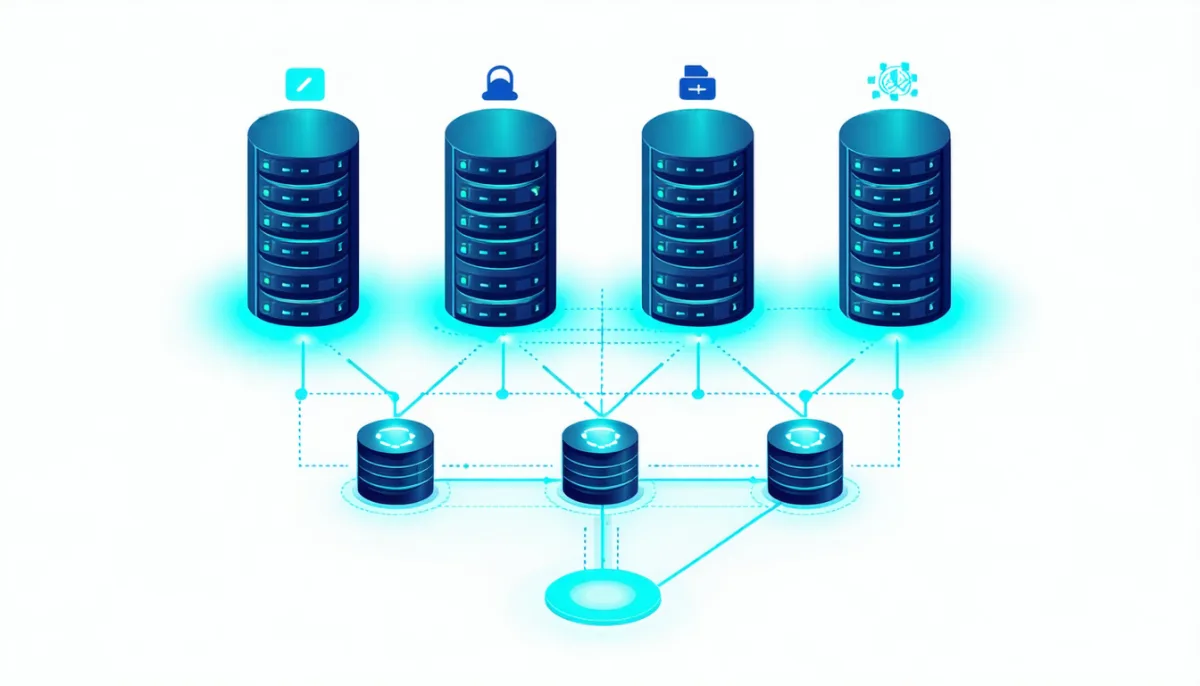
And behind that waits the problem after next: the database. Three application servers all talking to a single database are only as available as that database. Your backups protect against data loss, not against downtime. Real high availability means having every layer twice, and the effort grows with every layer. That’s why it’s worth asking whether you really need it.
Do You Even Need a Load Balancer?
Honest answer: most small and mid-sized websites don’t. A single well-configured server, whether a VPS or a dedicated machine, easily handles thousands of concurrent visitors with caching. A load balancer at least doubles the number of machines you have to maintain, and it brings along the failure modes from our tests that simply don’t exist with one server.
You need a load balancer if at least one of these applies:
- One server demonstrably isn’t enough anymore. Not felt, measured: CPU constantly maxed out even though caching and database indexes are already optimized. Before that, it’s worth reading How much RAM does a server need and simply upgrading.
- Downtime costs real money. If an hour of outage costs more than a second server for a whole year, redundancy pays off.
- You want updates without downtime. With two servers behind a load balancer, you take one out, update it, put it back, and move on to the next. That’s called a rolling update.
- You run containers or Kubernetes. There a load balancer is built in, you can’t get around it.
You don’t need a load balancer if your website is slow because the application is slow. Then you’re just spreading the slowness across more servers. And not if your application stores data locally: uploads on disk, sessions in memory or a SQLite file. That has to be made load-balancable first.

How to Set Up Your First Load Balancer
If you want to try it, nginx on your own server is enough. The minimal configuration:
upstream app {
    least_conn;
    server 10.0.0.11:3000 max_fails=3 fail_timeout=15s;
    server 10.0.0.12:3000 max_fails=3 fail_timeout=15s;
    keepalive 32;
}

server {
    listen 443 ssl;
    server_name shop.example.com;
    # ssl_certificate ... (or use Caddy, which does HTTPS automatically)

    location / {
        proxy_pass http://app;
        proxy_http_version 1.1;
        proxy_set_header Connection "";
        proxy_set_header Host $host;
        proxy_set_header X-Forwarded-For $proxy_add_x_forwarded_for;
        proxy_set_header X-Forwarded-Proto $scheme;

        proxy_connect_timeout 3s;
        proxy_read_timeout 15s;
        proxy_next_upstream error;   # do NOT retry on the next server after a timeout
    }
}
The lines missing from many tutorials are the timeouts and proxy_next_upstream. They follow directly from our tests 2 and 3: a hanging server then costs a visitor at most three seconds instead of a minute, and a slow request isn’t executed on every server in turn. If you do want retries on timeouts because your application is properly idempotent, add timeout back in. But do it on purpose.
The backends should only be reachable over a private network and only accept connections from the load balancer via firewall. Otherwise anyone can bypass the load balancer and hit a server directly.
If you want active health checks, use HAProxy or Caddy. In HAProxy it’s a few lines:
backend app
    balance leastconn
    option httpchk GET /health
    default-server inter 2s fall 3 rise 2
    server app1 10.0.0.11:3000 check
    server app2 10.0.0.12:3000 check
And then the most important step, the one almost everyone skips: test the failure. Kill a server outright, freeze one with kill -STOP, slow one down artificially. Only then do you know what your configuration really does. It took us less than ten minutes and revealed four problems that no default configuration catches.
Frequently Asked Questions
What is a load balancer in simple terms?
A load balancer is a dispatcher that sits in front of several identical servers. All visitors send their requests to it, and for each request it decides which server handles it. That way no server gets overloaded, and if one fails, the others take over.
What does a load balancer do exactly?
It accepts connections or requests, picks a healthy backend using an algorithm like round robin or least connections, forwards the request and returns the response. Along the way it constantly checks which servers still work, and it often terminates HTTPS encryption as well.
What is the difference between a load balancer and a reverse proxy?
A reverse proxy forwards requests to different applications based on domain or path. A load balancer spreads requests across several identical copies of the same application. At the HTTP level every load balancer is technically a reverse proxy, and programs like nginx or HAProxy do both at once.
What is the difference between Layer 4 and Layer 7 load balancing?
Layer 4 distributes TCP or UDP connections and only sees IP addresses and ports. It’s fast and works with any protocol. Layer 7 understands HTTP, can decide by URL, header or cookie and can retry failed requests, but it has to terminate the encryption to do so.
Which load balancing algorithm is best?
For equally powerful servers with similar request durations, round robin is fine. As soon as servers differ in speed or requests vary in length, least connections is almost always better. In our test with one slow server, least connections handled about 33 times as many requests as round robin.
What are sticky sessions?
Sticky sessions make sure a visitor always lands on the same server, either via IP hash or via cookie. They’re needed when an application only stores sessions locally. The downside: if the server fails, the session is gone, and load is spread less evenly. A shared session store is the better solution.
Isn’t a load balancer itself a single point of failure?
Yes, if there’s only one. That’s why you run two load balancers with a shared virtual IP that moves to the second one via keepalived or a floating IP when the first fails. Cloud load balancers already include this redundancy.
What is DNS load balancing?
With DNS load balancing, a domain name points to several IP addresses and clients pick one. It’s simple and free, but DNS doesn’t know whether a server is down. Clients keep sending requests to dead servers until their DNS cache expires.
How much does a load balancer cost?
A self-hosted setup with nginx, HAProxy or Caddy only costs the server it runs on, plus your time. Cloud load balancers are billed by running time, often plus traffic or connections. With small providers that’s a few euros or dollars per month; with the big clouds, traffic billing can make it considerably more. Hardware load balancers cost five figures.
Do I need a load balancer for my website?
Usually not. A single well-configured server with caching is enough for the vast majority of websites. A load balancer pays off when one server demonstrably isn’t enough, when downtime costs a lot of money, or when you want to deploy updates without interruption.
Can a load balancer execute requests twice?
Yes. When a load balancer retries a request on the next server after a timeout, the first server may have processed it anyway. In our test a single GET call ran on three servers this way. nginx hasn’t retried POST requests since version 1.9.13, but it still retries GET. Actions with side effects should never sit behind GET.
Conclusion: Distributing Is Easy, Failures Are Hard
What is a load balancer? A dispatcher in front of several identical servers that spreads load and absorbs failures. The distributing part is trivial, as 30 requests splitting 11:10:9 across three servers show. Failures are where it gets hard, and not the clean crash nginx shrugs off in a millisecond, but the hanging server that makes a visitor wait a minute, the retry that fires an action three times, and the session that only exists on one of three servers.
If you use a load balancer, use it with short timeouts, active health checks, least connections for unequal servers, a shared session store and no automatic retries on timeouts. And test the failure before it happens on its own. If you don’t need one, enjoy it: one less server to look after is a form of high availability too.