
Running AI locally means the language model executes on your hardware. No API key, no per-token bill, no request leaving your machine. What was a hobbyist project two years ago — reserved for people with expensive graphics cards — is now a ten-minute install.
That speed of change is exactly why this is the fastest-ageing article on our blog. Model names, versions and sizes here turn over weekly. Any article selling you a ranked list of “the best local models” will be wrong within six weeks. So we’ve built this one differently: it explains the categories and rules of thumb that stay stable, and names specific models only as a dated snapshot with a source you can check.
Every model figure in this article was retrieved on 1 August 2026, pulled directly from the Ollama library, the LM Studio catalogue and the relevant GitHub releases — not from memory, not from secondary blog posts. Where to check the current state yourself is listed further down.
And because theory is cheap here: we installed Ollama on our own server for this article and measured ourselves how fast models run with no graphics card at all. The numbers are below, including the unflattering one.
The short version
- Local AI is a solved problem on the software side. Installation is a one-liner. Everything else is hardware and managing expectations.
- VRAM is the bottleneck, not compute. If a model doesn’t fit in video memory, the fastest GPU in the world won’t save you.
- Rule of thumb: model file size in GB ≈ memory required. A 5.3 GB model needs roughly 5.3 GB plus headroom for context.
- Quantisation is the single biggest lever — and Q4_K_M is the right compromise for almost everyone. Below Q4, quality degrades noticeably.
- Apple Silicon is a special case: unified memory means system RAM can serve as video memory. A 32 GB Mac beats many dedicated GPUs.
- CPU-only genuinely works — we measured 25 tokens per second on an 8B model across 12 cores with no GPU. Slow, but usable.
- Local wins at: privacy, high-volume batch work, offline use, reproducibility. Cloud wins at: hard reasoning, long contexts, occasional use.
- The honest part: for a lot of people local AI simply isn’t worth it. The unvarnished reasons are near the end.

Why run AI locally at all?
Privacy — and the regulatory weight behind it
When you send text to a cloud service, that text leaves your computer. That’s not an accusation, it’s simply how the architecture works. For personal notes it rarely matters. For client files, medical records, contracts, HR documents or proprietary source code, it very much does.
Under the GDPR this stops being a matter of taste. As soon as personal data is processed you need a legal basis, in practice a data processing agreement, and for providers outside the EU an additional valid basis for the international transfer. All of that is achievable — reputable vendors supply the paperwork — but it is effort, documentation and residual risk.
Local processing removes the problem at the root: data that never leaves the machine is never transferred. There is no international transfer if there is no transfer. For law firms, medical practices, accountants and anyone bound by professional confidentiality, this is often not merely more convenient but the only viable route.
One caveat that gets glossed over constantly: running locally does not exempt you from data protection law. You are still processing personal data and still need records of processing activities, retention policies and technical safeguards. What disappears is the transfer to a third party — the most burdensome and legally delicate part.
No recurring cost
Cloud APIs bill per token. For occasional use that’s essentially free. For automated pipelines chewing through thousands of documents it becomes a line item that recurs every month and grows with your success.
Locally you pay once for hardware, then for electricity. That is not automatic savings — a used 24 GB graphics card costs more than years of moderate API use. But the cost curve is flat instead of linear. High volume wins; low volume loses.
Genuine offline capability
A local model works on a train, on a plane, in a basement and during an outage. For field work, workshops, construction sites and any environment without reliable connectivity, that isn’t a convenience — it’s the precondition for using AI at all.
No rate limits, no models pulled from under you
Cloud providers throttle requests, change prices, introduce models and retire them. When a provider deprecates the model your workflow was tuned against, you have a problem: prompts you carefully engineered suddenly behave differently.
A local model does not change unless you replace the file. For reproducible pipelines that’s an underrated advantage. You can freeze a model and know the logic will be identical a year from now.
Full control
You set the system prompt, the context, the temperature, the filters — and you decide there are none where you don’t want any. For research, security analysis or content that commercial providers decline out of caution, that’s often decisive.
Three routes: Ollama, LM Studio, llama.cpp
Nearly everything that runs locally rests on the same foundation. What differs is how much of it you’re expected to see.

llama.cpp — the foundation everything else sits on
llama.cpp is an inference engine written in C/C++ with no dependencies. It is the reason local AI is practical on ordinary hardware at all, and it sits — directly or indirectly — inside most other tools.
The project is unusually active. As of 1 August 2026, the ggml-org/llama.cpp repository carries roughly 122,000 stars, is MIT licensed, and its most recent release is b10217, published on 1 August 2026 — the same day we checked. Releases ship practically daily, sometimes several times a day.
What’s technically striking is the hardware breadth. Per the project documentation there are backends for CUDA (NVIDIA), HIP (AMD), Metal (Apple Silicon), Vulkan, SYCL (Intel), OpenCL (Adreno), WebGPU, plus CPU optimisation for AVX, AVX2, AVX512 and AMX. Quantisation is supported from 1.5-bit through 8-bit. And one feature that matters later: hybrid CPU+GPU inference, which lets you run models larger than your available video memory.
Usability has improved sharply. Models can be launched straight from Hugging Face:
# Download and run a model directly from Hugging Face
llama cli -hf ggml-org/Qwen3.5-0.8B-GGUF

# Launch an OpenAI-compatible API server
llama serve -hf ggml-org/Qwen3.5-0.8B-GGUF
Who is it for? Anyone who needs precise control over how many layers go to the GPU, what context size applies, and how memory is split. If you just want to chat, you don’t need it — and you get it bundled inside the other two tools anyway.
Ollama — the easiest way in
Ollama wraps the engine in something that behaves like a package manager. One command pulls the model, runs it, and quietly exposes a local API server.
As of 1 August 2026 the current version is v0.32.5 (released 27 July 2026), the repository has roughly 177,000 stars and is MIT licensed. The library at ollama.com/library lists 232 models at that point.
The appeal is the absence of friction:
ollama run qwen3.5:4bThat downloads the model on first invocation and drops you into a chat. That’s the whole thing.
One caveat that goes to the heart of this article: Ollama now also offers cloud models. They’re marked cloud in the library, and per the official documentation these requests are “automatically offloaded to Ollama’s cloud service”. They require an account (ollama signin) and are invoked with a suffix:
ollama run gpt-oss:120b-cloud # does NOT run locallyThat’s a legitimate offering for models no consumer machine can hold — but it is not local AI. If you adopted Ollama for privacy reasons, watch for that label. A model with -cloud in its name processes your data on someone else’s servers. You can verify what’s actually happening at any time with ollama ps, which shows whether and how a model is loaded locally.
Who is it for? Developers, servers, anyone automating something. The local endpoint at 127.0.0.1:11434 is OpenAI-compatible, so existing scripts often work with nothing more than a changed base URL.
LM Studio — the graphical route
LM Studio is the answer for people who don’t want to open a terminal: browse models, download with a click, chat, adjust parameters with sliders.
More has changed here than you’d expect. As of 1 August 2026 the product is presented on its own homepage as LM Studio Bionic and marketed as an agent that can edit documents, write code and transcribe speech in real time — locally. The version string served on the site is 0.4.20. The vendor names llama.cpp and MLX as its runtimes, which closes the loop back to the foundation.
Pricing, per lmstudio.ai/pricing: local use is free (“Free, $0”), including local voice transcription and LM Link for up to five devices. Alongside that sit optional paid cloud credits for models that won’t run locally — the same caveat as with Ollama applies: at that point you are no longer running locally.
Who is it for? Non-technical users, anyone who wants to trial and compare models, and anyone who prefers browsing a catalogue to querying one. LM Studio tells you before downloading whether a model will fit in your memory — arguably the single most useful feature for a beginner.
So which tool?
| Ollama | LM Studio | llama.cpp | |
|---|---|---|---|
| Interface | Command line | Graphical | CLI / library |
| Getting started | One command | One installer | Binary or compile |
| Strength | Automation, servers | Trialling, comparing | Maximum control |
| API server | Yes, by default | Yes, toggleable | Yes (llama serve) |
| Licence | MIT | Proprietary (free locally) | MIT |
| Best for | Developers, always-on | Beginners, non-technical | Tinkerers, edge cases |
The honest answer: start with LM Studio to find out whether local AI suits you at all. Move to Ollama the moment you want to automate something. You only need llama.cpp once the other two get in your way — and by then you’ll know exactly why.
Quantisation — the part most articles get vague about
Quantisation is what makes local AI possible in the first place. Since it’s usually only gestured at, here it is properly.

The core idea
A language model is billions of numbers called weights. They’re typically trained at 16 bits each. A model with 8 billion parameters therefore occupies roughly 16 gigabytes — two bytes per parameter.
Quantisation reduces the precision of those numbers. Instead of 16 bits you use 8, 5, 4 or fewer. The model gets smaller and faster, because less data has to be moved through memory.
The everyday analogy: you stop storing 3.14159265 and store 3.14 instead. For most calculations that’s fine. For some it isn’t.
GGUF — the file format
GGUF is the format quantised models ship in. It holds weights and metadata in a single file, supports multiple quantisation levels, and allows a model to be split between video memory and system memory. When you see “GGUF” in a model name on Hugging Face, it’s prepared for local use.
What the Q numbers mean
The labels look cryptic but follow a system:
- Q means quantised.
- The number is the average bits per weight. Q4 ≈ 4 bits, Q8 ≈ 8 bits.
- K marks the newer k-quant methods, which compress different parts of the model to different degrees.
- S, M, L mean small, medium, large — variants within the same bit level.
Rather than explain that abstractly, here is a real measured ladder. These are the actual file sizes of one single model (granite4.1:8b, an 8-billion-parameter model), retrieved from the Ollama library on 1 August 2026:
| Level | Size | Assessment |
|---|---|---|
| Q2_K | 3.4 GB | Clearly damaged, emergencies only |
| Q3_K_S | 3.9 GB | Noticeable quality loss |
| Q3_K_M | 4.3 GB | Borderline |
| Q3_K_L | 4.7 GB | Still workable |
| Q4_0 | 5.1 GB | Older method |
| Q4_K_M | 5.3 GB | The standard — best ratio |
| Q5_K_M | 6.3 GB | Slightly better, noticeably larger |
| Q6_K | 7.2 GB | Barely distinguishable from Q8 |
| Q8_0 | 9.3 GB | Effectively lossless |
| BF16 | 18 GB | Unquantised original |
The essential point is readable straight off that table: from 18 GB down to 5.3 GB — a 70% reduction — at a quality cost most users never notice in daily work. That is why local AI is viable at all.
Where quality actually breaks down
Community experience, consistent across many comparisons:
- Q8 to Q6: differences are measurable but not perceptible in practice. Rarely worth the extra memory.
- Q5: very good. Sensible if you have the memory to spare.
- Q4_K_M: the standard. Far smaller, quality close to the original. The right choice for essentially all everyday work.
- Q3: this is where it starts. The model gets less precise, loses track of long instructions, formats worse.
- Q2: visibly damaged. Only sensible when the alternative is no model at all.
The single most useful rule: a larger model at heavier quantisation almost always beats a smaller model at light quantisation. An 8B model at Q4 outperforms a 4B model at Q8 at roughly the same memory footprint. If you have to choose: maximise parameter count first, then optimise quantisation.
There’s one exception. Below Q4 the relationship inverts. An 8B model at Q2 is usually worse than a 4B model at Q5.
A special case: QAT
The Ollama library now lists variants tagged QAT — for gemma4, for instance, e2b-it-qat at 4.3 GB versus 7.2 GB for the regular Q4_K_M build (as of 1 August 2026). QAT stands for quantization aware training: the model is prepared for quantisation during training rather than compressed afterwards. The result is generally better at equivalent size. If a QAT variant exists, it’s usually the smarter pick.
Hardware, realistically: VRAM is the bottleneck
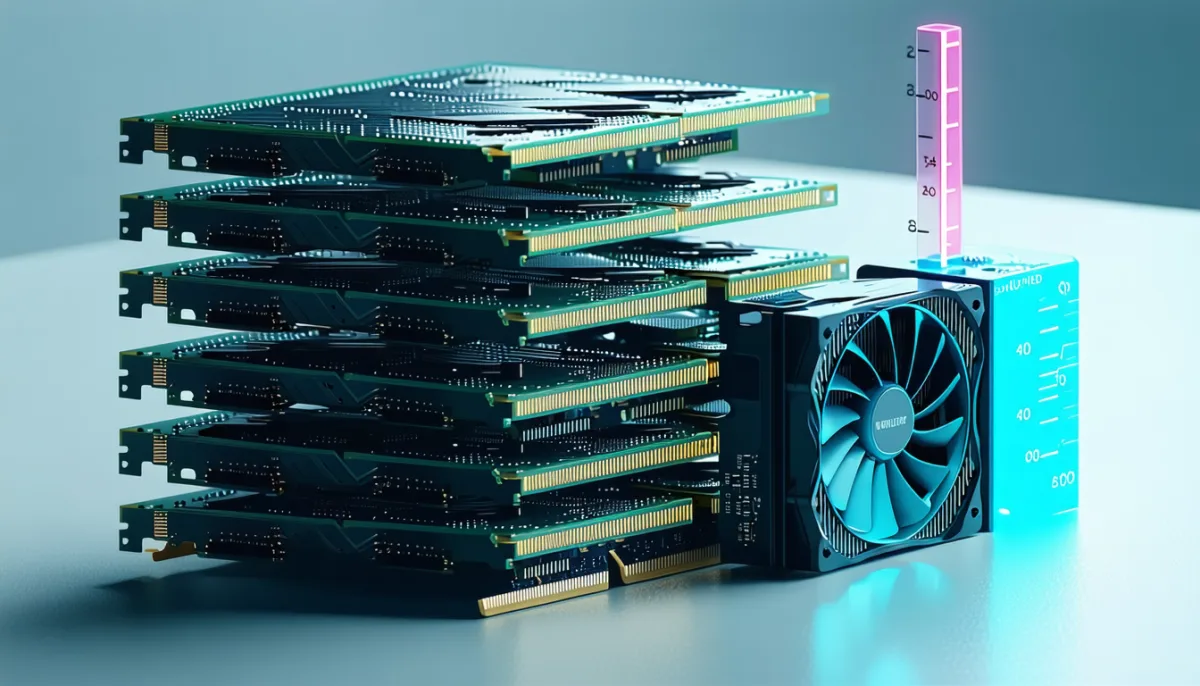
The most common beginner assumption is “I need a fast graphics card.” The correct version is: you need a graphics card with a lot of memory. Those are not the same thing.
Why memory beats compute
During text generation the model must read all relevant weights out of memory for every single token. The limiting factor therefore isn’t how fast the chip calculates but how fast it can pull data from memory — and whether the data fits at all.
If a model doesn’t fit entirely in video memory, the remainder has to run from system memory, which is connected far more slowly. The result isn’t a gentle slowdown but frequently a tenfold collapse or worse. This is why an older card with 16 GB comfortably beats a newer one with 8 GB on a large model.
The memory rule of thumb
Model size in GB + 1 to 3 GB headroom = memory required.
File size is the largest component but not the only one. Then there’s the KV cache, holding the conversation so far. It grows with context length — and modern models advertise very long contexts. Several models listed in the Ollama library on 1 August 2026 state 256K context windows (qwen3.5 and gemma4 among them, in their larger variants). Actually filling that context demands substantially more memory. In practice you rarely use a fraction of it.
Budget classes instead of buying advice
Specific product recommendations age even faster than model names, so here it is organised by memory class — that framing stays valid even as card names change. All sizes below are real values from the Ollama library on 1 August 2026.
Up to 8 GB of video memory
Models up to roughly 7 billion parameters at Q4. Concretely: qwen3.5:4b (3.4 GB), granite4.1:3b (2.1 GB), llama3.2:1b (1.3 GB), mistral:7b at Q4 (4.4 GB). Fine for summarising, rewriting and simple classification. Too small for demanding work.
12 to 16 GB
The sensible entry class. Models up to around 14 billion parameters fit comfortably: granite4.1:8b (5.3 GB), the smaller gpt-oss build (14 GB, tight), qwen3:14b (9.3 GB). This is where local AI first becomes genuinely useful.
24 GB
Where it gets enjoyable. Models in the 27 to 35 billion parameter range run entirely on the GPU: qwen3.5:27b (17 GB), qwen3.6:27b (17 GB), granite4.1:30b (17 GB), qwen3:32b (20 GB). For most professional use this is the sensible target.
32 GB and beyond
Models past 35 billion parameters, such as qwen3.5:35b (24 GB) or gemma4:31b (20 GB). Above that it turns exotic fast: gpt-oss:120b is 65 GB, qwen3.5:122b is 81 GB, qwen3:235b is 142 GB and deepseek-r1:671b is 404 GB. Those sizes aren’t sensibly runnable on consumer hardware.
Apple Silicon — the special case
Macs with M-series chips use unified memory: CPU and GPU share the same pool. There’s no fixed split and no copying between two regions — a large share of total system memory is available to the GPU.
In practice a 32 GB Mac can load models that would otherwise demand a high-end dedicated card, and a 64 GB Mac reaches territory single cards struggle to match. Memory bandwidth is lower than on dedicated GPUs, but the model fits in the first place — and that’s the more important condition.
llama.cpp names Apple Silicon a “first-class citizen” with Metal optimisation; LM Studio lists MLX as a runtime alongside llama.cpp. The Ollama library carries matching MLX builds, such as qwen3.6:27b-mlx at 20 GB (as of 1 August 2026).
The catch: that memory is soldered and fixed at purchase. Upgrading is impossible. If you buy a Mac for local AI, be generous with memory — you cannot correct it later.
CPU-only: our own measurements
A great deal gets asserted about CPU inference and very little gets measured. So we measured it.
Our server has no graphics card — only a virtualised display adapter with no compute capability. Ollama reports this on install: “No NVIDIA/AMD GPU detected. Ollama will run in CPU-only mode.” The hardware: 12 vCPU cores of an AMD EPYC-Genoa with AVX-512, and 22 GB of RAM. All models ran confirmed at 100% CPU (ollama ps reports “100% CPU”).
Measured on 1 August 2026, via the Ollama API reading the returned eval_count and eval_duration fields:
| Model | Size | Tokens per second |
|---|---|---|
qwen3.5:0.8b | 1.0 GB | 60.5 |
qwen3.5:4b | 3.4 GB | 25.7 |
granite4.1:8b | 5.3 GB | 25.2 |
For scale: people read at roughly 5 to 8 tokens per second. All three models produce text faster than you can read it. CPU-only is therefore not “unusable” — for chat and text work it’s entirely practical.
Two honest caveats. First, these figures are for short prompts and short answers. With long input — a pasted document, say — prompt processing alone takes noticeable time before the first token appears. Second, downloading models took seconds per gigabyte on a datacentre connection; at home it will not.
And the least flattering observation, which we’re not going to bury: the smallest model was by far the fastest and answered incorrectly. Asked what quantisation means for language models, qwen3.5:0.8b explained the quantisation of physical quantities — frequencies and voltages. Only the two larger models answered the same question correctly. The lesson in one line: speed without accuracy is worthless, and very small models produce confident-sounding nonsense.
Budget for disk space
A rarely mentioned point: models consume disk space, and you accumulate them faster than expected. Our three test models — a modest selection by any standard — occupy 9.2 GB together. Anyone seriously comparing options reaches hundreds of gigabytes quickly. A roomy SSD is part of the basic kit.
Step by step: your first local chat with Ollama
Going deeper: installation, Modelfile, API, running it as a server, and the defaults that silently truncate long inputs are covered in our Ollama tutorial (October 2026).
We ran exactly this sequence on a clean Linux server on 1 August 2026.
1. Install
On Linux it’s one command:
curl -fsSL https://ollama.com/install.sh | shOn macOS and Windows, download the installer from ollama.com/download.
On Linux the script sets up a systemd service automatically. Afterwards it reports that the API is available at 127.0.0.1:11434 — binding to 127.0.0.1 means the service is reachable only locally, not from the internet. That’s the correct default; change it only if you know precisely what you’re doing.
Verify:
ollama --version
# ollama version is 0.32.5
2. Pick a first model
Start small. Something in the 3 to 5 GB range runs on almost any hardware and tells you whether the approach suits you:
ollama pull qwen3.5:4bWhich model is the best choice today changes constantly — see below for where to check that yourself.
3. Chat
ollama run qwen3.5:4bThe model loads on first run, then you get a prompt. /bye ends the session.
4. Use the API
More interesting than the chat is the server already running behind it:
curl http://127.0.0.1:11434/api/generate -d '{
  "model": "qwen3.5:4b",
  "prompt": "Summarise the following text in three bullet points: ...",
  "stream": false
}'
The response carries measurements alongside the text — eval_count for tokens generated and eval_duration in nanoseconds. That’s exactly how we produced the table above. To benchmark your own hardware, divide eval_count by eval_duration converted to seconds.
5. Commands worth knowing
ollama list      # installed models
ollama ps        # what's running, and on CPU or GPU?
ollama rm NAME   # delete a model and reclaim space
ollama ps is the key troubleshooting command: the PROCESSOR column shows whether a model is on GPU or CPU. If it unexpectedly reads “100% CPU” despite a graphics card being present, the model didn’t fit into video memory — drop to a smaller quantisation.
Which models today — and why this list has an expiry date
Last updated: 1 August 2026. Everything below was retrieved that day, straight from the Ollama library and the LM Studio catalogue. Some of it will be outdated within six weeks. That’s not sloppiness, it’s the nature of this field.
So what follows is deliberately not a ranking but a classification by size class — that stays valid even when the names change.
Tiny (under 2 GB) — for embedded tasks
Examples with real sizes: llama3.2:1b (1.3 GB), qwen3:0.6b (523 MB), qwen3.5:0.8b (1.0 GB), minicpm-v4.6:1b.
These run on practically anything, single-board computers included. Useful for narrowly scoped jobs: classification, keyword extraction, simple reformatting. Not for open-ended questions — see our measurement above, where precisely such a model answered a factual question confidently and wrongly.
Small (2 to 6 GB) — the everyday range
Examples: qwen3.5:4b (3.4 GB), granite4.1:3b (2.1 GB), granite4.1:8b (5.3 GB), mistral:7b (4.4 GB), lfm2.5 (5.2 GB).
This is where real usefulness begins: summarising, rewriting, translating, light coding help, answering questions about pasted text. For most people trialling local AI, this is the right entry point.
One architecture worth noting is increasingly common in this class: mixture of experts (MoE). In lfm2.5:8b-a1b, for example, the name indicates that of 8 billion parameters only around 1 billion are active per token. The model occupies the memory of the larger size but runs at the speed of the smaller one. For local use that’s especially attractive — the catalogue explicitly describes it as an “edge model built for fast, reliable tool calling on consumer hardware”.
Medium (6 to 20 GB) — the professional range
Examples: qwen3:14b (9.3 GB), gpt-oss (14 GB), granite4.1:30b (17 GB), qwen3.5:27b (17 GB), qwen3.6:27b (17 GB), gemma4:31b (20 GB).
This class wants 16 to 24 GB of memory and delivers results good enough for a wide range of work. Several of these are multimodal per the library (tagged vision) and support tool calling (tools) — the prerequisite for wiring them into agent workflows.
Large (over 20 GB) — specialist hardware only
qwen3.5:35b (24 GB), gpt-oss:120b (65 GB), qwen3.5:122b (81 GB), qwen3:235b (142 GB), deepseek-r1:671b (404 GB).
The upper entries aren’t sensible on consumer hardware. This is precisely the gap the Ollama and LM Studio cloud offerings target — with the caveat already noted that this stops being local execution.
Where to check the current state yourself
Because this section ages, here are the sources we actually used. Check them before trusting any figure from any blog article — including ours:
- ollama.com/library — the model library.
?sort=newestshows recent additions; a model’s “Tags” page lists every quantisation level with exact file sizes and context windows. This is the most reliable source for sizes, because it states what actually downloads. - huggingface.co/models — the largest model repository. Filter for “GGUF” to find locally runnable builds.
- lmstudio.ai/models — a curated catalogue with short descriptions.
- github.com/ggml-org/llama.cpp/releases — the engine’s version status.
- github.com/ollama/ollama/releases — Ollama’s version status.
A note on judging what you find: on Hugging Face, weight download counts more heavily than likes. Likes accumulate on models nobody runs; downloads show what’s actually in use.
What works well locally — and what doesn’t
The useful question isn’t “is local better?” but “better for which task?” The answer is sharper than either camp usually admits.
Local plays to its strengths for:
Confidential documents. Contracts, personnel files, medical reports, expert opinions. Here the privacy advantage isn’t one argument among several — it’s the entire argument.
High-volume batch work. Rewriting ten thousand product descriptions, classifying tickets, extracting fields from invoices. Individually trivial tasks that arrive in bulk. API costs eat budgets here, while a local machine simply runs overnight.
Repetitive, narrowly defined tasks. If you need the same transformation a thousand times, a small model suffices — and it’s faster than any API, because there’s no network round trip.
Offline environments. Without connectivity there is no alternative.
Experimentation. Iterating on system prompts, varying parameters, comparing models — without watching a meter run on every attempt.
Reproducibility. A frozen model gives you the same logic a year from now. Cloud models get swapped without asking you.
Cloud remains clearly ahead for:
Hard reasoning. Complex programming problems, multi-step analysis, demanding domain questions. The frontier models are ahead of anything locally runnable here. That’s uncomfortable, but it’s true.
Very long contexts. Some local models advertise 256K context windows, but actually filling them requires memory almost nobody has. The catalogue figure and what your hardware can do are two different things.
Current knowledge. A local model knows nothing that happened after its training and has no inherent internet access.
Occasional use. If you ask three questions a week, buying hardware is economic nonsense. Free tiers cover that.
Breadth of multimodality. Good local vision models exist, but the range of combined capabilities — image, audio, video, tool use in one system — is simply wider at the large providers.
The pragmatic middle
In practice neither side wins outright. The sensible architecture is hybrid: a local model handles routine and anything confidential, a cloud model gets called for the hard cases. Since Ollama and LM Studio both expose OpenAI-compatible endpoints, switching is often just a changed base URL.
If you want to know how the cloud assistants differ, our ChatGPT vs Claude vs Gemini comparison covers it — and What is Claude? explains the model this blog is written with in detail.

The honest part: when running AI locally is not worth it
Nearly every article on this subject closes with “try it, it’s amazing”. That’s too easy. Here are the cases where you shouldn’t.
When you use AI only occasionally
A 24 GB graphics card costs more than years of ordinary API use. If you ask a few questions a week you will never recoup it. Do the arithmetic honestly: how many requests per month, really? For most people the answer is “fewer than I assumed”.
When you need the best available quality
On hard problems the gap is real. If your work depends on the answer being correct and the task being difficult, a local model on ordinary hardware is the wrong tool. Our own test demonstrated this vividly — a small model answered fluently, quickly and wrongly.
When your hardware can’t keep up
With 8 GB of RAM and no graphics card you can run small models, but the experience will disappoint. Don’t buy hardware for a project you haven’t tested. Try it first on what you already own.
When “privacy” is really just a good feeling
Local processing is a genuine argument when you actually handle confidential data. If you’re asking for recipe suggestions, the privacy gain is theoretical. It’s worth honestly checking whether your motive is a requirement or a principle — both are legitimate, but only one justifies the effort.
When you underestimate the maintenance
Local AI isn’t a purchase, it’s an operation: updating models, managing disk space, maintaining drivers, verifying things still work after each new version. Those are hours nobody budgets for. Ollama shipped several point releases in July 2026 alone; llama.cpp releases nearly every day.
When you’re chasing savings at small scale
Electricity isn’t free. A machine with a capable graphics card under sustained load draws real power. At European electricity prices that substantially undercuts the “local is free” calculation. The advantage comes from volume, not from frugal occasional use.
Our own practice — and why it looks like this
We’re stating this openly because it belongs to the honesty of this article: this blog is not produced with local AI. Before writing this piece there was no Ollama, no llama.cpp and no local model on our server. We installed it specifically for this article so we’d have real measurements instead of borrowed ones.
The reason is exactly the limitation described above. Our server has no graphics card. Long, fact-dense, bilingual articles need the upper end of the quality range and long contexts. An 8B model at 25 tokens per second on CPU cannot deliver that — not because of the speed, but because of the quality.
What we would happily run locally after this test: classifying incoming messages, summarising log files, reformatting structured data. Everything that arrives in bulk and where an error is cheap. Which is to say, precisely the tasks in the “local plays to its strengths” list above.
That isn’t a rejection of local AI — it’s using it as intended. Anyone selling it as a replacement for everything is selling you a disappointment.
Frequently asked questions
What does running AI locally actually mean? An AI model executing entirely on your own device. The model file sits on your disk and computation happens on your CPU or GPU. Nothing is transmitted to a server — your inputs never leave the machine.
Is local AI free? The software is: llama.cpp and Ollama are MIT licensed, and LM Studio is free for local use. The models are free to download too. Hardware and electricity are not free, and at serious compute levels both together are a real cost.
How much VRAM do I need to run AI locally? As a rule of thumb: as much as the model file is large, plus 1 to 3 GB of headroom. 8 GB covers small models, 16 GB is the sensible entry point, 24 GB covers most professional use. On Apple Silicon total system memory is what counts, since it’s shared.
Ollama or LM Studio — which is better? They solve different problems. LM Studio is better for trialling and comparing, because it has a GUI and tells you before downloading whether a model fits your memory. Ollama is better for automation and always-on use, because it’s driven by commands and an API. Plenty of people run both.
What does Q4_K_M mean?
A quantisation level: roughly 4 bits per weight, using the k-quant method, in the medium variant. It’s the usual standard because it shrinks the file dramatically while keeping quality close to the original. On an 8B model that takes the file from 18 GB to 5.3 GB (measured on granite4.1:8b, 1 August 2026).
Can I run AI locally without a graphics card? Yes. We measured it: on 12 CPU cores with no GPU whatsoever we reached 25.2 tokens per second with an 8B model and 60.5 with a 0.8B model — both faster than a person reads. Caveats: long inputs need noticeable lead time, and very small models make more mistakes.
Is local AI GDPR compliant? It eliminates the most delicate part — transmission to a third party and international transfer. It does not exempt you from the GDPR: records of processing, retention policies, access control and technical measures remain your responsibility. The benefit is real, but it isn’t a blank cheque.
Are local models as good as ChatGPT or Claude? On simple to moderate tasks good local models come surprisingly close. On hard reasoning, long contexts and reliability a clear gap remains. Anyone claiming otherwise is usually comparing cherry-picked examples rather than daily use.
What is GGUF? The file format for locally runnable models. It holds weights and metadata in one file, supports multiple quantisation levels, and lets a model be split between video memory and system memory. On Hugging Face, “GGUF” in the name marks suitable models.
Does a model in Ollama always run locally?
No — and this matters. Ollama also offers cloud models, identifiable by the -cloud suffix and the cloud tag in the library. Per the official documentation these are offloaded to Ollama’s servers and require an account. Use ollama ps to see what is genuinely running on your machine.
Which model should I try first? Something in the 3 to 5 GB range — that runs on almost any hardware. Which one specifically is the best pick right now changes too fast for a durable recommendation; check ollama.com/library for what’s currently well rated and heavily downloaded.
Conclusion: a tool, not a replacement
Running AI locally is no longer a tinkering exercise in 2026. Installation takes minutes, the models are good, and even without a graphics card text arrives faster than you can read it — which we measured ourselves for this article rather than copying from somewhere.
What does not follow is a recommendation to do everything locally. The honest answer to “should I switch to local AI?” is: it depends on what you process, how often, and how costly a mistake is.
- Handling confidential data? Local AI is often the only clean route, and the effort pays off.
- Processing large volumes? It adds up, because the cost curve stays flat.
- Need top quality on hard problems? Cloud stays ahead for now.
- Using AI occasionally? Skip the hardware.
The most important closing advice isn’t technical, it’s about how you consume information on this topic. This field moves faster than articles age — including this one. Every model figure here carries a date: 1 August 2026. Before basing a purchase on a number from any blog post, check the registries linked above. They tell you what’s true today.
And if you simply want to try it: one command, a four-gigabyte model, ten minutes. That’s a small price for a well-founded opinion of your own — and your own measurement is worth more than anyone else’s recommendation. For how we think about open source software and the questions underneath it more generally, see our article on open source web browsers.