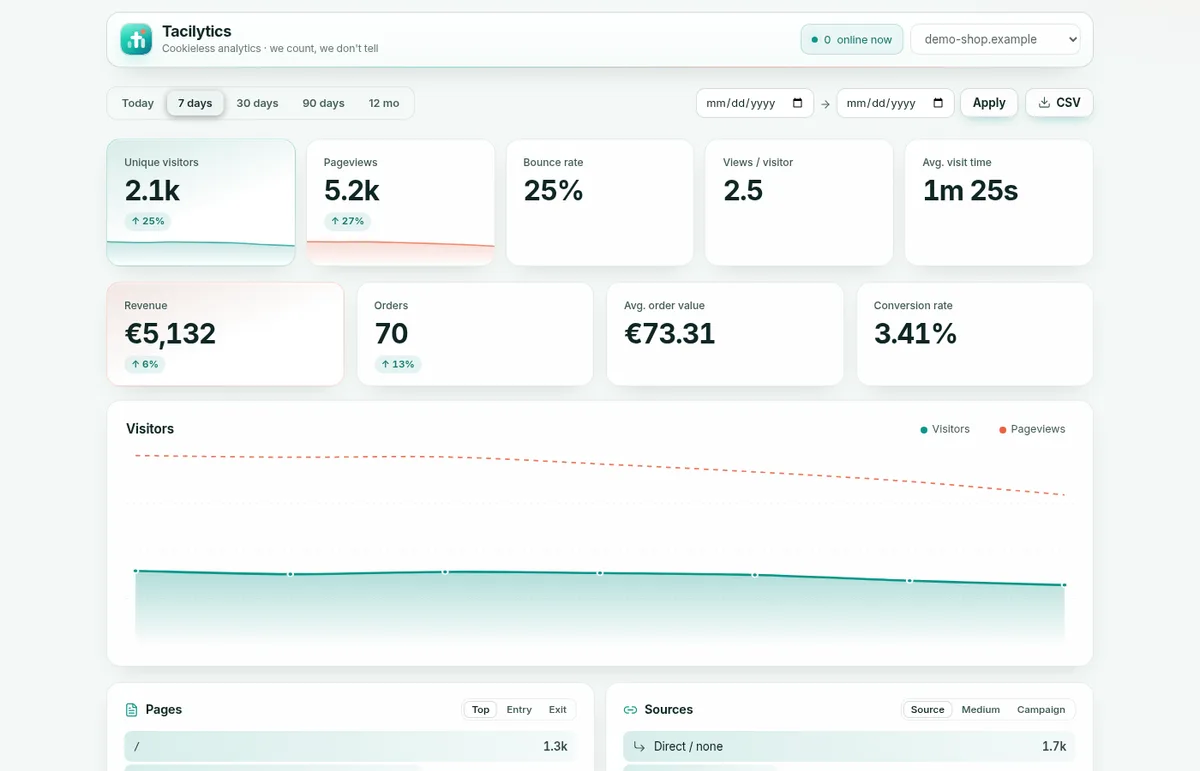
Cookieless analytics counts how many people visit your website, which pages they read and where they came from, without putting a cookie or any other identifier on their device. You lose one thing compared with classic tools like Google Analytics: you cannot follow the same person across days and devices. For most websites, that is a trade worth making.
We built our own cookieless tool, Tacilytics, because we wanted exactly this for our own sites and nothing we tried fit. It is open source (MIT), and it has been counting every page view on this blog and seven other sites of ours since June 2026. This article explains how cookieless analytics works, where its honest limits are, and how to run it yourself. Three numbers from our own instance up front:
1. Our production database holds 852,700 events from 8 sites in 112 days, in a single SQLite file of 267 MB. No Postgres, no ClickHouse, no Redis.
2. The tracker script is 4.9 KB gzipped. The Google tag (
gtag.js) we measured on the same day is 155 KB gzipped, about 32 times as much.3. The salt that makes visitors countable lives in its own file with permissions
600and was last rewritten at 00:00. Yesterday’s visitors can no longer be linked to today’s, not even by us.
What “cookieless” actually means
Classic web analytics works with a stable identifier. Google Analytics writes a cookie (_ga) with a random client ID that lives for up to two years. Every time you come back, the ID comes back with you, and that is how the tool knows you are a returning visitor.
Cookieless analytics drops that identifier entirely. Nothing is written to the visitor’s device. To still count unique visitors instead of just page views, the server builds a short-lived pseudonym from data every request carries anyway:
- The browser sends a small beacon with the path, the referrer, the time zone and the language.
- The server combines the visitor’s IP address and user agent with a random salt that changes every day and hashes the result one way.
- Only the hash is stored. The IP address is never written to disk.
- At midnight the salt is replaced. From then on, the same visitor produces a completely different hash.
That is the whole trick. Within one day you can tell “five page views from one person” apart from “five people with one page view each”. Across days you cannot, by design.
What you lose, honestly
Every vendor of cookieless analytics likes to say “you get everything without cookies”. That is not true, and pretending otherwise makes people distrust the whole idea. Here is what goes away:
- Returning visitors across days. “Unique visitors in the last 30 days” is the sum of daily uniques. Someone who visits on Monday and Thursday is counted twice.
- Cross-device journeys. Phone in the morning, laptop at night: two visitors.
- Long attribution windows. If someone clicks your newsletter on Monday and buys on Friday, a cookieless tool sees a direct purchase on Friday. Same-day journeys still work.
- Exact geolocation. Tacilytics derives the country from the browser’s time zone, never from the IP. That is good enough for “Germany vs. the US” and useless for city-level reports.
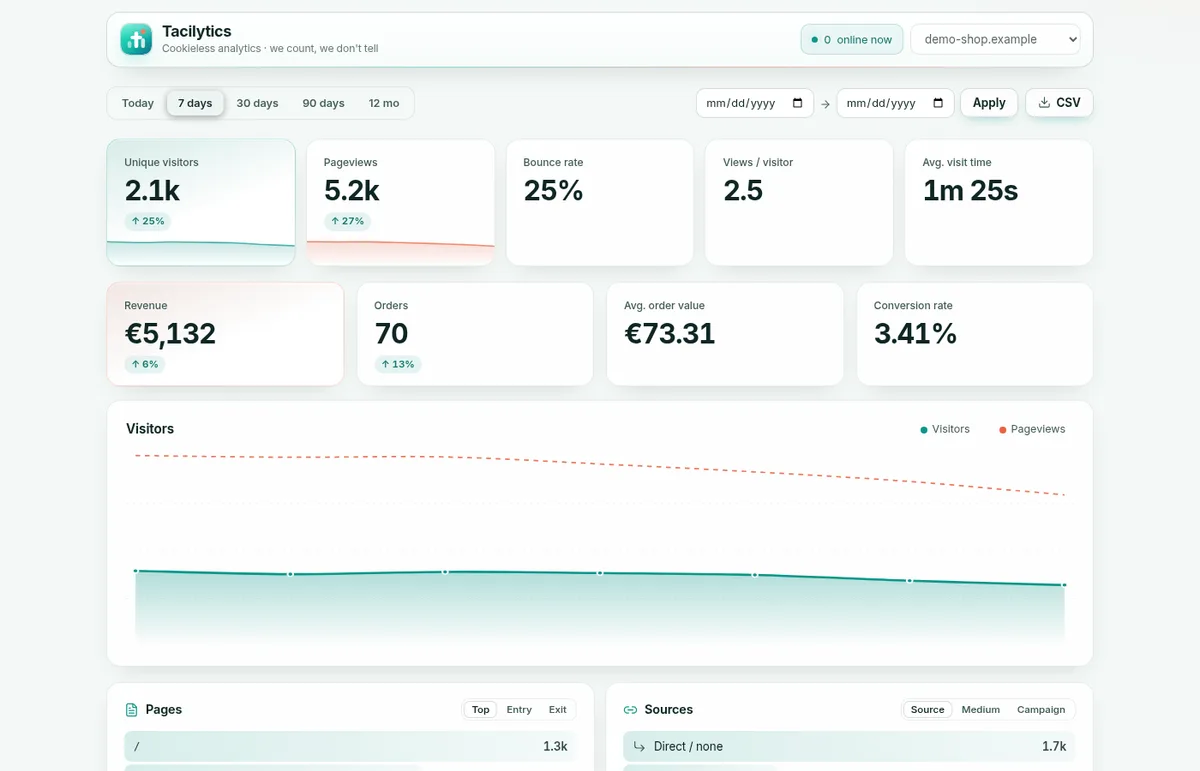
What you keep is what most website owners actually look at: how many people came, which pages they read, which sources and campaigns brought them, how long they stayed, and which goals they reached.
Does cookieless analytics need a cookie banner?
This is the question everyone asks, and the honest answer is: it depends, and no tool can decide it for you. This is not legal advice.
Two different rules are involved:
- Device access (ePrivacy Directive Art. 5(3), in Germany § 25 TDDDG). It covers storing and reading information on the visitor’s device, not only cookies. The European Data Protection Board reads “access” broadly. A script that reads the time zone or writes to
localStoragetouches this rule even without a cookie. - Data protection (GDPR). The IP address is personal data while it is being hashed, even if it is never stored. You need a legal basis, usually legitimate interest under Art. 6(1)(f), and a sentence in your privacy policy.
Cookieless tools reduce the problem a lot, but they do not make it vanish. Tacilytics has two settings for people who want to go further:
- Strict mode (
data-stricton the script tag) stops reading anything on the device beyond what every page request carries anyway: nolocalStorage, no time zone, no language, no window size. You give up the country and scroll depth. - Server mode runs no script on the visitor’s device at all. Your own server reports the page view to Tacilytics over the API.
Whether you then still need consent depends on your country, your other scripts and your setup. If a lawyer tells you yes, Tacilytics has a switch for that too.
Cookieless tools compared
There are good options besides ours. This is the comparison as of October 2026, to the best of our knowledge:
| Tacilytics | Plausible CE | Umami | Google Analytics 4 | |
|---|---|---|---|---|
| Cookies | none | none | none | yes |
| IPs leave your server | never | no | no | sent to Google |
| No script on the device at all | server mode | no | no | no |
| Strict mode (no device reads) | yes | no | no | no |
| Runs on | Node + one SQLite file | Elixir + Postgres + ClickHouse | Node + Postgres/MySQL | |
| Built for millions of hits per day | not yet (SQLite) | yes | yes | yes |
| Licence | MIT | AGPL | MIT | proprietary |
Our honest take: if you run a site with millions of page views per day, Plausible or Umami on a proper database are the safer choice today. Tacilytics is built for the other 99 %: shops, blogs, apps and company sites that want one process and one file they fully understand.
The tracker sizes are worth a second look, because they are easy to misquote. We measured all of them on 18 October 2026, gzipped over the wire: Plausible’s script.js is 1.3 KB, the Tacilytics tracker 4.9 KB and Google’s gtag.js 155 KB.
Self-hosting Tacilytics in five minutes
You need a server with Node.js 18 or newer and a domain for the dashboard.
1. Start it.
mkdir my-analytics && cd my-analytics
npx tacilytics serve      # http://127.0.0.1:3920
Set your own WEB_PASSWORD, SESSION_SECRET, INGEST_SALT and API_KEY in a .env file in that folder. Prefer Docker? docker compose up -d from the repository works the same way.
2. Put TLS in front. Tacilytics only listens on 127.0.0.1. With Caddy, which handles certificates automatically, this is the whole configuration:
analytics.example.com {
    encode gzip
    reverse_proxy 127.0.0.1:3920
}
If reverse proxies are new to you, our article on what a reverse proxy is explains this exact setup.
3. Add your site and the snippet. Log in, click + Add site, and put one line into your <head>:
<script defer data-domain="example.com"
        src="https://analytics.example.com/tacilytics.js"></script>
That is it. Page views start arriving within seconds.
What you get beyond page views
- Goals and custom events with properties, for example
tacilytics('Purchase', { plan: 'pro' }), shown with a conversion rate. - UTM campaigns, entry and exit pages and the real time a page was visible.
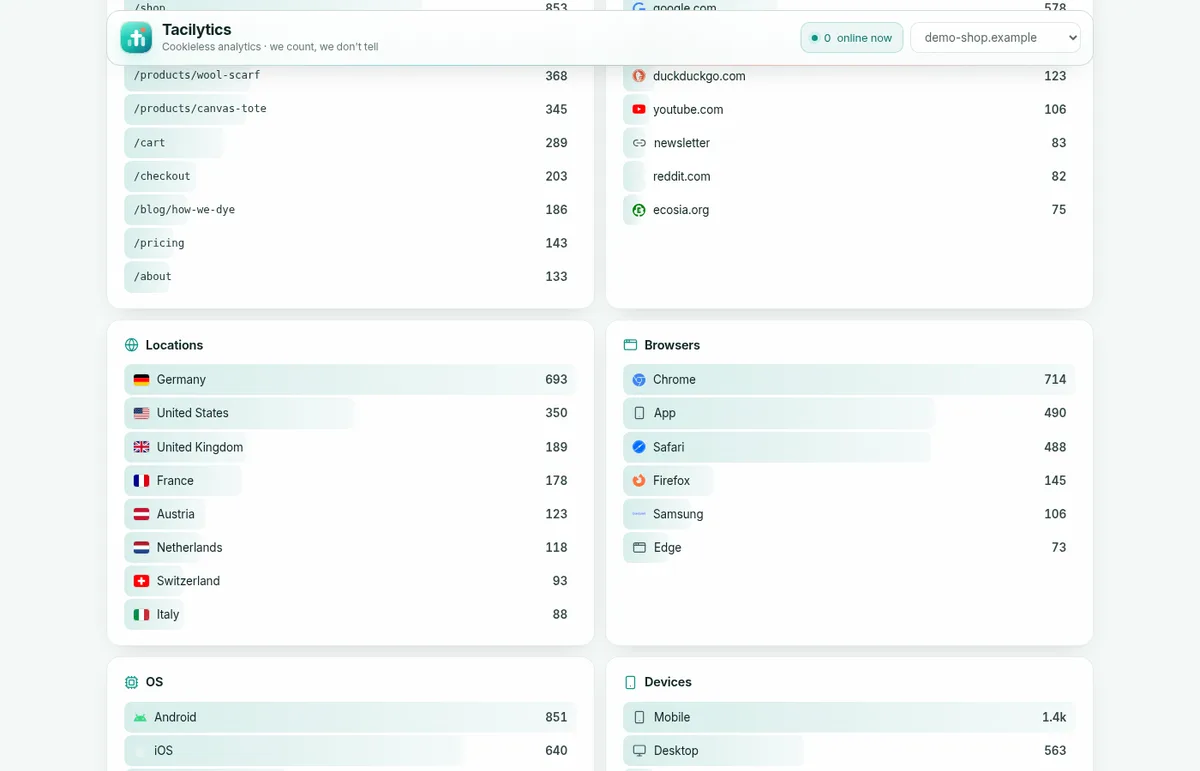
- Segmentation everywhere: click a country, page, source or campaign and the whole dashboard filters to it.
- Revenue by source for shops, as you can see in the live demo with a fictional store.
- An API and a CLI for AI agents.
tacilytics stats example.com 30d --country=DE --jsongives an agent the same numbers you see. We use this ourselves every day. - Import from Google Analytics 4 or Plausible, so switching does not mean starting from zero.
- A Flutter SDK for mobile apps and a WordPress plugin.
Do not want to run a server?
That is fine too. Tacilytics Cloud is the same software, run by us on servers in Germany. Since someone else then receives your visitors’ IP addresses for hashing, you need a data processing agreement, which we provide on tacilytics.com/dpa.
Conclusion
Cookieless analytics is not a downgraded Google Analytics. It answers the questions most website owners actually have, without following people around the web, and it does so with a tracker a fraction of the size. Its limits are real: no returning visitors across days, no cross-device journeys, short attribution windows. If you can live with that, you get numbers you can explain to every visitor.
Tacilytics is free, MIT-licensed and on GitHub. You can find our other open-source tools on our open-source page.