
Which Linux is best for beginners? Here is the honest answer up front, so nobody has to read 4,000 words to get it: Linux Mint with Cinnamon if your machine is more than about two years old. Ubuntu 26.04 LTS if it is newer. Everything else in this article explains why those two, when they are not the right answer, and how to spot a recommendation that was guessed rather than measured.
Because that is the real problem with this question. It is almost always answered with feelings: “feels familiar,” “very beginner-friendly,” “runs well on old hardware.” Those are claims with no number behind them. For this article we measured instead: we downloaded and counted the package archives of Ubuntu, Mint and Debian, checked the real size of every candidate ISO via HTTP headers, had seven complete desktop environments resolved in a container, and pulled support timelines from the vendors’ own release channels rather than from blog posts.
Two results contradicted our expectations. The widespread claim that “Linux Mint is a separate, more beginner-friendly distribution” does not survive measurement — Mint’s own package archive contains just 559 packages. And the popular advice “pick something lightweight, it’s simpler” is simply wrong: in our measurement, the lightweight editions install more packages, not fewer.
The short version: which Linux for beginners, in one table
| Your situation | Recommendation | Why |
|---|---|---|
| Coming from Windows, machine 2–10 years old | Linux Mint 22.3 Cinnamon | Familiar layout, supported to April 2029, no Snap argument |
| Machine from 2026 or 2025 | Ubuntu 26.04 LTS | Newer kernel means your hardware gets detected, support to April 2031 |
| Very old machine, under 4 GB RAM | Linux Mint XFCE | Smallest ISO in the Mint family, leanest desktop in use |
| You like the macOS look | Zorin OS or elementary OS | Ubuntu underneath, heavily designed surface |
| You want the newest technology and accept maintenance | Fedora Workstation | Latest everything — but only 13 months of support per release |
| You just want it to work and nobody will help you | Ubuntu | Largest user base, therefore the most findable solutions |
| You heard Arch is “real Linux” | Not first | See the dedicated section below |
If you came for the server comparison, this is the wrong article: this one is about Linux for beginners on the desktop. For servers we wrote Linux Server Distributions and Linux Server Setup. And if you have already narrowed it down to two candidates, the detailed head-to-head is in Ubuntu vs Mint.

Why this question is genuinely hard to answer
There is no organisation that publishes “Linux.” What you install is always a distribution: a kernel, a package management system, a desktop environment and a pre-selected set of applications, assembled by a team. DistroWatch lists several hundred of them. For someone who just wants to use their laptop again, that is not freedom, it is an imposition.
The second difficulty: nearly all popular beginner distributions are the same software in different wrapping. That is not a jab, it is countable. We downloaded the package indexes and counted the entries:
| Package source | Binary packages for amd64 |
|---|---|
Ubuntu 26.04 main | 6,487 |
Ubuntu 26.04 universe | 66,741 |
Ubuntu 24.04 main | 6,099 |
Ubuntu 24.04 universe | 64,755 |
Debian 13 main | 68,755 |
Linux Mint 22.3, own archive main | 108 |
Linux Mint 22.3 upstream | 323 |
Linux Mint 22.3 backport | 112 |
Linux Mint 22.3 import | 16 |
Packages.xz and Packages.gz files pulled from archive.ubuntu.com, deb.debian.org and packages.linuxmint.com on 27 August 2026, entries counted with grep -c '^Package: '. The Mint components come from the Release file of the zena suite.
Mint’s four own components add up to 559 packages. A Mint system pulls its remaining tens of thousands of packages from the Ubuntu archives. Measured against Ubuntu 24.04 (main + universe = 70,854), less than one percent of the software on a Mint machine originates with Mint.
That is not a criticism of Mint — it is precisely why Mint works. But it changes how the question should be framed. “Which Linux is best for beginners” is usually really the question: which interface and which pre-selected set of applications suits me. The foundation is identical across Ubuntu, Mint, Zorin, Pop!_OS and elementary OS.
The two answers that are right for 90 percent of people
Linux Mint — the answer for Windows switchers
Linux Mint 22.3 “Zena” was released on 11 January 2026. It is based on Ubuntu 24.04 LTS and, according to the project, is supported until April 2029 — roughly two and a half years from now.
Why it is the best choice for switchers has little to do with technology and a lot to do with habit: Cinnamon has a bar along the bottom, a start button in the bottom-left corner, and that button opens a two-column menu with categories. Anyone who has used Windows for 15 years needs to learn nothing. That sounds trivial. It is by far the most common reason switches succeed or fail.
The three editions, measured by actual ISO size:
| Mint edition | ISO size | Published |
|---|---|---|
| Cinnamon (main edition) | 2,948 MB | 08 Jan 2026 |
| MATE | 2,989 MB | 08 Jan 2026 |
| XFCE | 2,893 MB | 08 Jan 2026 |
| LMDE 7 (Debian-based) | 2,824 MB | 07 Oct 2025 |
curl -sIL against mirrors.edge.kernel.org/linuxmint/ on 27 August 2026; content-length and last-modified read from the response headers without downloading the files.
Worth noting: the three editions sit within 96 MB of each other. The widespread belief that XFCE is the “much smaller” option does not hold for the installation medium — the difference is three percent. It only appears in the running system (more on that below).
Ubuntu — the answer for new hardware
Ubuntu 26.04 LTS was released on 23 April 2026 according to Canonical’s own release channel, and is supported until April 2031 — with Ubuntu Pro, free for personal use, until 2036. That is five years against Mint’s two and a half.
| Distribution | Version | Released | Supported until |
|---|---|---|---|
| Ubuntu LTS | 26.04 | 23 Apr 2026 | 30 Apr 2031 |
| Ubuntu LTS | 24.04 | 25 Apr 2024 | 2029 |
| Linux Mint | 22.3 | 11 Jan 2026 | 30 Apr 2029 |
| Debian | 13 | 09 Aug 2025 | 09 Aug 2028 |
| Fedora | 44 | 28 Apr 2026 | 02 Jun 2027 |
| Fedora | 43 | 28 Oct 2025 | 09 Dec 2026 |
changelogs.ubuntu.com/meta-release-lts (Canonical’s own release channel), remaining figures from the endoflife.date API, retrieved 27 August 2026.
The decisive point for beginners is not in the support column but behind it: Mint 22.3 is based on Ubuntu 24.04 from April 2024, so its kernel is correspondingly older. On a laptop from 2025 or 2026 that can mean Wi-Fi, graphics or the fingerprint reader simply do not work after installation — and for a beginner, a machine without Wi-Fi is not a starting point, it is an abort. Ubuntu 26.04 ships a correspondingly younger kernel and is the lower-risk choice on fresh hardware.
The desktop is the actual decision
Because the foundation is the same everywhere, the interface decides. Four models matter:
Cinnamon (Mint) — bar at the bottom, start menu on the left, system tray on the right. The most direct translation of Windows. No relearning, few surprises.
GNOME (Ubuntu, Fedora) — a dock along the left edge, an overview button top-left, and a full-screen view for windows and applications. GNOME is coherently designed, but it is not Windows. Once you understand the overview, you work fast; if you did not expect it, you feel lost.
XFCE / LXQt (Xubuntu, Lubuntu, Mint XFCE) — classic, frugal, visually plainer. Everything sits where you would guess.
KDE Plasma (Kubuntu) — also classically arranged, but with a very large number of settings. A feast for people who like tinkering; occasionally too much for people who just want to work.
And here is the measurement that contradicts the usual story. We had APT resolve each desktop environment inside an Ubuntu 24.04 container and counted how many packages that pulls in:
| Desktop package | Total packages resolved |
|---|---|
ubuntu-desktop-minimal | 1,273 |
ubuntu-desktop | 1,416 |
cinnamon-desktop-environment | 1,696 |
xubuntu-desktop | 1,729 |
lubuntu-desktop | 1,748 |
kubuntu-desktop | 1,826 |
mate-desktop-environment | 717 |
budgie-desktop | 977 |
docker run --rm ubuntu:24.04 with universe and multiverse enabled, then apt-get install -s PACKAGE for each and a count of the Inst lines. This is a simulation, not a real install — it measures what APT would resolve.
lubuntu-desktop and xubuntu-desktop resolve more packages than ubuntu-desktop. That is the opposite of what “lightweight” suggests. The reason: those meta-packages each pull in a full application set (image editor, disc burner, file manager, media player), while ubuntu-desktop sticks closer to a core selection. “Lightweight” refers to memory usage while running, not to installation size — two entirely different quantities that get conflated constantly online.
Stated honestly: we did not measure RAM usage under load ourselves. That would require real installations on real hardware; our server has no virtualisation support that would let us do it credibly. So we quote no RAM figures. The package counts above stand on their own — they only refute the assumption that “lightweight” automatically means “smaller.”
The candidates worth naming too
Zorin OS
Ubuntu underneath with a very carefully designed surface that switches between a Windows-like and a macOS-like layout at the flick of a setting. For people who care about looks, often the most pleasant first experience. Downside: a smaller team, so new versions arrive noticeably later than the Ubuntu base they rest on. The free Core edition covers everything normal; the paid Pro variant mainly adds further layouts and applications.
Pop!_OS
From System76, also Ubuntu-based. Its strength: a dedicated image with NVIDIA drivers pre-configured — which removes precisely the step where beginners with NVIDIA cards most often give up. The current build still rests on the 24.04 line; the ISO is roughly 2.8 GB (measured via System76’s build API on 27 August 2026).
elementary OS
Consistently macOS-inspired, very tidy, with its own design philosophy and a curated app store. If you like that aesthetic, you get the most coherent overall experience of anything listed here. If you do not, you will fight it. A clear matter of taste.
Fedora Workstation
Fedora 44 was released on 28 April 2026; the ISO is 2,720 MB. Fedora ships consistently current technology and is technically excellently maintained. For beginners it has one concrete catch, visible in the table above: support per release ends after roughly 13 months. Fedora 43 already runs out on 9 December 2026. That means at least one version upgrade per year, or you sit without security updates. For experienced users that is routine. For someone who has only just switched, it is an obligation they had no idea about while installing. If you want it anyway, the details are in our Fedora deep dive and in Fedora vs Ubuntu.
MX Linux
Debian-based, extremely popular in rankings, ISO around 2,794 MB. It has an excellent reputation and a large toolbox for system maintenance. For absolute beginners it is still rarely the first recommendation — that abundance of tools is a strength for the advanced and a distraction for everyone else.
What we advise beginners against — and why
This belongs in any honest article on the subject, because the counter-recommendation shows up online constantly.
Arch Linux is not a sensible first distribution. Not because it is “too hard” — the installer has become tolerable — but because of its operating model. Arch is a rolling release: there are no versions, only a continuous stream of updates. For our article Debian vs Arch we counted the Arch repository and checked the build date of every single one of its 15,400 packages: roughly 153 package updates per day, and in the Arch news archive, 17 occasions in four and a half years where an update required manual intervention or the system breaks. So about three and a half times a year you must have read and understood an announcement before updating. For a beginner that is not a learning opportunity, it is a trap.
Plain Debian is a different case. Technically superb, extremely stable, our standard on servers — but the default installation deliberately makes fewer convenience decisions on the user’s behalf, particularly around proprietary drivers and media codecs. On the desktop that means more manual work. The difference from the Ubuntu variant is covered in detail in Debian vs Ubuntu.
“Lightweight” exotics for old machines are well-meant but risky: small teams, small forums, little findable help. And findable help is the single most important property of a distribution for a beginner. When the Wi-Fi dies at 10 pm, what decides the outcome is not technical elegance but whether somebody wrote about the same problem in a forum three years ago.
Switching in practice: what actually matters
Try it first without installing anything
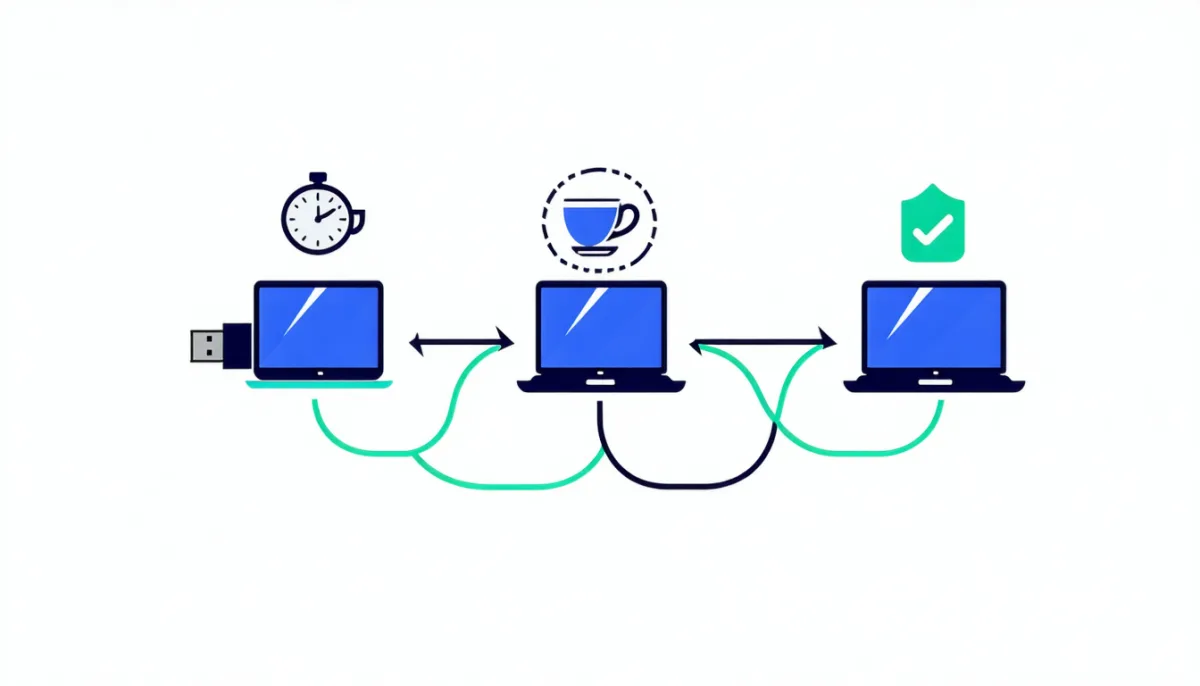
Every system named here can run as a live system: boot from a USB stick, use the complete system, change nothing on the hard drive. This is the most important and most underrated step. That half hour answers almost everything: does the Wi-Fi work? Is the display driven correctly? Does sound work? Do I like the interface?
If something does not work in live mode, it will generally not work after installation either. That is a free, risk-free pre-check — and the reason the advice “use Ubuntu on new hardware” does not have to be believed at all: you can verify it yourself in 20 minutes.
The question that comes before choosing a distribution
Before any distribution gets installed, a different question needs answering: which applications do you absolutely need? There are cases where the answer to “which Linux for beginners” is: none yet. Adobe products do not run natively. The desktop versions of Microsoft Office do not run natively. Certain professional, tax and music applications do not either. There are alternatives, there are compatibility layers, there are web versions — but those are compromises, and they should be tested before the switch, not discovered after it.
For games the situation is far better than its reputation: Steam ships Proton, a compatibility layer covering a large share of the catalogue. The exception is games with kernel-level anti-cheat — some of those do not work at all, and no choice of distribution changes that.
Two things to get right during installation
First: back up beforehand. Not because Linux installers are dangerous, but because any change to disk partitioning remains a change to disk partitioning. An third-party drive with your documents on it, before the stick goes in.
Second: when dual-booting with Windows, disable Fast Startup in Windows. With Fast Startup enabled, “shutting down” Windows writes a hibernation state to disk instead of closing the filesystem cleanly. If Linux then accesses that same partition, data loss is possible. This is one of the few genuine pitfalls — and guides often skip it.

Installing software: where the systems actually differ
This is the point where the distributions genuinely make different decisions — and where beginners are most likely to end up in arguments they never wanted to have.
There are three ways to get software onto a modern Linux system:
Classic system packages (.deb) — come from the distribution’s archive, share libraries with the rest of the system, are frugal and fast. Downside: the version is as old as the distribution.
Snap — Canonical’s format. The application brings its dependencies with it, making it independent of the distribution’s age, but it starts measurably slower and needs more space. Ubuntu ships Snap by default.
Flatpak — the same principle from the other direction, vendor-neutral, with Flathub as the large collection point. Mint ships Flatpak pre-configured.
The practical difference for a beginner: Ubuntu installs some applications as Snaps automatically — Firefox, for instance. If you search and install from the software centre you will not notice, except that the browser takes a while on first launch. Linux Mint actively blocks Snap through an APT rule and ships Firefox as a classic package instead. This is the most concrete technical disagreement between the two systems; we read it in the shipped package rather than quoting it, in Ubuntu vs Mint.
In practice this simply means: both systems have a graphical software manager where you type a name and click “install.” The argument about what happens underneath is an argument for later.
Support timelines: the point beginners overlook most often
Choosing a distribution also means signing a maintenance contract with yourself. The figures from the table above, reduced to the essentials:
- Ubuntu 26.04 LTS: roughly five years of quiet, until April 2031.
- Linux Mint 22.3: until April 2029, about two and a half years from now.
- Fedora 44: until June 2027 — a good ten months from now.
- Debian 13: until August 2028.
The difference between five years and ten months is not a nuance for a beginner. It is the difference between “I install this and use it” and “I have to keep dealing with version upgrades.” That is the main reason our recommendation lands on the LTS variants rather than the technically more current systems.
One common misunderstanding: end of support does not mean the machine stops working. It means no more security updates arrive. The system keeps running — it just gets less safe every week. How quickly a known, unpatched hole turns into a real problem we described using our own case: IT security vulnerabilities.
Frequently asked questions
Which Linux is best for beginners?
Linux Mint with Cinnamon for most Windows switchers, because the interface needs no relearning and support runs to April 2029. Ubuntu 26.04 LTS instead if your machine is from 2025 or 2026 — the newer kernel detects current hardware more reliably and support runs to April 2031. Both share the same foundation: Mint’s own package archive holds only 559 packages, everything else comes from the Ubuntu sources.
Is Linux Mint or Ubuntu better for beginners?
It depends on the age of your hardware, not on “beginner-friendliness.” Mint wins on familiarity: bar at the bottom, start menu on the left, two-column category menu. Ubuntu wins on new hardware and on support duration — five years instead of two and a half. If you are unsure, boot both as live systems from a USB stick and decide for yourself after 20 minutes.
Which Linux is easiest to install?
The installation process barely differs between Mint, Ubuntu, Zorin and Pop!_OS — all four walk you graphically through the same steps: language, keyboard, disk, user account. The difference comes afterwards: Pop!_OS offers a dedicated ISO with NVIDIA drivers pre-configured, which removes the most common stumbling block for machines with NVIDIA graphics.
Which Linux is best for old computers?
Linux Mint XFCE. Its ISO is even marginally smaller than the Cinnamon edition (2,893 MB versus 2,948 MB), and the desktop itself is leaner in operation. Important context: in our package measurement xubuntu-desktop (1,729) and lubuntu-desktop (1,748) resolve more packages than ubuntu-desktop (1,416) — “lightweight” refers to memory use while running, not to installation size.
Should I start with Arch Linux as a beginner?
No. Not because of the installation, but because of daily operation: Arch is a rolling release with roughly 153 package updates per day, and the Arch news archive records 17 occasions in four and a half years where an update required manual intervention or the system breaks. That assumes you read and can interpret announcements before updating.
How long will my Linux version be supported?
Ubuntu 26.04 LTS until April 2031 (until 2036 with Ubuntu Pro, free for personal use), Linux Mint 22.3 until April 2029, Debian 13 until August 2028, but Fedora 44 only until June 2027. Fedora renews its releases roughly annually — the main reason it is rarely the first recommendation for beginners despite its technical quality.
Can I try Linux without deleting Windows?
Yes, and that is the recommended path. All the systems named here boot as a live system directly from a USB stick without altering your hard drive. In that session you can check whether Wi-Fi, graphics and sound work. What does not run in live mode generally will not run after installation either. If you want to install alongside Windows, disable Fast Startup in Windows first.
Will my Windows programs run on Linux?
Not all of them, and this is the most important question before switching. Adobe applications and the desktop versions of Microsoft Office do not run natively. For games, Steam’s Proton layer covers a large share of the catalogue; the exception is titles with kernel-level anti-cheat. Your choice of distribution changes none of this — it is a question of the application, not the system.
Is Linux Mint its own distribution or just an Ubuntu derivative?
Technically a very thin derivative. We counted the package indexes: Mint’s own components total 559 packages (108 in main, 323 upstream, 112 backport, 16 import), while Ubuntu 24.04 carries 70,854 packages across main and universe. Less than one percent of the software on a Mint system originates with Mint — essentially Cinnamon, the Mint tools and the visual identity.
Which Linux do you use yourselves?
Debian and Ubuntu LTS on servers — the reasoning is in Linux Server Distributions and Linux Server Setup. That is a different question from the desktop one, though: on a server, support duration and predictability matter; on a beginner’s desktop, what matters is whether someone can keep working after installation without help.
Conclusion
The question “which Linux is best for beginners” has an unspectacular answer, and that is a good thing: Linux Mint Cinnamon or Ubuntu LTS, decided by the age of the machine. Everything else in this selection is taste, looks or a special case.
What surprised us most while measuring was the scale of the overlap. Mint, Zorin, Pop!_OS and elementary OS are all Ubuntu with a different surface — in Mint’s case, demonstrably by more than 99 percent. The debates about which of these distributions is “better” are in truth an argument about desktops and defaults, dressed up as an argument about operating systems.
And the second surprise, because it directly contradicts a widespread piece of advice: “lightweight” does not mean “smaller.” In our measurement, lubuntu-desktop and xubuntu-desktop resolve more packages than ubuntu-desktop. Anyone recommending a lightweight system to beginners because it “installs less” is recommending it for a reason that is not true — even though the recommendation itself may still be right for weak hardware.
So the practical closing advice is not about distributions at all: take a USB stick, boot two systems in live mode, and decide for yourself after half an hour. That half hour is worth more than any comparison article — including this one.