
Almost everyone looking for a modern WordPress alternative arrives with a specific frustration. An update that broke half the site. A plugin that suddenly wants money or stopped getting maintained. A load time that never improves no matter how much you pay for hosting. Or, worst case, an email from the host saying the site was hacked and is now sending spam.
We build and run websites for a living – with WordPress, without WordPress, for our own projects and for clients. This very site, getmind.io, does not run on WordPress. It runs on Astro as a static site. That’s not a talking point pulled from a marketing deck; it’s lived experience, including the downsides nobody likes to mention. And that’s exactly what this guide is: not a hit piece on WordPress, but an honest tour of what else exists – and when you’re better off staying put.
The quick decision guide
Before the details, here’s the compressed version:
- Blog, docs, marketing site, tech-savvy team: Astro or Hugo (static, fast, secure)
- Complex web app with dynamic content: Next.js (with a headless CMS behind it)
- Editorial team with no coding skills, lots of content: Payload, Directus, or Sanity as a headless CMS
- Pure blog focused on writing and newsletters: Ghost
- Design-driven site with no in-house developers: Webflow or Framer
- Online store with many products and payment methods: Stick with WooCommerce – or read our best shop system guide
- Client maintains everything themselves, small budget, standard needs: WordPress often remains the right choice
This decision is rarely black and white. The most important question isn’t “what’s technically best?” but “who maintains this site in two years, and with what skills?”

Why people want to leave WordPress in the first place
WordPress isn’t bad. It powers over 40 percent of all websites for good reasons: a massive ecosystem, countless themes, a plugin for nearly every problem. But those very strengths tip over into weaknesses past a certain size.
Plugin sprawl
A typical WordPress site runs 20 to 40 active plugins. Each one is code written by a stranger, with its own update cycle, its own quality level, and its own security risks. A contact form here, a caching plugin there, an SEO plugin, a page builder, a backup tool, a security plugin – and now you’re juggling dozens of interdependent components that all have to work at once.
The trap is that plugins collide. Two plugins loading jQuery in different versions. An update that changes an API another plugin relies on. A page builder that no longer plays nicely with the new theme. Debugging a system like that eats hours. We walked through how quickly even a single area gets crowded in our WordPress SEO plugin comparison — several contenders there overlap in what they do.
Update anxiety
Anyone who runs WordPress knows the queasy feeling before clicking “Update.” A core update can break plugins, a plugin update can wreck the theme, a theme update can overwrite your customizations. So many site owners postpone updates – which is exactly the dangerous move, because outdated software is the single most common way sites get breached.
You end up in a bind: apply updates and risk breaking something, or delay updates and risk getting hacked. Neither option feels good.
Security holes
This is the sore spot. WordPress plugins are by far the most common entry point for attacks on the web. Not the WordPress core itself – that’s reasonably well hardened – but the thousands of third-party plugins. A single vulnerable plugin that isn’t patched in time is enough to compromise an entire site.
The reason is structural. WordPress is a dynamic application with a PHP backend and a database, running around the clock on a server and responding to requests from the internet. Every login page, every API route, every plugin is a potential attack surface. A statically served site simply doesn’t have that problem – more on that shortly.
Performance overhead
WordPress rebuilds each page on every request: PHP runs, queries the database, assembles the HTML, ships it out. Without caching, that’s slow. With caching it gets faster, but now you’re juggling cache plugins, cache invalidation, and the fact that logged-in users or personalized content bypass the cache entirely.
Recent Web Vitals analyses tell the story: only around 44 percent of WordPress sites pass Core Web Vitals, while statically generated Astro sites sit around 63 percent. It’s not a law of nature – a well-tuned WordPress site can be fast – but the road to get there is a lot more work.
Page builder bloat
Elementor, Divi, WPBakery – page builders make no-code building possible, but they pay for it with bloated HTML. A simple button becomes five nested <div> containers, every page loads tens of kilobytes of CSS and JavaScript it doesn’t need. It bites you on load time and maintainability.
Maintenance burden
All of it adds up to ongoing work: checking and applying updates, managing backups, keeping compatibility intact, chasing security patches, watching performance. For an agency with dozens of client sites, that becomes a full-time job fast. This is exactly the gap the alternatives fill.
Git-based: static site generators
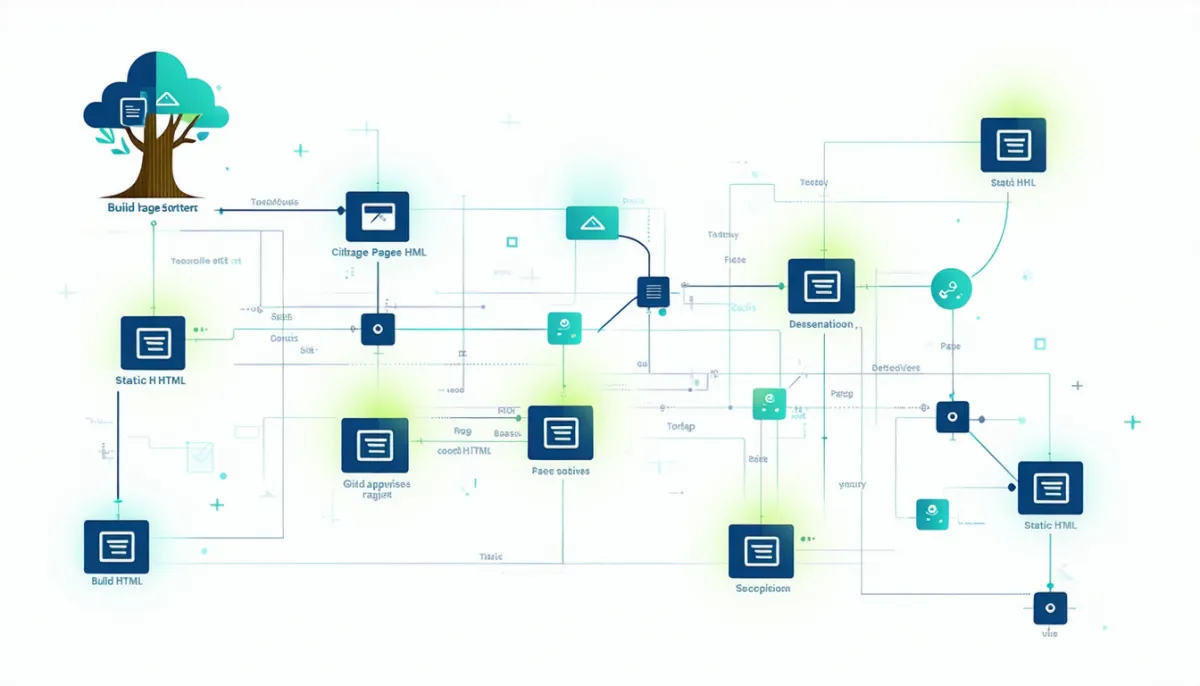
The most radical answer to WordPress’s problems is static sites. The idea: instead of generating each page dynamically on every request, the entire website is turned into plain HTML files once, at build time. Those files then sit on a server or – better still – in a global CDN and get served without any code running at all.
The benefits are fundamental. No database, no PHP backend, no login page – so practically no classic attack surface. Extreme speed, because you’re only serving finished files. Near-unlimited scalability, because a CDN shrugs off millions of requests. And laughably cheap hosting, often free.
Astro
Astro is the current darling for content-heavy sites – blogs, documentation, marketing pages. Its trick: Astro ships zero JavaScript to the browser by default. Interactive bits (an image gallery, a calculator) are loaded on purpose as “islands,” and the rest is pure, fast HTML. The result is pages that load in a fraction of a second.
Astro is framework-agnostic: you can mix React, Vue, or Svelte components, but you don’t need to know any of them to get started. You write content in Markdown or MDX (Markdown with components). Who’s it for? Anyone who wants a fast, secure, content-driven site and can handle a code editor – or has someone who can.
Hugo
Hugo is written in Go and is blazingly fast at building – a blog with thousands of pages compiles in under a second. It needs no Node.js, has no JavaScript ecosystem behind it, and is pleasantly low-maintenance as a result. The price: Go’s templating language takes getting used to, and interactivity isn’t Hugo’s strength. Ideal for pure content sites, docs, and large blogs where build speed matters.
Eleventy (11ty)
Eleventy is the minimalist classic: lean, flexible, no framework lock-in. It takes Markdown, Nunjucks, Liquid, and other templating languages and turns them into static HTML. If you want full control without the weight of a big framework, Eleventy is a great home. It does demand more hands-on work than Astro.
Next.js
Next.js is the heavyweight – a React framework that combines static generation, server-side rendering, and dynamic features. It’s the right pick when your site goes beyond pure content: user accounts, dashboards, complex interactivity, dynamic data. The price is complexity – Next.js is powerful but demanding, and running a dynamic Next.js app brings back some of the WordPress maintenance headaches. If you go this route, it’s worth thinking about good hosting alternatives too.
Where static site generators hit their limits
As appealing as static sites are, they have clear limits. Every content change requires a build. There’s no backend where an editor fixes a typo and clicks “Save.” Instead the change has to happen in the source files, the build runs, the site redeploys. Trivial for a dev team, a real hurdle for a marketing department with no technical bent. That’s precisely why people pair static site generators with a headless CMS – the best of both worlds.
Modern CMS: headless and traditional
If you need an actual editorial system – a backend where non-technical people manage content – there’s no way around a CMS. The modern answer is often headless: the CMS only handles the content and exposes it through an API. How and where that content is displayed – website, app, smart display – is decoupled from it.
The difference: headless vs. traditional
Traditional CMSes (like WordPress out of the box) tie content and presentation tightly together: the system manages the text and renders the pages. Headless CMSes separate the two. Upside: maximum flexibility, the frontend can use any technology (Astro, Next.js, a native app). Downside: more setup, and without a frontend nothing happens at all – a headless CMS on its own is not a finished website.
Payload
Payload is the current riser among headless CMSes. It’s written in TypeScript, can integrate directly into a Next.js app since version 3, and gives developers full control over the data model. Open source, self-hostable, with a very clean admin UI. For TypeScript-minded teams who want a code-first CMS, Payload is one of the best options right now.
Directus
Directus takes a distinctive approach: it wraps around an existing SQL database instead of forcing its own structure. That makes it ideal when you already have data in a database, or when that data is also used by other systems. The admin UI (a Vue 3 application) is tidy, and because the data lives in standard SQL tables, migrating away from Directus later is painless. Directus is more a data platform than a pure content CMS.
Strapi
Strapi is the established incumbent among open-source headless CMSes. Big ecosystem, visual content-type builder, plenty of plugins. It’s the solid all-rounder for most projects – not the most exciting, but the most proven. It can get memory-hungry with very large datasets, though.
Sanity
Sanity is a hosted (SaaS) headless CMS with an excellent, real-time editor. Content modeling is strong, team collaboration outstanding. The downside: it’s a paid cloud service with usage-based pricing, and you hand over control of hosting.
Statamic
Statamic is a PHP/Laravel-based CMS that can run flat (file-based) or with a database. It blends the familiarity of a traditional CMS with modern approaches and a very good editor experience. For Laravel developers, it’s a natural candidate.
Ghost
Ghost is the answer for anyone who mainly wants to write and publish. It’s focused on blogs, newsletters, and membership – with built-in newsletter delivery and paywalls. No plugin jungle, a clear focus, an excellent writing editor. If your project is at heart a publication, Ghost is often the better call than WordPress. It can run traditionally (with its own frontend) or headless.
Kirby
Kirby is a file-based CMS with no database – content lives as text files in the file system. That makes backups trivial (just copy the files) and Git-based versioning elegant. Kirby is especially popular with designers and smaller agencies because it’s flexible and skips database overhead. It’s commercially licensed (paid for live sites) but fairly priced.
Pricing and hosting at a glance
The open-source options (Payload, Directus, Strapi, self-hosted Ghost) are free in software but incur hosting and maintenance costs – you need a server, updates, backups. The SaaS options (Sanity, Ghost Pro) take that off your plate but cost monthly and tie you to a vendor. Kirby and Statamic have one-time or license fees. The honest reckoning: “free” in open source means “free in license, but your time or your contractor’s time costs money.”

Builders: Webflow and Framer
Not everyone wants to or can write code. For design-driven sites without in-house developers, there are visual builders far more capable than the classic homepage builder of old.
Webflow
Webflow is the professional-grade builder. You build visually, but the generated HTML/CSS is clean and semantic – nothing like WordPress page builder bloat. Webflow is excellent for marketing sites, portfolios, and landing pages that need to look good and load fast without touching code. It even has a built-in CMS for structured content.
Framer
Framer comes from the design world and leans even harder into aesthetics and animation. For visually ambitious sites with lots of motion, Framer is impressive – and also no-code.
When builders become a dead end
The big catch with both is vendor lock-in. Your site lives on the provider’s platform. If prices rise, the business model shifts, or you want to move one day, it gets hard – exportability is limited. Webflow allows a code export, but without the CMS and without the dynamic features. Framer offers virtually no usable export. You’re renting a website rather than owning it. For a small business with a stable marketing site, that can be perfectly fine. For a project meant to grow and evolve, it’s a risk you should take with your eyes open.
Migration: how to actually leave WordPress
Choosing an alternative is one thing. Actually moving is another – and this is where people make the mistakes that really hurt.
The most important point: redirects and SEO
By far the most common and most expensive migration mistake is losing rankings through broken URLs. If your WordPress site lived at /2023/my-article/ for years and the new site serves that article at /blog/my-article/ with no redirect in place, you throw away all the SEO value built up on that URL. Google finds 404 errors, rankings collapse, traffic vanishes.
The fix: every old URL must point to its new counterpart via a 301 redirect. That means, before the migration, building a complete list of all existing URLs (from the sitemap, from Search Console, from server logs) and setting up a redirect for each. Many migration projects deliberately keep the old URL structure precisely to sidestep this problem.
Exporting content
WordPress can export its content as XML. For migrating to Markdown-based systems (Astro, Hugo, Eleventy), there are tools that convert that XML into Markdown files. Images need separate handling – their URLs often change, which again means redirects. Comments are their own topic: either you archive them statically, or you switch to an external commenting service.
Estimating the effort
Be honest with yourself about the workload. A small blog migration to Astro takes an experienced developer one to three days. A mid-size company site with a hundred pages, forms, and custom features is more like one to several weeks. And a large site with thousands of posts, multiple authors, and complex integrations is a genuine project with planning, budget, and a testing phase.
The point is: migration is rarely “just a quick job.” Underestimate it and you end up with a half-finished site and broken rankings – worse off than before. If you’re unsure whether the effort pays off, it helps to look at what professional website development costs and what you get for it.

When WordPress is still the right choice
Now the most important section – and the most honest one. Because if you read this article and walk away thinking “WordPress is bad, get rid of it,” then we did our job poorly. WordPress remains the smartest choice for a lot of projects, and a good advisor will tell you so.
When the client has to maintain content themselves. This is the strongest argument for WordPress. If the person looking after the site isn’t a developer and wants to change text, images, and pages regularly without triggering a build or opening a command line, then WordPress with its established editor is hard to beat. A static site generator would be the wrong call here, however elegant it is technically.
When you need WooCommerce. For an online store with many products, various payment methods, shipping rules, and a well-worn ecosystem of extensions, WooCommerce is a mature, enormous solution. The headless commerce alternatives are powerful but noticeably more work. If e-commerce is your focus, it’s worth looking at the best shop system for your specific case – WooCommerce is often a serious option there.
When an editorial team is involved. A newspaper, a magazine, a company with multiple authors, roles, and approval workflows – WordPress has ready-made solutions and years of experience for all of that. A headless setup can do it too, but at a lot more setup cost.
When the budget is small. WordPress hosting starts at a few euros a month, themes and plugins for standard needs are often free or cheap, and there are countless people who know their way around it. A custom-built Astro or Next.js site is more expensive to create, even if it can be cheaper to run.
When plugins solve a standard problem out of the box. Booking system, membership area, multilingual support, event calendar – for thousands of standard requirements there’s a WordPress plugin that does exactly that. Building the same thing yourself on a modern stack can take weeks. If a 49-euro plugin solves your problem, that’s often the most economically sensible answer.
In short: the question isn’t “modern or outdated,” it’s “what fits this project, this team, and this budget.” WordPress is a tool – a very good one for certain jobs.
From our own practice: getmind.io on Astro
Enough theory – here’s our real experience. This site you’re reading runs on Astro as a static site. No WordPress, no PHP, no database, no CMS backend. Every article is an MDX file in the Git repository. When we publish a new post, a build runs that turns the Markdown files into finished HTML in a few seconds, and the result is copied to the server.
What’s great: the site is blazingly fast because we only serve finished files. There’s no login page to attack, no plugins to go stale, no update anxiety. Security is essentially built in – there’s simply no dynamic attack surface. And Git-based versioning means we can trace every change and roll back at any time.
What it costs, honestly: every change requires a build. Fabian genuinely cannot just fix a typo in the browser and click “Save” the way he could in WordPress. A text edit means: edit the file, trigger a build, deploy. For us that’s no problem because we work in code anyway. For a client who wants to maintain their own site, that exact thing would be a deal-breaker – and then we’d steer them toward a CMS, not toward our setup.
That’s the heart of the whole decision: there is no “the best.” There’s only “the right one for you.” For us, Astro is perfect. For your client, it might be exactly wrong.
By the way: if you want to benchmark your existing site, run it through our free Core Web Vitals Test – you’ll see in black and white how fast (or slow) it really is. And for strong click-through rates in search, our Meta Title Generator helps no matter what system your site runs on.

How to make the right call
Rather than drowning in feature lists, work through three questions:
- Who maintains the content? A developer or an editor? That decides everything else first. Non-technical editor → CMS (WordPress, Ghost, or headless with a good editor). Developer → a static site generator is on the table.
- How dynamic is the site? Pure content (blog, docs, marketing) → static. User accounts, personalized content, complex interaction → Next.js or a dynamic CMS.
- What does the future look like? Should the site grow, stay movable, remain independent? Then steer clear of pure builders with lock-in. Bet on open formats and exportable content.
Answer those three honestly and the choice almost makes itself. And if the answer is “WordPress” – that’s not a step backward, it’s a good decision.
Conclusion
There are more good WordPress alternatives today than ever. For content-driven sites, static generators like Astro and Hugo are unbeatable in speed, security, and low maintenance – it’s how we run getmind.io ourselves. For complex applications, Next.js is the tool of choice. For editorial teams, modern headless CMSes like Payload, Directus, Sanity, and Strapi offer flexible backends, and Ghost is the best pick for pure publishing. For design-driven sites without developers, Webflow and Framer are powerful – at the price of vendor lock-in.
But the most honest advice in this whole article: WordPress isn’t dead, and for many projects it’s still the right choice. When a client maintains their own content, when you need WooCommerce, when the budget is small and standard plugins solve the problem – WordPress is often the smarter decision than the most modern stack.
The craft isn’t in chasing the trend; it’s in matching the tool to the project. And sometimes that tool is WordPress.
FAQ: Modern WordPress Alternative
What is the best WordPress alternative?
There’s no single best. For blogs and content sites, Astro is excellent; for complex apps, Next.js; for editorial teams, a headless CMS like Payload or Ghost; for design sites without developers, Webflow. The right choice depends on who maintains the content and how dynamic the site is.
Is Astro better than WordPress?
For content-driven sites maintained by tech-savvy people, yes – Astro is faster, more secure, and lower-maintenance. For clients who want to edit their own site in the browser, WordPress is better, because Astro requires a build for every change.
Why do people want to leave WordPress?
The most common reasons: plugin sprawl (dozens of plugins that collide), update anxiety (updates break the site), performance problems, high maintenance overhead, and above all security holes – WordPress plugins are the most common entry point for attacks on the web.
Are static sites more secure than WordPress?
Yes, considerably. Static sites have no database, no PHP backend, and no login page – so practically no classic attack surface. There’s nothing to hack, because you’re only serving finished HTML files.
What is a headless CMS?
A headless CMS manages only the content and exposes it through an API, without rendering the website itself. The frontend (the visible site) is built separately with any technology you like. Upside: maximum flexibility. Downside: more setup, and without a frontend there’s no website yet.
Can I migrate my WordPress content?
Yes. WordPress can export its content as XML, and there are tools that turn that into Markdown files for Astro, Hugo, or Eleventy. The critical part is URLs: every old address must point to the new one via a 301 redirect, or you lose your Google rankings.
How much does moving off WordPress cost?
It depends heavily on scope. A small blog migration takes a developer one to three days, a mid-size company site needs one to several weeks, and a large site with thousands of posts is a project with its own planning and testing phase.
Is Webflow a good WordPress alternative?
For design-driven marketing sites without in-house developers, yes – the generated HTML is clean and pages load fast. The big drawback is vendor lock-in: your site lives on Webflow’s platform, and a full export isn’t possible. For projects meant to stay independent, that’s a risk.
When should I stay with WordPress?
When the client wants to maintain their own content, when you need WooCommerce, when an editorial team with approval workflows is involved, when the budget is small, or when a ready-made plugin solves your standard problem. In all those cases, WordPress is often the smarter choice.
Does a modern website still need a CMS?
Not necessarily. If content is maintained by developers, a static site generator with Markdown files is plenty – that’s how we do it at getmind.io. A CMS only pays off once non-technical people need to manage content, or the volume and structure demand a real editorial system.