
The question “is the Magento CMS any good as a content system?” is usually answered with a feature list: CMS pages, blocks, widgets, Page Builder — sounds complete. The list is even accurate. It just answers the wrong question.
Because whether something is a good CMS is not decided by whether you can create pages. It is decided by the fields the system reserves for content — and by the ones it does not reserve. A content system that has no concept of an author, no publication date and no draft status can manage any number of pages and still not support an editorial team.
So for this article we did not summarize marketing pages. We counted the source code: the database schema of Magento_Cms, the Page Builder content types, the GraphQL interface. Every number below comes from the official Magento repository (branch 2.4-develop, retrieved on 7 August 2026) and is reproducible with the commands shown.
What the Magento CMS actually is
Magento is first and foremost an e-commerce platform. The CMS is a module inside it — Magento_Cms, one of 222 modules in the core (app/code/Magento, branch 2.4-develop). It has three building blocks you need to understand before discussing whether it fits.
CMS pages are standalone URLs outside the catalog: “About us”, “Shipping and payment”, legal pages, the home page. They live in the cms_page table.
CMS blocks are reusable content snippets without their own URL. A shipping notice, a promotional banner, a footer text block. They live in cms_block and get embedded elsewhere.
Widgets are the glue: they decide where a block appears — on which page types, in which layout area, in which store view. A widget holds no content itself, it only places it.
That three-way split is cleanly designed and entirely sufficient for a shop, as long as “content” means a handful of static pages and some banners. It becomes a problem the moment content means continuously produced, dated articles that a named person is responsible for.

The hard test: what is actually in the database?
Feature lists are statements of intent. The database schema is the truth — it shows what a system is even able to store about a piece of content.
Here is the complete schema of the cms_page table, straight from app/code/Magento/Cms/etc/db_schema.xml. 20 columns:
page_id, title, page_layout, meta_keywords, meta_description,
identifier, content_heading, content, creation_time, update_time,
is_active, sort_order, layout_update_xml, custom_theme,
custom_root_template, custom_layout_update_xml, layout_update_selected,
custom_theme_from, custom_theme_to, meta_title
Count it yourself:
curl -s https://raw.githubusercontent.com/magento/magento2/2.4-develop/app/code/Magento/Cms/etc/db_schema.xml \
  | grep -o '<column xsi:type="[^"]*" name="[^"]*"' | wc -l
And cms_block has just seven columns: block_id, title, identifier, content, creation_time, update_time, is_active.
Now the revealing part — not what is there, but what is missing. For comparison, the schema of wp_posts, the central content table in WordPress (from wp-admin/includes/schema.php, 23 columns). These editorial fields exist in WordPress and do not exist in Magento’s cms_page:
Field in wp_posts | Meaning | Present in cms_page? |
|---|---|---|
post_author | Who wrote this? | ❌ no |
post_date | When was it published? | ❌ no (only creation_time) |
post_status | draft / scheduled / published | ❌ no (only is_active: on/off) |
post_parent | Page hierarchy, parent-child | ❌ no |
post_excerpt | Teaser text for listings | ❌ no |
post_type | post, page, custom type | ❌ no |
comment_status | Are comments allowed? | ❌ no |
post_password | Per-item access protection | ❌ no |
2.4-develop · WordPress/WordPress, branch master) and counted programmatically. Index and constraint definitions were excluded; only real column definitions were counted.
This is not a detail for database nerds. Every missing row is an editorial capability your team will miss in daily work:
No author means Magento does not know who is responsible for a piece of content. No byline, no author archive page, no author field for structured data. Authorship is a signal for search engines, and it is awkward to retrofit.
No publication date means there is creation_time (when it was created) and update_time (when it was last saved) — but no field for “should go live on the 15th”. Those are technical timestamps, not editorial ones. Fix a typo and update_time moves; the date the content was actually published remains unknown.
No status, just a switch. is_active is a smallint with two states. Draft, in review, approved, scheduled, archived — none of that exists in the data model. A page is visible or invisible. An editor saving a half-finished text has nowhere to put it except “off”.
No hierarchy. Without parent_id there are no page trees. A structure like /service/shipping/international/ has to be rebuilt by hand through URL keys and navigation configuration. Move something, and nothing moves with it automatically.
What is remarkable is what Magento has instead: page_layout, custom_theme, custom_root_template, layout_update_xml, custom_layout_update_xml, layout_update_selected, custom_theme_from, custom_theme_to. Eight of 20 columns — 40% of the table — deal with layout and theming. Editorial metadata: zero.
The data model states its intent very clearly. cms_page was not designed as an article table. It was designed as storage for designed special-purpose pages inside a shop. For that job it is well shaped. As a foundation for an editorial team it is not.
Page Builder: a powerful kit with a thin content layer
Page Builder arrived in 2.3.1, and since 2.4.3 the base functionality is included in Magento Open Source — before that it was exclusive to Adobe Commerce. It is the single biggest improvement the Magento CMS ever received, and it is frequently underrated.
Page Builder replaces the old WYSIWYG field with a drag-and-drop workspace. What it is made of is the interesting part. The code lives in a separate repository (magento/magento2-page-builder), not in the core — which is why you will look for it in app/code/Magento in vain. There, XML files define the available content types. There are exactly 20:
banner, block, button_item, buttons, column, column-line, column_group,
divider, heading, html, image, map, products, row, slide, slider,
tab_item, tabs, text, video
Count them:
curl -s "https://api.github.com/repos/magento/magento2-page-builder/contents/app/code/Magento/PageBuilder/view/adminhtml/pagebuilder/content_type?ref=develop" \
  | grep -c '"name": ".*\.xml"'
Sort those 20 and the design becomes visible:
- 11 are structure and layout:
row,column,column_group,column-line,divider,tabs,tab_item,slider,slide,buttons,button_item - 9 actually carry content:
heading,text,html,image,video,banner,map,products,block - Of those, 2 are commerce-specific (
productsrenders catalog items,blockembeds a CMS block)
So more than half the kit exists for arranging things, not for writing them. That is not a criticism — for landing pages it is exactly right. It simply confirms the orientation: Page Builder is a layout tool for campaign pages, not an editorial tool.
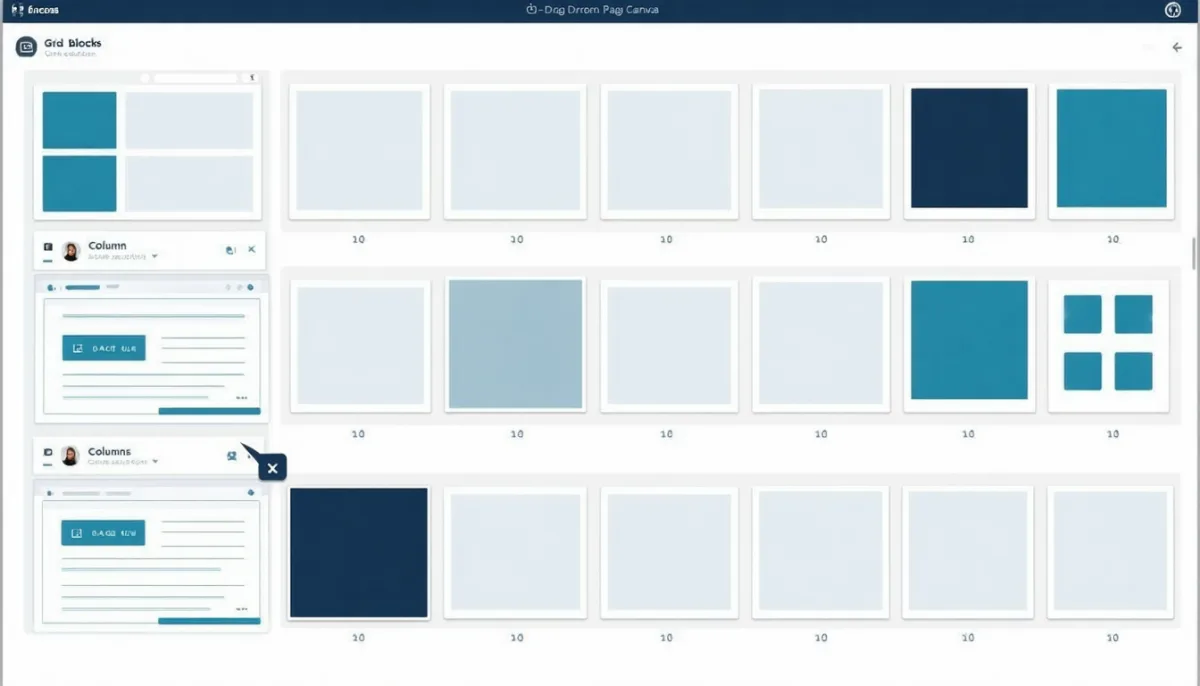
What Page Builder does well:
- Landing pages without developers. A campaign page with a hero banner, three columns, a product carousel and a video takes half an hour. Before 2.3.1 that was a ticket for the dev team.
- Embedding real products. The
productscontent type pulls a selection straight from the catalog. This is the one area where Magento beats any generic CMS: product data is not imported, it is the same data, live, with correct stock status. - Full layout control over spacing, backgrounds, borders and visibility — per block.
Where it hurts:
- Content ends up as an HTML blob in
content. Page Builder stores its structure as enriched HTML withdata-attributes in that samemediumtextcolumn. There is no structured field per element. A query like “all pages containing a video block” is a full-text search through HTML, not a database query. - Turn Page Builder off and you see raw markup. Moving back, or to a different editor, is a migration, not a setting.
- Learning curve. Editors who know Wix or WordPress with Gutenberg need a moment. The interaction model is idiosyncratic, especially nesting rows inside columns.
One note for anyone running a modern frontend: if you use Hyvä as your theme — and many new Magento projects in 2026 do, because of the frontend performance gains — check Page Builder compatibility early. Hyvä now ships Hyvä CMS, its own editing solution, which is itself a statement about the state of the bundled editor.
The blog gap: Magento has no blog module. Full stop.
This is where most projects run aground, and it is easy to demonstrate. Among the 222 core modules of Magento 2.4 there is not a single blog module:
curl -s "https://api.github.com/repos/magento/magento2/contents/app/code/Magento?ref=2.4-develop" \
  | grep '"name"' | grep -i blog
# (no output)
There are content-adjacent modules — Cms, CmsGraphQl, CmsUrlRewrite, Widget, CatalogWidget, MediaGalleryCmsUi — but nothing that understands posts, categories, tags or authors. Given the data model above, that follows necessarily: without post_author, post_date, post_type and hierarchy, there cannot be a blog.

In practice you have three options.
Option 1 — install a blog extension. Magefan Blog, Mageplaza Blog, Amasty Blog Pro. Cost ranges from €0 (Magefan’s base version) to several hundred euros. These modules bring what the core lacks: their own tables with author, date, categories, tags, comments. It works well — with a cost that only shows up later: every Magento upgrade now depends on a third party’s release speed for your blog. Anyone who has waited on a module while a security patch sat ready knows the feeling.
Option 2 — put WordPress next to it. Shop on shop.example.com, blog on example.com/blog. Two systems, two update cycles, two backups, two attack surfaces, two designs drifting apart. Common, rarely chosen with enthusiasm. If you are considering it, read our piece on modern WordPress alternatives first — there are much lighter options today than a second full installation.
Option 3 — separate content from the start. More on that below, because in 2026 this is what we usually recommend for new projects.
Where Magento genuinely shines as a CMS
So far this reads like an indictment. It is not — there are things Magento does better as a content system than any dedicated CMS, and they routinely get lost in the discussion.
Multi-language and multi-store are built in, not bolted on. The schema proves it: there are link tables cms_page_store and cms_block_store with foreign keys to store. Every page and every block can be enabled per store view. If you have ever configured WordPress with WPML or Polylang for six country shops, you know what that sentence is worth. In Magento this is not a plugin, it is the foundation.
Content and catalog live in the same system. A product carousel on a landing page shows real stock levels, real customer-group pricing, real availability. No sync, no cache reconciliation, no night when the feed hangs. For shops with a fast-moving assortment this is a concrete advantage.
Full-text search is accounted for. Both CMS tables carry fulltext indexes across title, identifier and content — and for cms_page the meta fields as well. CMS content is therefore findable in the shop search without any extra work.
The SEO basics are complete. meta_title, meta_description, meta_keywords and a clean identifier as URL key are available per page. It is not a lot — but it is precisely what is needed, and it is there without a plugin. (What is missing are canonicals and article structured data; both usually arrive via extensions.)
Content is available over GraphQL. The Magento_CmsGraphQl module exposes cmsPage(identifier:) and cmsBlocks(identifiers:), including title, content, content_heading, page_layout and all meta fields. That is the key to headless architecture, and the reason the next section works at all.
The honest recommendation: separate shop and content
Given what the data model shows, the sensible conclusion is not “Magento is a bad CMS”. It is: Magento is an e-commerce system with a usable page manager, and it should be used for exactly that.
The architecture that holds up in practice:
- Everything commercial stays in Magento. Category pages, product pages, campaign landing pages with live product data, legally required pages, shop help pages. Precisely what
cms_pagewas built for — Page Builder included. - Everything editorial comes from a real CMS. Blog, guides, magazine, case studies, press releases. Wherever author, date, status, categories and workflows are needed.
- Connect them through the API. Magento’s GraphQL feeds product data into the content system; the content system feeds articles into the shop frontend. Both stay independently updatable.
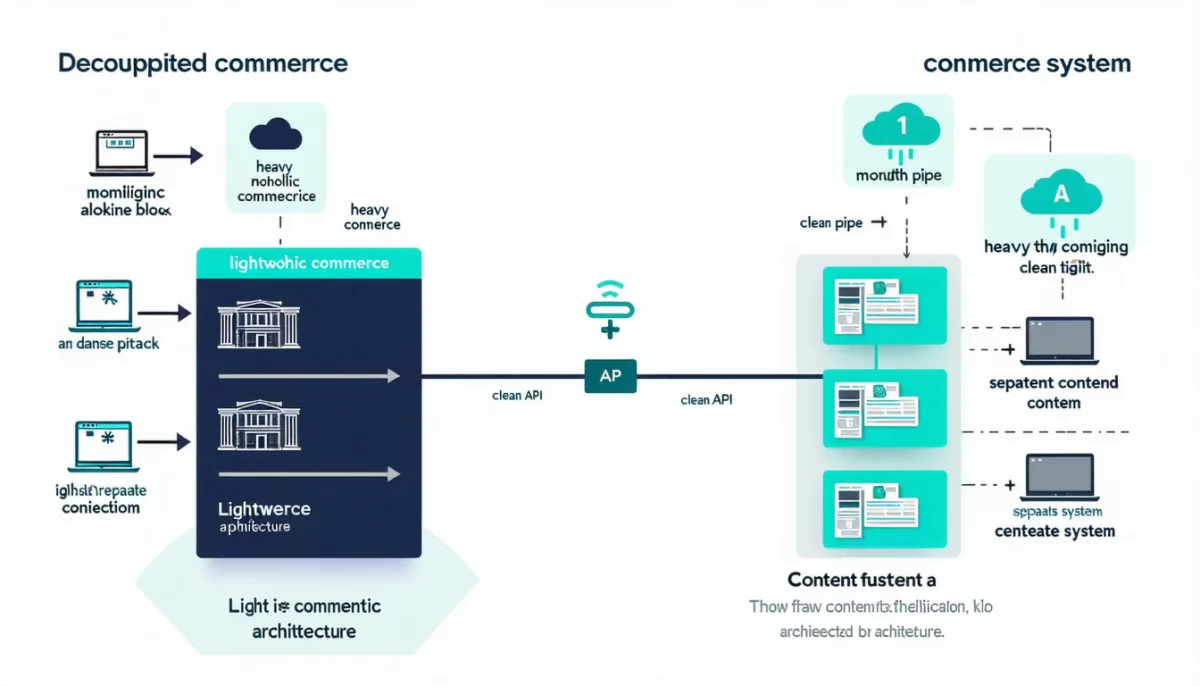
The decisive benefit is not a feature but a risk that disappears: a Magento upgrade can no longer break your blog, and a CMS update can no longer break your checkout. Anyone who has had both systems in one deployment understands the value of that separation.
We take the same route at getmind.io, just more strictly: this page — the article you are reading — does not run on a shop system but on Astro, with content stored as files in a Git repository. The reasoning is identical: editorial work and selling have different requirements for speed, versioning and resilience. There is no system that does both well at once. There are only systems that do one well and carry the other along.
The elephant in the room: how long will Magento Open Source last?
This belongs in every Magento article written in 2026, because it hangs over every technical decision.
The state of things, straight from Adobe’s official version overview (page last updated 2 June 2026):
| Release line | Regular support ends |
|---|---|
| 2.4.6 | 11 August 2026 |
| 2.4.7 | 9 April 2027 |
| 2.4.8 | 11 April 2028 |
| 2.4.9 | May 2029 |
Version 2.4.9 was released on 12 May 2026. So if you are on 2.4.6 today, you have days of regular support left — that is not a theoretical date, it is a task for this month.
The much-repeated claim that “Adobe is letting Open Source die” is nonetheless too simple. It is directionally true: Adobe’s investment visibly flows to the commercial and SaaS side, and Open Source gets no extended support like paying customers do. It is not true as an outcome: releases continue, security patches continue, and the support commitment for 2.4.9 runs to 2029.
There is also a development that structurally changes the risk: Mage-OS, an independent, nonprofit distribution of Magento Open Source. The fork is active, ships its own distributions carrying the Magento security patches, and has an open governance model. The project explicitly states it is not affiliated with Adobe. Anyone worried about the future of the free edition now has a fallback that did not exist in 2021.
A warning about the market share numbers, because they are quoted everywhere: the common figures — “7–8% market share”, “around 100,000 active stores”, “down 11% year over year” — almost all trace back to one source (BuiltWith) and get passed along through secondary articles. BuiltWith detects technologies from signatures in the HTML. A shop with a modern headless frontend or a Hyvä theme may no longer look like Magento from the outside. Part of the measured “decline” could therefore be modernization rather than churn. We cite the numbers with that caveat — and would not base a platform decision on them.
Magento CMS vs. the alternatives
A quick reality check on where Magento stands for content:
Versus Shopware 6: Shopware’s “Shopping Experiences” offer a comparable block-based concept, and it likewise ships no native blog module. The content parity is largely real; the differences lie elsewhere. If you are torn between the two, our Shopware 6 cost breakdown will help more than a feature duel.
Versus Shopify: Shopify includes a blog system — posts, authors, tags, comments, all standard. It is functionally plain, but it exists and it is maintained. For content-driven brands with a manageable catalog that is a genuine head start.
Versus WordPress/WooCommerce: the mirror image. WordPress is an excellent CMS with a shop attached; Magento is an excellent shop with page management attached. Which side matters more to you decides the choice almost by itself. Our shop system comparison goes into detail.
Versus headless CMS platforms (Payload, Directus, Strapi, Sanity, Storyblok): here Magento clearly loses on content — and that is fine, because those systems have exactly one job. Which is precisely why the combination of both is so common.

Practical notes for running content on Magento
A few things we have learned running shop systems that apply directly to Magento CMS content:
Caching is your most frequent mistake. Content is cached aggressively — full page cache, often in Redis or Varnish. An edited CMS page does not appear immediately. Before wondering whether the save failed: flush the cache. And if a CDN sits in front, test the origin directly or you are only measuring the intermediate layer.
Images are the performance problem, not the CMS. Page Builder makes it easy to drop in large images. A shop home page reaches several megabytes quickly if nobody is watching. Convert to WebP, set explicit widths and heights, lazy-load below the fold. You can measure the effect yourself with our Core Web Vitals test.
The HTML blob makes bulk edits expensive. Because Page Builder content lives as HTML in one column, “change the button text on all 200 pages” is not a database update but a search-and-replace across markup. Plan for that before you build 200 pages.
Editorial process has to be organized outside the tool. With no draft status, every team needs an agreement: where the text is written, who approves it, when it goes live. Without that agreement, is_active becomes the approval process — and that eventually goes wrong.
Frequently asked questions about the Magento CMS
Is Magento a CMS? Magento contains a CMS module but is not a CMS in the proper sense. It manages pages, blocks and widgets, and since 2.4.3 it offers a visual Page Builder in the Open Source edition too. What it lacks are the fundamentals of editorial work: the data model knows neither author nor publication date, neither draft status nor page hierarchy. As page management for a shop it fits; as an editorial system it does not.
Can you run a blog on Magento? Not with what ships in the box. There is no blog module among the 222 core modules, and without author and date fields you could not improvise one either. The usual routes are extensions such as Magefan, Mageplaza or Amasty, a separate CMS, or a decoupled content platform connected over the API.
Is Page Builder included in Magento Open Source? Yes, the base functionality since version 2.4.3. The code is licensed under the Open Software License 3.0. Adobe Commerce adds capabilities on top — staging, preview and personalized content — that Open Source does not have.
How many content types does Page Builder have?
Twenty. Eleven are layout elements (rows, columns, tabs, sliders, dividers, buttons), nine carry content (heading, text, HTML, image, video, banner, map, products, CMS block). Verifiable in the magento/magento2-page-builder repository.
What is the difference between a CMS page and a CMS block?
A CMS page has its own URL and can be visited directly. A CMS block has no URL of its own and is embedded elsewhere — through widgets, layout XML, or directly in Page Builder. Technically they are two tables: cms_page with 20 columns, cms_block with seven.
Can I deliver Magento content headlessly?
Yes. Magento_CmsGraphQl provides the cmsPage(identifier:) and cmsBlocks(identifiers:) queries and returns content and metadata as JSON. Note that the content value is raw HTML — your frontend has to render it, and for Page Builder content it must also understand the structural attributes.
How long will Magento Open Source be supported? Regular support ends 11 August 2026 for 2.4.6, 9 April 2027 for 2.4.7, 11 April 2028 for 2.4.8, and in May 2029 for 2.4.9. In addition, Mage-OS exists as an independent nonprofit distribution continuing security patches.
Is Magento worth it just for the CMS? No — the reverse. Magento is worth it for the catalog, multi-store capability, B2B features and extensibility. The CMS is a solid bonus. If your priority is publishing content and you sell something on the side, you are better served by a CMS plus a lightweight shop.
Conclusion
The Magento CMS is better than its reputation and weaker than its feature list suggests — and both can be read off the data model instead of guessed at.
What it can do: manage pages and blocks per store view and language, build presentable landing pages without developers via Page Builder, embed live product data, and expose everything over GraphQL. For a shop that needs a few dozen static pages plus regular campaign pages, that is entirely sufficient.
What it cannot do: editorial work. Without author, publication date, draft status or hierarchy, cms_page is not an article table. Eight of its 20 columns govern layout and theming; not one governs who publishes what and when. That is not an oversight — it is a deliberate decision in favor of a different purpose.
The practical consequence: use Magento for what its data model was built for, and get a system for content whose data model was built for that. The separation costs you one interface and saves you the coupling of two systems that need updating at different times for different reasons.
And whether Magento Open Source has a future barely matters for the CMS decision — because if your content lives outside anyway, a platform change on the shop side stops being a content project. That may be the strongest argument for separation there is.