Debian vs Arch is the most honest distribution comparison you can make — because both projects ask the same question and give opposite answers: When is software on my machine allowed to change? Debian says: every two years, and in between only for security fixes. Arch says: whenever it’s ready.
Everything else — Pacman versus APT, the AUR versus contrib, a graphical installer versus archinstall, “minimal” versus “complete” — follows from that single decision. Understand it, and you no longer need a feature table.
This article is not an adjective contest. For Debian vs Arch we downloaded and counted both package archives ourselves in August 2026 — the same method we used in our Debian vs Ubuntu comparison. On top of that, we read the build timestamp of every single Arch package, counted five years of Arch news items for “manual intervention,” and held both projects’ security trackers against each other. The numbers say something different from the forums.
The short version
| Debian 13 “trixie” | Arch Linux | |
|---|---|---|
| Release model | Fixed release, ~2 years | Rolling release, continuous |
| Current version | 13.6 (11 Jul 2026) | none — there is only “today” |
Packages amd64 (official) | 69,843 | 15,400 |
| Community repository | contrib/non-free (1,088) | AUR: 118,172 |
| Packages rebuilt in the last 30 days | — (security fixes only) | 4,600 (29.9%) |
| End of support | 30 Jun 2030 (with LTS) | not applicable |
| Open security entries | 5,623 (1,415 marked “unimportant”) | 85 vulnerable groups |
| Graphical installer | yes | no (archinstall is a TUI) |
| Default init | systemd | systemd |
| For production servers | yes | usually no — reasons below |
The one-sentence answer: Debian if the machine should still run exactly the way it does today in three years. Arch if you want it to run the way upstream just published it — and you’re willing to look at it regularly in exchange.

The release model is the whole difference
Before the numbers, the mechanism has to be clear — otherwise you’ll read the numbers wrong.
Debian: freeze, test, ship
Debian maintains three branches at once. Everything new lands in unstable (sid). After a waiting period without critical bugs, packages migrate automatically into testing. Before a release, testing is frozen: nothing new enters, only bug fixes. Once the release-critical bugs are cleared, testing becomes the new stable.
After that, the version numbers in stable stop moving. Debian 13 was released on 9 August 2025; the current point release 13.6 from 11 July 2026 contains security and bug fixes, but no new program versions. Install nginx in August 2026 and you get the same major version as in August 2025 — with security fixes backported into it.
That’s the core of “stable.” It doesn’t mean “doesn’t crash.” It means “doesn’t change.”
Arch: done is shipped
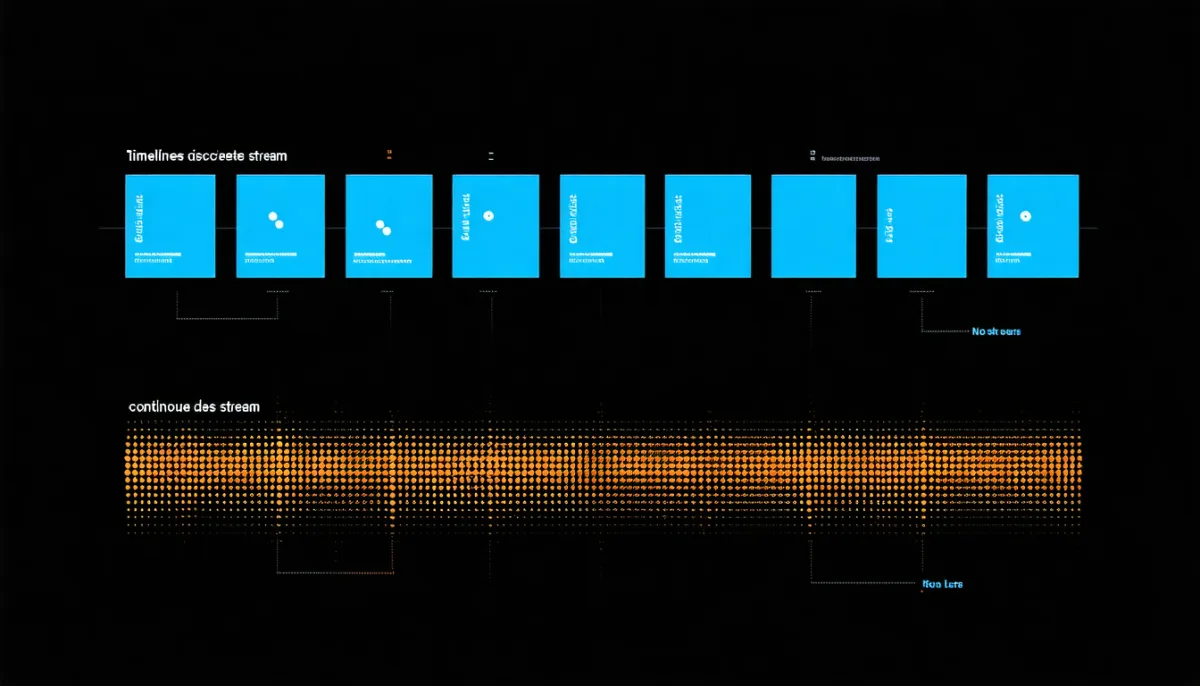
Arch has no freeze, no release, and no version number. A package is built as soon as upstream publishes a new version and a maintainer pushes it through. There is no “Arch 2026” — there is only today’s state.
The ISO images do carry a date (archlinux-2026.08.01-x86_64.iso), but that’s purely an installation aid. After the first pacman -Syu, every Arch system is at the same state regardless of which ISO it came from.
Why that’s the only question that matters
Every practical difference can be derived from those two paragraphs:
- Debian can guarantee package versions because they don’t change. Arch cannot.
- Arch can deliver current software because nothing holds it back. Debian cannot.
- Debian needs to backport security fixes into old versions. Arch closes holes via the next upstream release.
- Debian upgrades are rare and large. Arch upgrades are frequent and small — which in total is not less work, just differently distributed.
That last point is the most commonly misunderstood one, and we come back to it with numbers further down.
We counted the package archives ourselves
One claim keeps circulating about Debian vs Arch: that Arch “has more software.” That can be checked instead of believed — and the result inverts the claim, though not in the way Debian fans hope.
On 26 Aug 2026 we downloaded both distributions’ package indices and counted the entries: for Debian the Packages.xz files of every component from deb.debian.org, for Arch the core.db, extra.db and multilib.db databases from geo.mirror.pkgbuild.com.
| Source | Packages amd64 |
|---|---|
Debian 13 main | 68,755 |
Debian contrib | 303 |
Debian non-free | 741 |
Debian non-free-firmware | 44 |
| Debian total | 69,843 |
Arch core | 297 |
Arch extra | 14,921 |
Arch multilib | 182 |
| Arch official total | 15,400 |
| AUR (build recipes) | 118,172 |
Packages.xz per component from deb.debian.org/debian/dists/stable/, counting ^Package: lines, architecture amd64. Arch databases extracted and directory entries counted (one directory = one package). AUR list from aur.archlinux.org/packages.gz, comment lines subtracted. Both as of 26 Aug 2026.
Debian ships 4.5 times as many pre-built packages as Arch. That isn’t a footnote — it’s the single most important numerical difference in this entire comparison, and it’s almost never mentioned.
Why the Arch number still isn’t the whole truth
15,400 against 69,843 sounds devastating, but it’s misleading unless you add two things.
First: Debian splits, Arch doesn’t. Debian routinely breaks one piece of software into several binary packages — libfoo, libfoo-dev, libfoo-doc, libfoo-dbg, plus language packs. Arch usually bundles the same project into a single package. A more realistic comparison is therefore against Debian’s source packages: Debian 13 has 37,633 of those in main. That shrinks the ratio from 4.5:1 to roughly 2.4:1 — still a clear lead for Debian.
Second: the AUR is the real catalogue. With 118,172 entries, the Arch User Repository is nearly twice the size of Debian’s entire binary archive. Except it doesn’t contain packages, it contains build instructions (PKGBUILD) that get executed on your own machine. They are not reviewed, not signed, and not maintained by the Arch project. What that means in practice is below — it’s the touchiest point in this comparison.

Package age: Arch wins here, decisively
Debian takes the size comparison. Arch takes the freshness comparison — so clearly that in many cases it outweighs the other number.
We read the version fields from the same archives, Debian from main, Arch from core/extra:
| Package | Debian 13 “trixie” | Arch Linux |
|---|---|---|
| Linux kernel | 6.12.94 | 7.1.9 |
| systemd | 257.13 | 261.2 |
| nginx | 1.26.3 | 1.30.4 |
| Apache | 2.4.68 | 2.4.68 |
| PHP | 8.4 | 8.5.9 |
| Node.js | 20.19.2 | 26.7.0 |
| Python 3 | 3.13.5 | 3.14.7 |
| Go | 1.24 | 1.27.0 |
| Rust | 1.85.0 | 1.98.0 |
| GCC | 14.2.0 | 16.2.1 |
| LLVM | 19.0 | 22.1.8 |
| PostgreSQL | 17 | 18.6 |
| MariaDB | 11.8.6 | 12.3.2 |
| Docker | 26.1.5 | 29.7.2 |
| Podman | 5.4.2 | 6.1.0 |
| Caddy | 2.6.2 | 2.11.4 |
| Git | 2.47.3 | 2.55.0 |
| OpenSSL | 3.5.6 | 3.6.3 |
| OpenSSH | 10.0p1 | 10.5p1 |
| certbot | 4.0.0 | 5.7.0 |
| WireGuard tools | 1.0.20210914 | 1.0.20260223 |
Version: fields from the Debian Packages indices of stable/main and %VERSION% from the Arch package databases, both as of 26 Aug 2026. Debian versions shown without distribution suffix.
The spread is remarkable. Apache is an exact tie (2.4.68) — Debian backports diligently there. Node.js is six major versions apart, Rust thirteen, LLVM three. And Debian’s wireguard-tools carries a date stamp from 2021.
What that means in practice: For a web server running PHP and nginx, Debian’s age is irrelevant — both work, both get security fixes. For a Rust or Go development environment it’s disqualifying: if you work with Rust 1.98, you cannot build with Debian’s 1.85, and the answer becomes rustup instead of apt — which means abandoning the package system for exactly the software you care about.
That’s where Debian vs Arch gets decided for most developers.
The compromise both camps leave out
You don’t have to choose. Debian offers backports — an official supplementary archive with newer versions of selected packages, built for stable. And for language toolchains, version managers (rustup, nvm, pyenv, official Docker repos) are the better answer than distribution packages anyway, because they allow different versions per project.
A Debian server with rustup and the official Docker repository has Arch’s freshness advantage where it counts — and keeps Debian’s unchanging foundation everywhere else. In practice that’s the most common and usually the best solution.
How much movement is a rolling release, really?
“Rolling release” is a word, not a quantity. We wanted to know how much actually moves, so we read the build timestamp (%BUILDDATE%) from every single one of the 15,400 Arch packages.
| Period | Packages rebuilt | Share |
|---|---|---|
| last 7 days | 1,634 | 10.6% |
| last 30 days | 4,600 | 29.9% |
| last 90 days | 7,019 | 45.6% |
| last 180 days | 10,012 | 65.0% |
| last year | 13,120 | 85.2% |
%BUILDDATE% from the desc files of all 15,400 packages in core, extra and multilib, reference date 26 Aug 2026. Median age of an Arch package: 114 days.
Almost a third of Arch’s catalogue was rebuilt in the last month. That works out to roughly 153 package updates per day across the whole catalogue. A typical desktop system has maybe 800 to 1,200 of them installed — so a pacman -Syu after a week away typically brings several dozen updates.
The median of 114 days is the more interesting figure than the mean (187 days): half of all Arch packages are younger than four months. For Debian 13, the comparable figure for program versions is effectively the release date of August 2025 — over a year.
And the flip side, which belongs in an honest account: that movement is change risk. Each of those 153 daily updates is an opportunity for something to behave differently than yesterday. Usually nothing happens. But “usually” is a different promise from Debian’s “not at all.”
“Arch breaks constantly” — does it?
That’s the accusation in every Debian vs Arch thread. It can be measured, because Arch documents every update requiring manual work as an official news item on archlinux.org/news/.
We parsed the complete news index: 50 items reach back to 27 Dec 2021 — a good four and a half years.
| Year | News items | of those “manual intervention” |
|---|---|---|
| 2026 (through August) | 6 | 2 |
| 2025 | 13 | 6 |
| 2024 | 8 | 1 |
| 2023 | 12 | 5 |
| 2022 | 10 | 2 |
archlinux.org/news/ parsed, titles checked for “manual intervention” / “requires manual.” Period 27 Dec 2021 to 21 Jul 2026.
The result lands between the camps. In four and a half years there were 17 updates requiring manual work — roughly 3.6 per year, about one per quarter. That’s considerably more than Debian, where you essentially never have to intervene between two releases. But it’s also a long way from “constantly.”
And the decisive addendum: these interventions are announced and documented. Anyone who runs pacman -Syu without reading the Arch news first isn’t unlucky — they skipped the one step the system expects of them. The items also often concern niches: virtualbox-ext-vnc (July 2026), waydroid, .NET packages, Plasma on X11.
Two recent ones are broader, though: in April 2026 Arch switched iptables to the nft backend, and in May 2026 varnish was renamed to vinyl-cache — both things that can affect a running server.
The AUR: greatest strength and greatest risk at once
The Arch User Repository is why Arch users merely raise an eyebrow at “Debian has more packages.” With 118,172 entries, it holds practically every piece of software ever built for Linux — niche tools, proprietary programs, Git versions, things that would never stand a chance of entering Debian.
The price is precisely nameable: an AUR entry is a shell script written by a stranger and executed on your machine. There is no review, no signature, no maintenance by the Arch project. A PKGBUILD can run arbitrary code in its prepare() function — with your privileges, and during installation with root privileges.
That isn’t a theoretical concern. On 12 June 2026 the Arch project published a news item titled “Active AUR malicious packages incident.” It states verbatim:
“We are currently experiencing a high volume of malicious package adoptions and updates in the Arch User Repository.”
The project had to temporarily restrict new account creation, package updates, and the adoption of orphaned packages while it traced the malicious commits. The advice to users remained what it always is: read every PKGBUILD and install script change yourself before building.

So the honest comparison is not “118,172 versus 69,843.” It is: 15,400 reviewed, signed Arch packages against 69,843 reviewed, signed Debian packages — and next to that a vast, unreviewed self-service area whose use is a deliberate risk decision.
To place that risk in context, the mechanism is in our article on IT security vulnerabilities — dependencies are the largest entry point there, and the AUR is exactly that class of risk in its most extreme form.
The counterpart applies to Debian: contrib and non-free together hold a tiny 1,088 packages, but they go through the same quality assurance as main. If something isn’t there, you have to build it yourself — just without a convenient mechanism that turns self-building into a habit.
Security: two models you can’t compare directly
Here lies the most common misreading in the whole field — and we walked into it ourselves while measuring.
The bare numbers as of 26 Aug 2026:
| Debian 13 “trixie” | Arch Linux | |
|---|---|---|
| Open entries in the tracker | 5,623 | 85 |
| of those “unimportant” / low | 1,415 | 24 |
| of those high/critical | — (see below) | 11 |
| Total tracker entries | 4,077 packages | 2,444 groups |
security-tracker.debian.org/tracker/data/json (86 MB), counting CVEs with status open for release trixie. Arch from security.archlinux.org/issues/all.json, status Vulnerable.
Anyone reading “Arch is 66 times safer” out of that has compared two different things. The numbers do not mean the same thing:
- Debian’s tracker lists every individual CVE per package and leaves it open until it is fixed or marked irrelevant. Of the 5,623 open entries, 1,415 are explicitly rated “unimportant” — holes not exploitable in Debian’s configuration, or ones where fixing would carry more risk than benefit. Another 4,194 are not yet assessed. An open entry in Debian is first of all a ledger line, not an active hole.
- Arch’s tracker bundles CVEs into groups (AVGs) and closes them as soon as the new upstream version lands in the repository. That’s fast, because there’s no backporting — but it also counts differently. Those 85 “Vulnerable” groups sit next to 2,151 already fixed ones.
The defensible difference is structural, not numerical:
Debian backports security fixes. When OpenSSL 3.6 closes a hole, Debian builds the fix into its 3.5.6 and doesn’t change the version number. Upside: nothing on your server changes except the hole. Downside: version scanners falsely flag your system as vulnerable because they only see the number — a permanent nuisance in audits.
Arch fixes by updating. The hole disappears because the new version arrives — along with every other change in that version. Upside: fast and unambiguous. Downside: the security fix is inseparably married to functional changes.
For a server that has to satisfy compliance requirements, Debian’s model is the better fit — not because it is safer, but because it is demonstrable. We’ve experienced first-hand how expensive a missed hole gets: the incident in Server hijacked for five days ran through a known RCE in an application dependency — the distribution was innocent there, but the lesson applies to both models.
Maintenance effort: the work is moved, not saved
The most common misunderstanding in both directions: Debian users believe rolling release means permanent stress. Arch users believe fixed release means never having to do anything. Both are wrong — the work is merely distributed differently.
Debian over five years:
- Daily/weekly:
unattended-upgradesapplies security fixes. Real effort: zero. - Every two years: a distribution upgrade (
trixie→forky). That’s a scheduled event with preparation, backup, maintenance window, and follow-up work on config files. Realistically half a day to a day per server. - After five years: end of support, reinstall or upgrade chain.
Arch over five years:
- Weekly to monthly:
pacman -Syu, after reading the Arch news. Realistically five to fifteen minutes. - Roughly quarterly: an update requiring manual work (see the 17 items in four and a half years).
- Never: a large distribution upgrade. There isn’t one.
The arithmetic comes out surprisingly close. Updating Arch every two weeks means about 130 updates over five years at ten minutes each — roughly 22 hours. Debian means two to three distribution upgrades at six hours plus follow-up — roughly 20 hours. The effort is similar; the difference lies in distribution and predictability.
And that is exactly the decisive criterion for servers: Debian’s work can be scheduled. Arch’s work happens when it happens — and postponing it doesn’t make it smaller, it makes it riskier.

The trap only Arch has: the pause
Debian forgives neglect. A server that received only security updates for a year is exactly as operational afterwards as before.
Arch does not forgive it well. A system left un-updated for a year may have missed several “manual intervention” items, and its keyring (archlinux-keyring) can be old enough that signature checks fail for the new packages — a classic chicken-and-egg situation you have to resolve first with pacman -Sy archlinux-keyring.
Rule of thumb: if you’re not sure you’ll touch a system at least monthly, don’t put Arch on it. That’s not a criticism of Arch — it’s the operating manual.
Arch on servers: the honest answer
Short version: usually no. At length, because the reasons are concrete rather than matters of taste:
- There is nothing to certify against. Software vendors name supported distributions with version numbers. Arch has none, so it cannot appear in any support matrix.
- No maintenance window is predictable. An update requiring manual work announces itself — but not on a date you chose.
- Automatic security updates aren’t sensible. Debian’s
unattended-upgradesworks because only fixes change. An automatedpacman -Syuwould apply unreviewed major version jumps — nobody does that voluntarily on production. - No support window. Debian 13 has an end date: 30 June 2030. You can write that into an operations plan. “Always current” cannot be written down.
- Almost no hoster images. Wanting Arch at a VPS provider often means going through custom images — while Debian is the default everywhere.
When Arch on a server does make sense: a machine running a single, very current piece of software, tended by a human who touches it daily anyway — a build runner, a development or test machine, a homelab host. There the freshness advantage is real and the predictability drawback is irrelevant.
For anything serving customers, Debian is the right answer. Our own production servers run Debian and Ubuntu; how we set them up and harden them is in Linux server setup, and the placement of every common candidate is in Linux server distributions.
The desktop: this is where the comparison flips
On servers Debian wins clearly. On the desktop the picture is almost reversed, for a reason that plays no role on servers: hardware and games need current drivers.
A laptop with a graphics card or Wi-Fi chip from the current year may not be recognised at all by Debian’s kernel 6.12. Arch’s kernel 7.1 knows it. The same applies to Mesa, Wayland sessions, Pipewire, and the entire gaming chain around Proton — there, the difference between a year behind and a week behind is directly noticeable.
| Criterion | Debian | Arch |
|---|---|---|
| New hardware (current year) | often problematic | generally supported |
| Gaming (Proton/Mesa) | outdated | current |
| Desktop environments | frozen at release version | continuously current |
| Installation | graphical installer | command line or archinstall |
| Setup effort | low | high, but documented |
| Documentation | good | ArchWiki — the best in Linux |
The documentation point isn’t a courtesy. The ArchWiki is by a wide margin the best Linux documentation that exists, and it’s read by users of every distribution — including us, when we’re solving a Debian problem. Anyone using Arch inevitably learns how their system works, because they assembled it themselves. That’s not a side effect; it’s Arch’s actual offer.
If you want the freshness but not the installation work, you usually end up on an Arch derivative like EndeavourOS or CachyOS: same rolling release, same repositories, just with a graphical installer and pre-configuration. For newcomers that’s a considerably gentler path — with the same maintenance profile.
And if you simply want quiet on the desktop, Debian or an Ubuntu derivative serves you better; that comparison is in Ubuntu vs Mint.
Pacman versus APT
Both package managers are excellent, and the difference is smaller than the tribalism suggests.
| APT (Debian) | Pacman (Arch) | |
|---|---|---|
| Update | apt update && apt upgrade | pacman -Syu |
| Install | apt install package | pacman -S package |
| Remove | apt remove / purge | pacman -R / -Rns |
| Search | apt search | pacman -Ss |
| Speed | good | noticeably faster |
| Config files | asks interactively | drops a .pacnew, you decide |
| Partial upgrades | supported | not supported |
Two points genuinely matter:
pacman -Sy package is a trap. Arch does not support partial upgrades. Refreshing the package lists and then installing a single package can hand you a program built against newer libraries than your system has. The result is errors about missing .so files. The correct command is always pacman -Syu. With APT this is harmless, because Debian’s versions match each other anyway.
.pacnew is more honest but less convenient. When a default configuration changes, Pacman doesn’t overwrite your file — it places the new one beside it and tells you once. If you don’t tidy up, you accumulate configurations over the years that no longer match the program. APT instead asks interactively, which feels more intrusive but leads to silent legacy cruft less often. Tools like pacdiff even that out.
Frequently asked questions
Which is better, Debian or Arch?
Neither in general — the question is decided by use case. For production servers Debian is the right choice in nearly every case: schedulable maintenance, a fixed end of support (30 Jun 2030 for Debian 13), and automatable security updates. For desktops with current hardware, for gaming, and for development environments needing new toolchains, Arch is superior: kernel 7.1 instead of 6.12, Rust 1.98 instead of 1.85, Node 26 instead of 20.
Is Arch Linux stable?
Yes — but “stable” means something different here than in Debian. Arch does not crash more often; its packages are upstream releases, not test builds. “Stable” in the Debian sense means “unchanged,” and by design Arch is not that. Measurably: in four and a half years there were 17 updates requiring manual work — about 3.6 per year. Read the Arch news before updating and you can run Arch for years without trouble.
How many packages do Debian and Arch have?
Counted on 26 Aug 2026: Debian 13 has 69,843 binary packages for amd64 (68,755 of them in main), Arch has 15,400 across core, extra and multilib. On top of that come 118,172 build recipes in the AUR — but those are unreviewed scripts, not finished packages. A fairer comparison is against Debian’s 37,633 source packages, because Debian often splits one piece of software into several binary packages and Arch does not.
Can you use Arch Linux as a server?
Technically yes, practically it’s usually not advisable. Five things a production server needs are missing: a version for support matrices, a fixed end of support, schedulable maintenance windows, sensibly automatable security updates, and widespread hoster images. Arch does make sense on servers that are tended daily anyway — build runners, test and development machines, homelab hosts.
Is the AUR safe?
No, not in the sense of any assurance. AUR entries are unreviewed build scripts from strangers, executed on your machine with your privileges. On 12 June 2026 the Arch project itself reported an ongoing incident involving “a high volume of malicious package adoptions and updates” and temporarily restricted accounts and uploads. The project’s rule stands unchanged: read every PKGBUILD and install script change yourself before building.
How often do you have to update Arch Linux?
At least monthly, better every one to two weeks. The reason isn’t impatience, it’s the keyring: a long-neglected system may have an outdated archlinux-keyring, which makes signature checks fail for new packages — then you have to run pacman -Sy archlinux-keyring first. On top of that, missed “manual intervention” items accumulate. If you won’t touch a system at least monthly, don’t put Arch on it.
Does Arch have more current software than Debian?
Considerably, and the gap depends on the package. Examples from 26 Aug 2026: Node.js 26.7 against 20.19 (six major versions), Rust 1.98 against 1.85, LLVM 22.1 against 19.0, kernel 7.1.9 against 6.12.94. But there are counterexamples: Apache sits at 2.4.68 on both. And the gap can be closed selectively on Debian — with backports or version managers like rustup for exactly the tools that matter.
What happens if I compare Debian and Arch without looking at the kernel?
Then you miss the most practically important difference for desktops. The kernel determines hardware support: Debian 13 ships 6.12.94, Arch 7.1.9. For hardware older than two years that’s irrelevant. On a current laptop it can be the difference between working Wi-Fi and no Wi-Fi. On servers with proven hardware it’s nearly meaningless.
What we did not measure
So it’s clear where this comparison ends:
- No performance benchmark. Both systems are similarly fast at equal configuration; differences come from kernel version and defaults, not from the distribution as such.
- No long-term failure study. We counted the documented interventions, not the undocumented annoyances of individual users. Both exist; the second cannot be quantified seriously.
- No comparison of Arch derivatives. Manjaro deliberately delays packages and therefore has its own risk profile; EndeavourOS and CachyOS use Arch’s repositories directly. That would be its own article.
- Debian
testing/unstablewere left out. Debiansidis itself a rolling release and closes the freshness gap almost entirely — but without security team coverage.
Conclusion
Debian vs Arch isn’t a question of quality but of one single decision: should my system change when I’m not looking?
The numbers from our own measurements sort that fairly clearly:
Debian has the larger catalogue — 69,843 built packages against 15,400, and still 2.4:1 even counting source packages. Arch has the fresher software, in places by years: Node 26 against 20, Rust 1.98 against 1.85, kernel 7.1 against 6.12. Arch moves measurably a lot: 4,600 packages rebuilt in the last month alone, roughly 153 per day. And Arch breaks less often than its reputation suggests: 17 updates requiring manual work in four and a half years, every one announced in advance.
The AUR is not an additional argument for Arch but a separate decision: 118,172 unreviewed build scripts, and an incident reported by the project itself in June 2026.
The practical rule we boil it down to:
- Server serving customers → Debian. Because of the 30 Jun 2030 end date, because of
unattended-upgrades, because of predictability. - Desktop with current hardware or gaming → Arch (or EndeavourOS/CachyOS if you want an installer).
- Development machine with modern toolchains → Arch, or Debian plus
rustup/nvm/Docker repo. Both are defensible. - A system you touch less often than monthly → Debian, no discussion.
And the sentence that reconciles both camps: Arch’s freshness lead can be retrofitted onto Debian selectively. Debian’s quiet cannot be retrofitted onto Arch — it isn’t a package, it’s the release model itself.
If you want to read on: Debian vs Ubuntu compares Debian with the other big server candidate, Linux server distributions places every option in context, Fedora Linux deep dive shows the middle path between the two models, and Linux server setup turns the decision into a running server.